


SSD prices have been rising sharply lately, in part due to global memory shortages and high demand. For many PC users, upgrading storage has become a pricey proposition, which makes now the perfect time to get creative and make the most of the space you already have.
SSD prices are astronomical and unlikely to come down anytime soon
Modern NVMe SSDs—the ultra-fast drives in most gaming PCs and laptops—rely heavily on both NAND flash for storage and DRAM as a cache to boost speed.
With AI data centers swallowing the world’s entire supply of memory chips, both DRAM and NAND are now in a severe shortage, causing many NVMe SSDs to go up by up to (and likely even above) 250%. These kinds of sky-high NVMe SSD prices make storage upgrades hard to justify.

And while you could try your luck waiting out the shortage, many reports suggest it could last several years, if not longer. So you really only have two options—upgrade if you can still afford it, or be smart about how you use the storage you already have.
However, if you’re smart about how you use your storage, you can actually make do with just 1TB or even 500GB—even if you play modern games.
Free up SSD space without spending a dime

One of the best tips I learned as a kid is to only keep the games I actually play on my PC. I carried this “one-game-at-a-time” habit into adulthood, which has served me well considering many games can now take up well over 100GB.
Even now that I have a decent-sized 2TB NVMe SSD, I try to keep my installed games in the single digits, not counting smaller indie games that take only a few gigabytes or less.
If you’re low on disk space, you should consider following this “download, play, finish, uninstall” strategy as well. You might even find you have more motivation to play and actually finish the games you start, since it cuts down on the decision paralysis that comes from having too many games installed.
You can extend this tip to apps, too. Only keep your essential tools installed, and make an effort to uninstall anything you haven’t opened in a few months.

If you want to be extra frugal, consider switching to lightweight (preferably open-source) programs. Depending on your workflow, you could even move entirely to cloud tools—why keep Adobe Photoshop or Microsoft Word installed if Canva and Google Docs can get the job done?
And when you do uninstall files, make sure to do it correctly. Many games and programs will leave junk behind if you use the standard uninstaller, but with a tool like Revo Uninstaller (free and paid options), you can do a clean uninstall.
Speaking of cleaning, an easy way to free up potentially double-digit gigabytes on Windows machines is to use the Disk Cleanup tool. It removes temporary files, such as browser cache and files created during Windows updates, empties the Recycle Bin, clears thumbnails, deletes old memory dump files, and more.
I hadn’t emptied my Recycle Bin in a while, so a quick run of Disk Cleanup freed over 20GB of unused junk.

Move large files to an HDD or NAS to stretch your SSD space
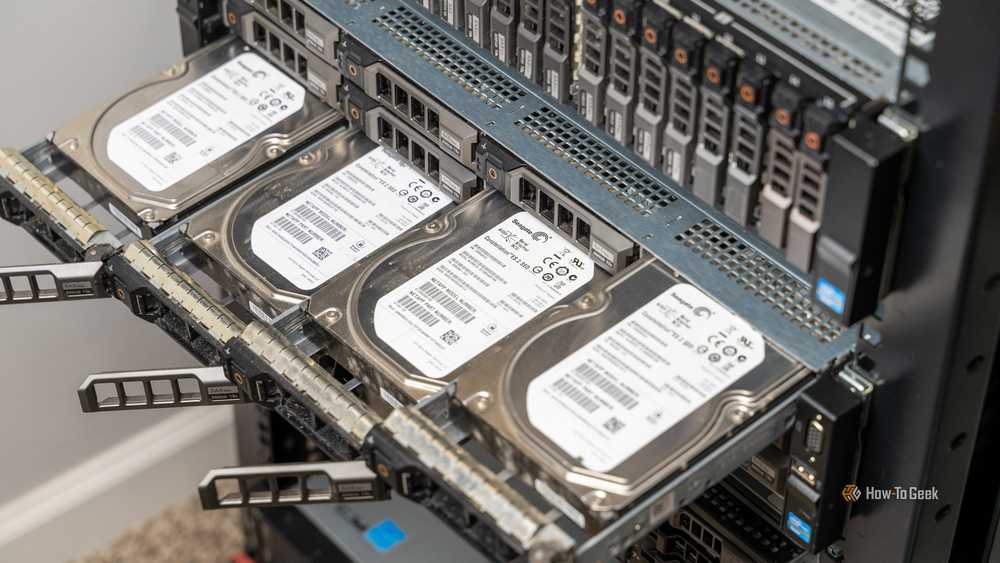
While the tips above can help with day-to-day storage management, they’re still not a complete solution. If you want to free up potentially hundreds of gigabytes on your NVMe SSD, one of the best ways is to move your large files elsewhere. You’ll still want to keep fast access to frequently used apps and games you actively play on your SSD, but almost everything else can be offloaded.
Videos, photos, movies, and anything you don’t need to access multiple times a day can be moved to a hard disk drive or, even better, a NAS if you have one. You’ll still be able to access the files easily—it’ll just take a few extra seconds.
It’s worth noting that HDD prices have gone up as well—HDDs are cheaper and more reliable for long-term storage, which is why they make up the bulk of storage in data centers.
That said, they still cost a fraction of an SSD per gigabyte. For example, you can currently get a 5TB Seagate external HDD for about $140, whereas you’d be lucky to get 1TB of NVMe SSD storage for around the same price.

- Storage Capacity
-
1TB, 2TB, 4TB, 5TB
- Brand
-
Seagate
The Seagate Portable External Hard Drive is a compact USB 3.0 drive that makes storing and accessing files on Windows, Mac, PlayStation, or Xbox easy. Just plug it in and drag and drop your content for quick backups on the go.
If you don’t have an HDD or don’t plan to buy one right now, cloud storage or USB flash drives are good alternatives. While accessing files may take an extra step, it’s still a cost-effective way to store large files and even programs in the case of flash drives.

10 Portable Apps That I Always Keep On a Flash Drive
Get to work immediately wherever you go.
