Close Menu
SkytikSkytik

    Subscribe to Updates

    Get the latest creative news from FooBar about art, design and business.

    What's Hot

    At Least 32 People Dead After a Mine Bridge Collapsed Due to Overcrowding

    November 17, 2025

    Here’s how I turned a Raspberry Pi into an in-car media server

    November 17, 2025

    Beloved SF cat’s death fuels Waymo criticism

    November 17, 2025
    Facebook X (Twitter) Instagram
    • About Us
    • Contact Us
    SkytikSkytik
    • Home
    • AI Tools
    • Online Tools
    • Tech News
    • Guides
    • Reviews
    • SEO & Marketing
    • Social Media Tools
    SkytikSkytik
    Home»Online Tools»What Year Is My iPad?
    Online Tools

    What Year Is My iPad?

    AwaisBy AwaisJanuary 23, 2026No Comments3 Mins Read0 Views
    Facebook Twitter Pinterest LinkedIn Telegram Tumblr Email
    What Year Is My iPad?
    Share
    Facebook Twitter LinkedIn Pinterest Email

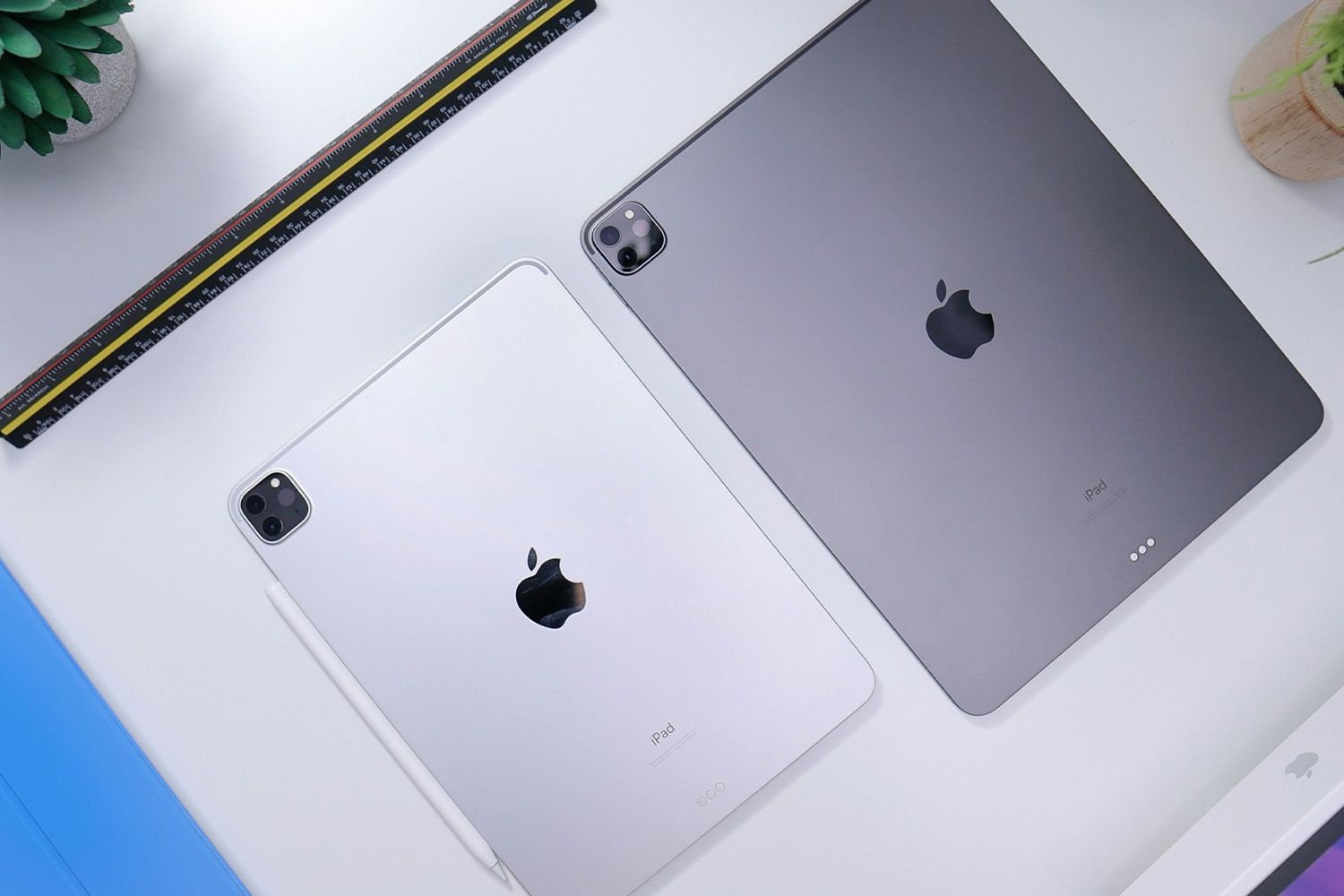
    With the many iPad models released, it’s easy to forget which one you own. If you’re curious about your iPad’s eligibility for updates or need service, there are simple ways to find this information from your device’s Settings.

    How Do I Know What Generation My iPad Is?

    When Apple releases updates or accessories, it specifies which iPad models and generations are eligible. This isn’t helpful if you don’t remember which one you own. To double-check your device, here’s how:

    1. Open the Settings app, then tap General.

    2. Select About.

      The About section also offers other useful identification information like the serial number and model number.

    3. The generation appears next to Model Name.

    Some models, like the iPad Pro 11”, don’t include a generation number next to the model name.

    How Old Is My iPad?

    Some iPad models remain for sale for a few years before discontinuation. To find the purchase year of your iPad, follow these steps:

    1. Go to Settings > General >  Legal & Regulatory.

    2. Scroll to the bottom.

    3. The sale date is listed in YYYY-MM-DD format.

    What If My iPad Won’t Turn On?

    If you can’t turn your iPad on to access Settings, locate the model number on the back of the device. This unique number can help identify the generation, release date, and more.

    Apple provides a list of iPad models and their model numbers. Compare your model number to the list.

    For instance, if your iPad reads A2836 on the back, Apple’s list shows it’s the Wi-Fi version of the 11-inch M4 iPad Pro released in 2024.

    Can I Update My iPad?

    The latest version of iPadOS is compatible with certain iPads. To update to iPadOS 17, yensure you have one of these models:

    • iPad mini 5th generation and later
    • iPad 6th generation and later
    • iPad Air 3rd generation and later
    • iPad Pro 1st generation and later

    FAQ

    • What year is my iPad Air?

      Look for the model number on the back and bottom of your device. Then check Apple’s iPad support site to view the complete list of iPad models by year and generation. You can also find your iPad Air’s model number from Settings > General > About > Model Number.

    • When did the iPad Air come out?

      Apple launched the original iPad Air in October 2013. Model numbers from this group include A1474, A1475, A1476.

    • When year did the iPad Air 2 come out?

      Apple introduced the iPad Air 2 in October 2014. This new model came with an upgraded Retina display and Touch ID.


    Thanks for letting us know!

    Get the Latest Tech News Delivered Every Day

    Subscribe

    Tell us why!


    iPad year
    Share. Facebook Twitter Pinterest LinkedIn Tumblr Email
    Awais
    • Website

    Related Posts

    How to use VLOOKUP in Google Sheets: A complete guide

    March 20, 2026

    How to create a dropdown list in Google Sheets

    March 19, 2026

    Make.com pricing: Is it worth it? [2026]

    March 19, 2026

    Introducing new collaboration features for Inoreader Teams

    March 19, 2026

    AI frameworks: building business intelligence

    March 19, 2026

    The best BPM automation software for enterprises in 2026

    March 19, 2026
    Leave A Reply Cancel Reply

    Top Posts

    At Least 32 People Dead After a Mine Bridge Collapsed Due to Overcrowding

    November 17, 20250 Views

    Here’s how I turned a Raspberry Pi into an in-car media server

    November 17, 20250 Views

    Beloved SF cat’s death fuels Waymo criticism

    November 17, 20250 Views
    Don't Miss

    [2504.18346] Comparing Uncertainty Measurement and Mitigation Methods for Large Language Models: A Systematic Review

    March 20, 2026

    [Submitted on 25 Apr 2025 (v1), last revised 18 Mar 2026 (this version, v3)] View…

    Perplexity’s Comet for iOS uses Google Search by default

    March 20, 2026

    Vibe Coding with AI: Best Practices for Human-AI Collaboration in Software Development

    March 20, 2026

    404 Crawling Means Google Is Open To More Of Your Content

    March 20, 2026
    Stay In Touch
    • Facebook
    • YouTube
    • TikTok
    • WhatsApp
    • Twitter
    • Instagram
    Latest Reviews

    ChatGPT checkout converted 3x worse than website

    March 19, 2026

    Beyond Prompt Caching: 5 More Things You Should Cache in RAG Pipelines

    March 19, 2026
    Most Popular

    13 Trending Songs on TikTok in Nov 2025 (+ How to Use Them)

    November 18, 20257 Views

    How to watch the 2026 GRAMMY Awards online from anywhere

    February 1, 20263 Views

    Corporate Reputation Management Strategies | Sprout Social

    November 19, 20252 Views
    Our Picks

    At Least 32 People Dead After a Mine Bridge Collapsed Due to Overcrowding

    November 17, 2025

    Here’s how I turned a Raspberry Pi into an in-car media server

    November 17, 2025

    Beloved SF cat’s death fuels Waymo criticism

    November 17, 2025

    Subscribe to Updates

    Get the latest creative news from FooBar about art, design and business.

    Facebook X (Twitter) Instagram Pinterest YouTube Dribbble
    • About Us
    • Contact Us
    • Privacy Policy
    • Terms & Conditions
    • Disclaimer

    © 2025 skytik.cc. All rights reserved.

    Type above and press Enter to search. Press Esc to cancel.