Key Takeaways
- If you want maximum control and a truly unique site, go with WordPress.org. The software is free, you choose your host, and you can customize everything with themes and plugins (SEO, security, newsletters, memberships, etc.). It takes more upkeep than builders, but it scales the best. If you want WordPress flexibility on a tighter budget, Hostinger is a low-cost hosting route.
- If you want a fast launch, use Wix or Squarespace. Both are hosted and low-maintenance. Wix is easiest for beginners (with easy-to-use features like drag-and-drop editing and AI-powered blog setup). Squarespace is best when design consistency and branding matter most.
- If you want reach or a simple hobby blog with near-zero maintenance, use Medium or Blogger. Medium gives you built-in distribution and a Partner Program with earnings potential but limited brand/SEO control. Blogger is free, reliable, and can be monetized with AdSense, but design flexibility is limited.
- If your blog is tied directly to selling, use Shopify. It’s ecommerce-first with a built-in blog, strong themes, and a clean path from your content to checkout. It may not go as deep editorially as WordPress, but it’s best for revenue-focused stores.
- If your blog’s job is lead gen, use HubSpot CMS. It connects posts to forms, CTAs, emails, personalizations, and CRM attribution in a single system, ideal for B2B and service businesses.
Do you want to skip the read and get right to my top pick? The best blogging platform for most people is WordPress with Bluehost.
If you want to start a blog today, picking a reliable blogging platform should be your top priority. The thing is, different platforms work for different needs and goals.
Most people underestimate the importance of choosing the right platform. It’s important to choose one that makes it easy for you to follow user experience (UX) best practices like optimizing page speed, organizing blog structure, and streamlining blog structure.
That’s why I expanded this guide beyond the “usual suspects.” You’ll see more of the top blog platforms, plus who each one is best for, like beginners or industry-specific teams that care about specific design and workflow.
Let’s get into the platforms that made the cut.
Why Blog Builders Are Useful
Blog builders are useful because a blog isn’t just “content.” It’s a system for answering the right questions for the right people and nudging them toward the next step, like subscribe, book a call, or buy.
A good blog builder makes that system easier to set up and maintain. They typically give you drag-and-drop layouts and simple ways to organize categories, tags, menus, and internal links so readers can actually find what they want. That matters for SEO, too, because search engines reward clear structure and fast, user-friendly pages.
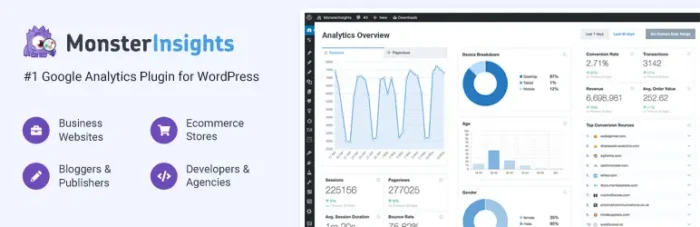
Source: https://wordpress.org/plugins/google-analytics-for-wordpress/
Builders also remove a bunch of technical friction. Most offer useful, in-platform, technical features, like installing an analytics plugin or publishing content or site changes without messing with code every time. Updates usually happen with a few clicks. If you’re running a business, that speed can be priceless.
#1. WordPress.org Review: The Best for Creating a Unique Blog
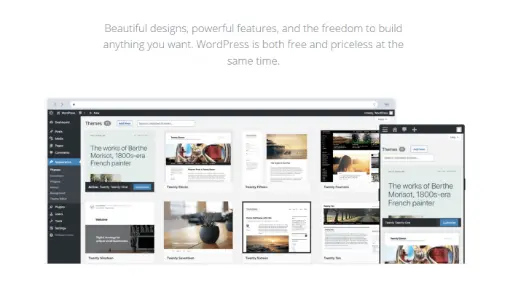
WordPress is the most popular blogging platform in the world. It’s free to use, and the potential to create is boundless.
WordPress.org is the self-hosted version, meaning you have to purchase hosting separately to support your website’s domain. The software is free and you control everything—your theme, your plugins, your monetization, and your data. That’s why it’s the best option when you want a blog that doesn’t look like everyone else’s.
The advantage of WordPress.org is that you can build whatever you can imagine with your blog. Start with a theme (your site’s overall template), then customize the design from there. There are a ton of amazing free themes to design your site.
Once you’re happy with the design, there are tens of thousands of WordPress plugins you can use to add more functionality to your blog. These can help with SEO, site security, newsletter subscriptions, and much more. Lots of useful plugins are free.
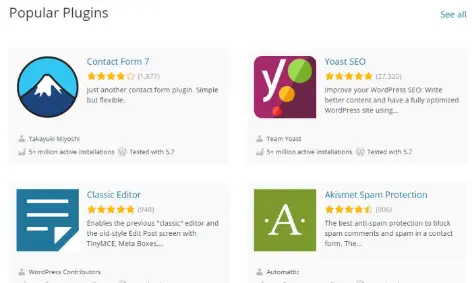
This “build what you need” approach is the big differentiator. With other platforms like Wix and Squarespace, you pay for an all-in-one solution. With WordPress, the platform is free, and you can purchase your own mix of plugins and themes à la carte to get exactly what you need.
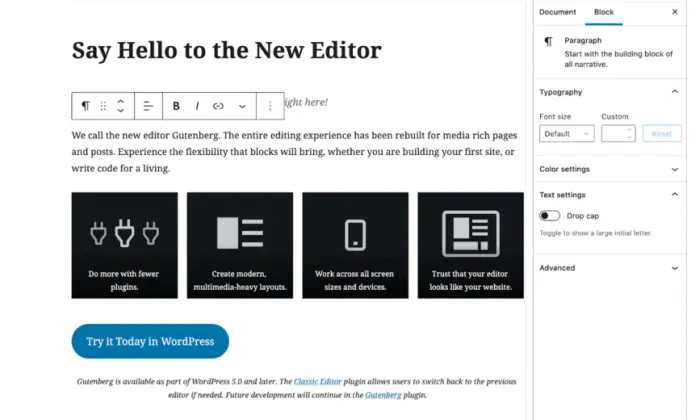
The Gutenberg editor, WordPress’s new drag-and-drop, block-based site editor, simplifies the process of arranging and refining your content, making publishing easy as well if you’re just starting your blog.
Cost-wise, WordPress.org is straightforward: pay for hosting (and a domain), then optionally invest in premium themes/plugins as you grow. These costs will vary depending on which hosting and plugins you choose.
The Difference Between WordPress.com & WordPress.org
With both products sharing the same name, it’s understandable that people get confused between WordPress.com and WordPress.org. While they run on the same WordPress software, they’re not the same product.
When it comes to WordPress.com, the company hosts your site and gives you a subdomain. The downside is that it runs its own display ads on individual blog and site pages unless you upgrade your plan.
Setup is quicker and maintenance is lighter on WordPress.com. In exchange, customization is more limited, and you typically need to pay (upgrade) to unlock more control, such as advanced design and editing features or the ability to use a custom domain.
Alternatively, you can download the platform for free at WordPress.org and use it on a site you host yourself. That means you choose the host and install WordPress manually. You’re incurring the additional costs of hosting and your domain in this scenario, but you also get the most flexibility.
Personally, I prefer WordPress.org because you are unrestricted in how you can bend and shape the platform to make it look and function exactly the way you want. If you care about long-term control and scalability, then WordPress.org is typically the winner.
#2. Wix Review: The Best for Launching a Beautiful Blog Quickly
If you’re comparing Wix to WordPress, Wix gives you the fastest timeline between you and a working blog. Getting things set up is as simple as using the drag-and-drop editor to design your site.
Wix is built for speed. Pick a template, swap in your branding, and you’ve got a blog that looks polished on desktop and mobile with no code and very little tinkering. Wix is highly template-driven but offers an astonishing range of options. You’ll be able to find something that fits with your brand and tweak it to match the vision in your head.
If you want an even faster start, Wix’s Artificial Design Intelligence (ADI) can generate a first draft site after you answer a few questions. Then you can still drag-and-drop edit from there.
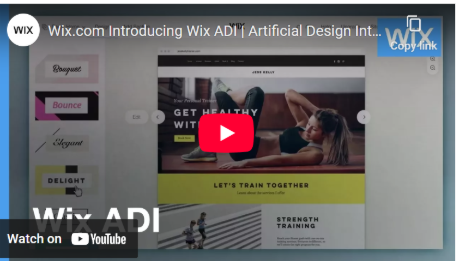
On the blogging side, Wix gives you the essentials to publish and grow your blog consistently like built-in SEO settings, scheduling, categories/tags, social sharing, and analytics tools without installing plugins. And if you’re an on-the-go person, don’t worry. The Wix mobile app lets you design and blog right from your phone.
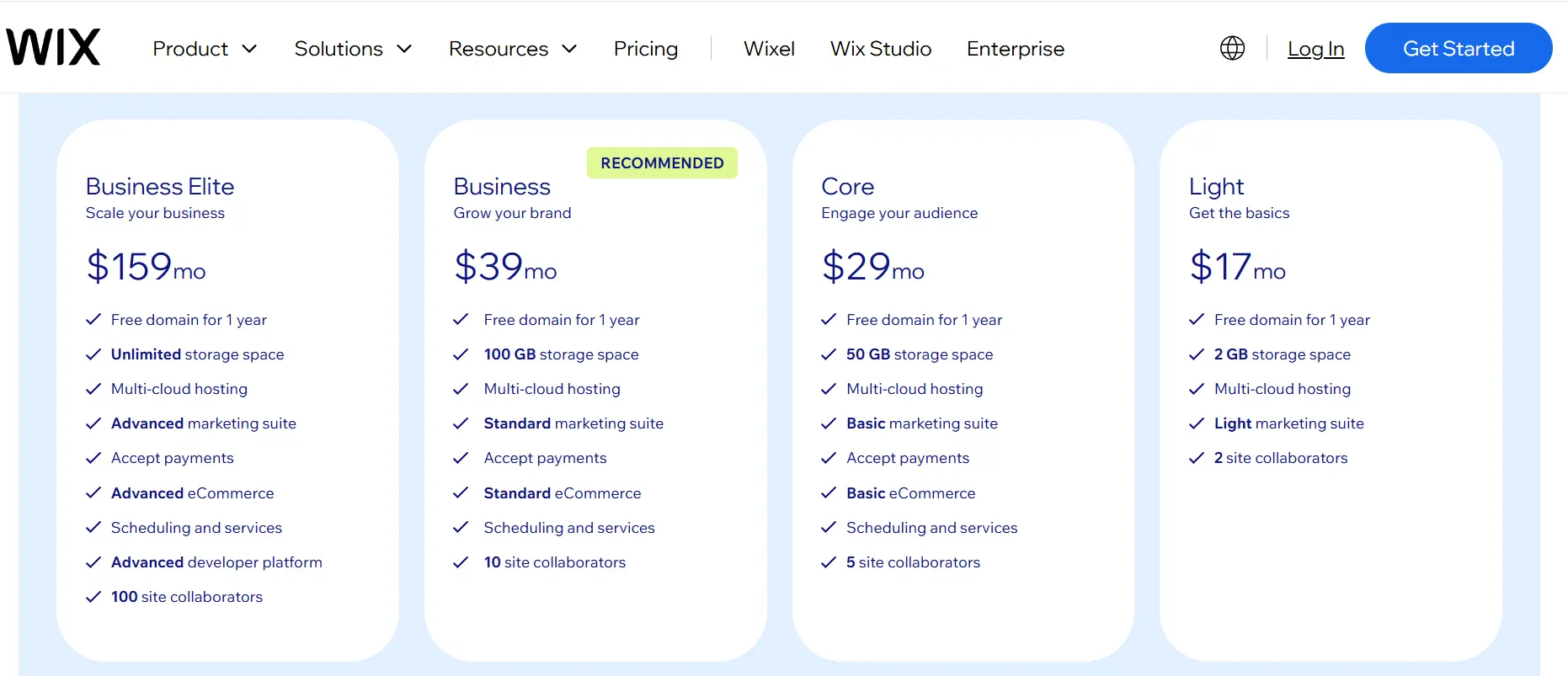
Pricing is straightforward. Wix has a free plan, but you’re on a Wix subdomain, and you’ll see Wix branding/ads, plus limited storage and bandwidth (500 MB of storage and 1 GB of bandwidth).
To go ad-free and connect a domain, you’ll need a paid plan at about $17/mo (billed annually) to start. A paid plan not only expands your storage and bandwidth, but you’ll also have the ability to take payments and expand your team as you grow. Wix’s two higher-end plans ($39/mo and $159/mo) also offer a built-in marketing suite.
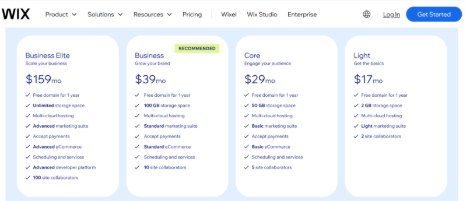
Source: https://www.wix.com/plans
#3. Squarespace Review: The Best for Bold Branding Without a Web Designer
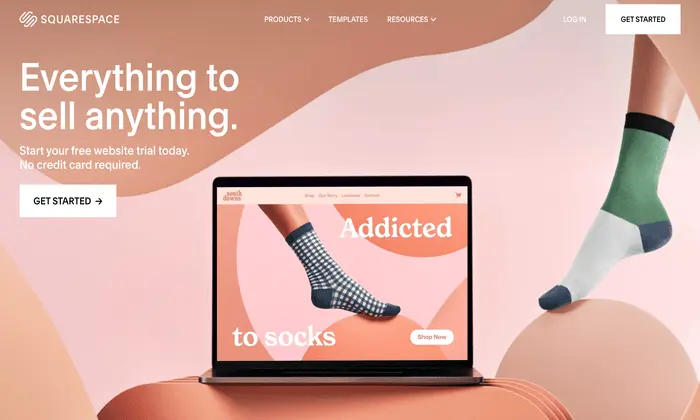
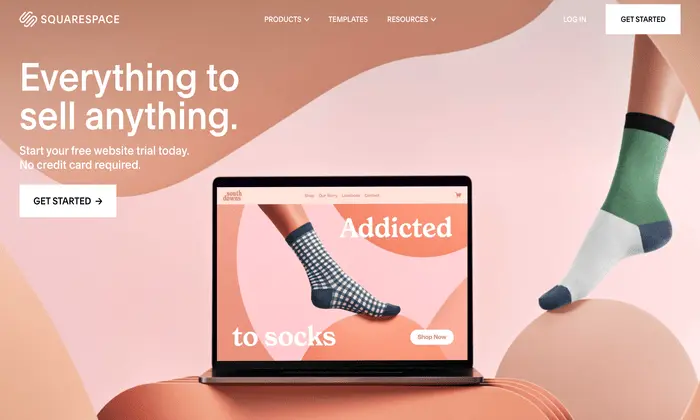
Squarespace is an all-in-one website builder, like Wix. However, it’s famous for aesthetically pleasing templates, making it perfect for visual-based businesses like photographers, designers, and artists. Don’t get me wrong. Graphic design gurus can take Squarespace to amazing places, but I think the platform’s draw is that non-technical folks can spin up a striking site themselves.
Squarespace hits a sweet spot by offering more polished design control than most “quick builders,” without the maintenance and plugin-stacking you can run into on WordPress. Like Wix, you start with templates and customize from there. Squarespace templates are very elegant, and the drag-and-drop editor means no coding to get started.
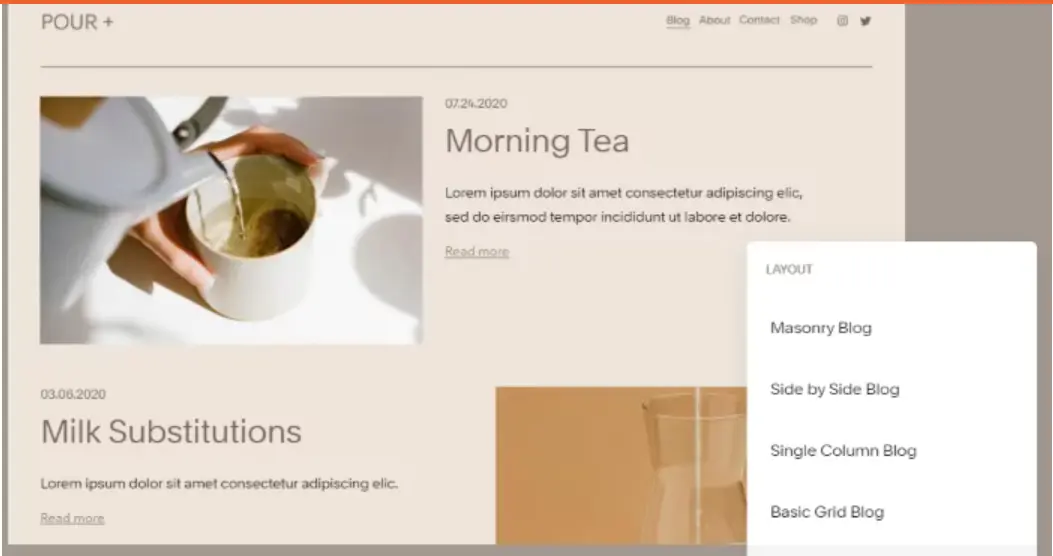
For blogging, Squarespace covers the basics out of the box, but where it really wins is giving your blog a cohesive look with minimal effort. What you see is what you get in terms of design, which makes it easier to protect your brand across pages and posts.
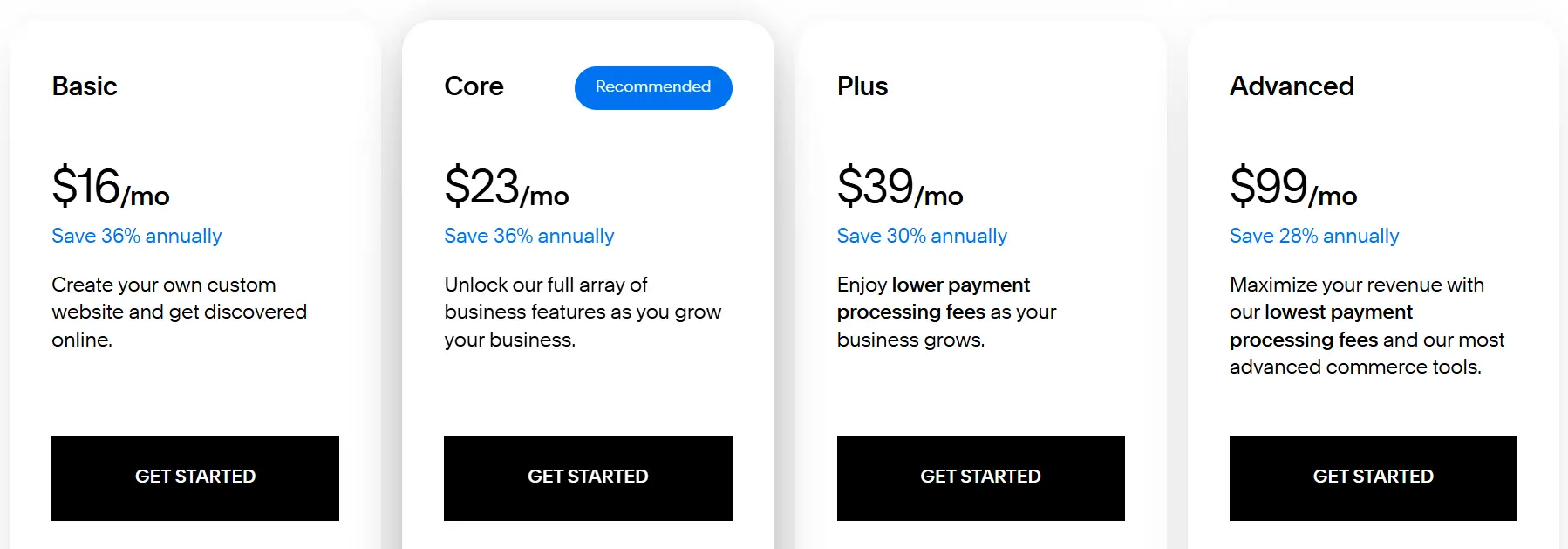
Pricing has shifted into four tiers: Basic ($16/mo), Core ($23/mo), Plus ($39/mo), and Advanced ($99/mo) (monthly billing costs more). Basic/Core is plenty for most blogs and brochure-style business sites. The Plus and Advanced plans are for serious selling, more ecommerce features, deeper analytics, and automations. All plans offer a 14-day free trial so you can decide whether you like the platform and which features work best for you.
Source: https://www.squarespace.com/pricing
Out of the box, you get: Categories, tags, and featured posts, built-in post scheduler, contributor permissions, in-depth analytics, SEO and social media tools, email marketing tools, expert customer service, and a mobile app.
That said, all of the add-ons and third-party extensions in Squarespace are built into the platform, meaning no maintenance or updates for you. This is a big reason why Squarespace works so well for small teams: they get a clean, on-brand blog that’s easier to manage long-term, without juggling plugins or worrying that updates will break your site.
And if you get stuck, Squarespace has highly responsive customer service available 24/7.
#4. Medium Review: The Best for Reaching Readers with Minimal Effort
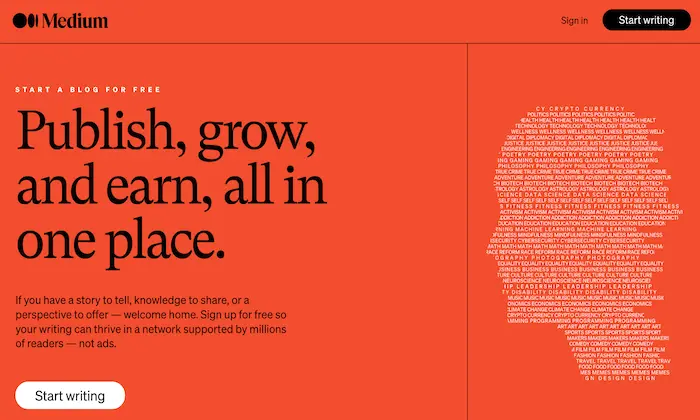
With Medium, you won’t have to worry about web hosting, design, maintenance, or creating your own site. It’s the perfect option for bloggers who just want to write without having to do anything else. Medium is basically “publish mode” for blogging, offering a clean editor with built-in distribution and zero setup friction.
The big draw is monetization without building your own audience from scratch. Just join the Medium Partner Program for free, and you can earn cash if people spend time reading your blogs. Medium pays writers in the Partner Program based on member reading time and other engagement signals.
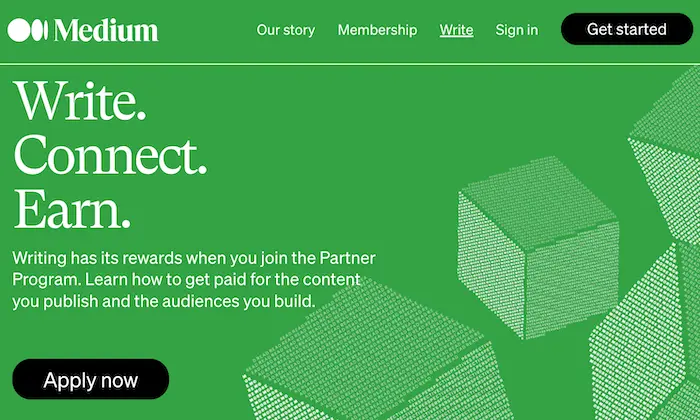
Best of all, Medium’s built-in audience already “primes” your distribution. You may have to promote your writing somewhat, but it can reach readers well beyond your followers once it gets picked up by Medium’s distribution system.
Medium falls short in terms of control. Your design options are limited, you’re building on someone else’s platform, and you don’t get the same SEO/branding flexibility you’d have with WordPress or Squarespace.
If it were me, I’d use Medium for reach, authority, and quickly testing new ideas. Long-term assets, like lead forms and conversion paths, should stay on your own site, where you have complete control.
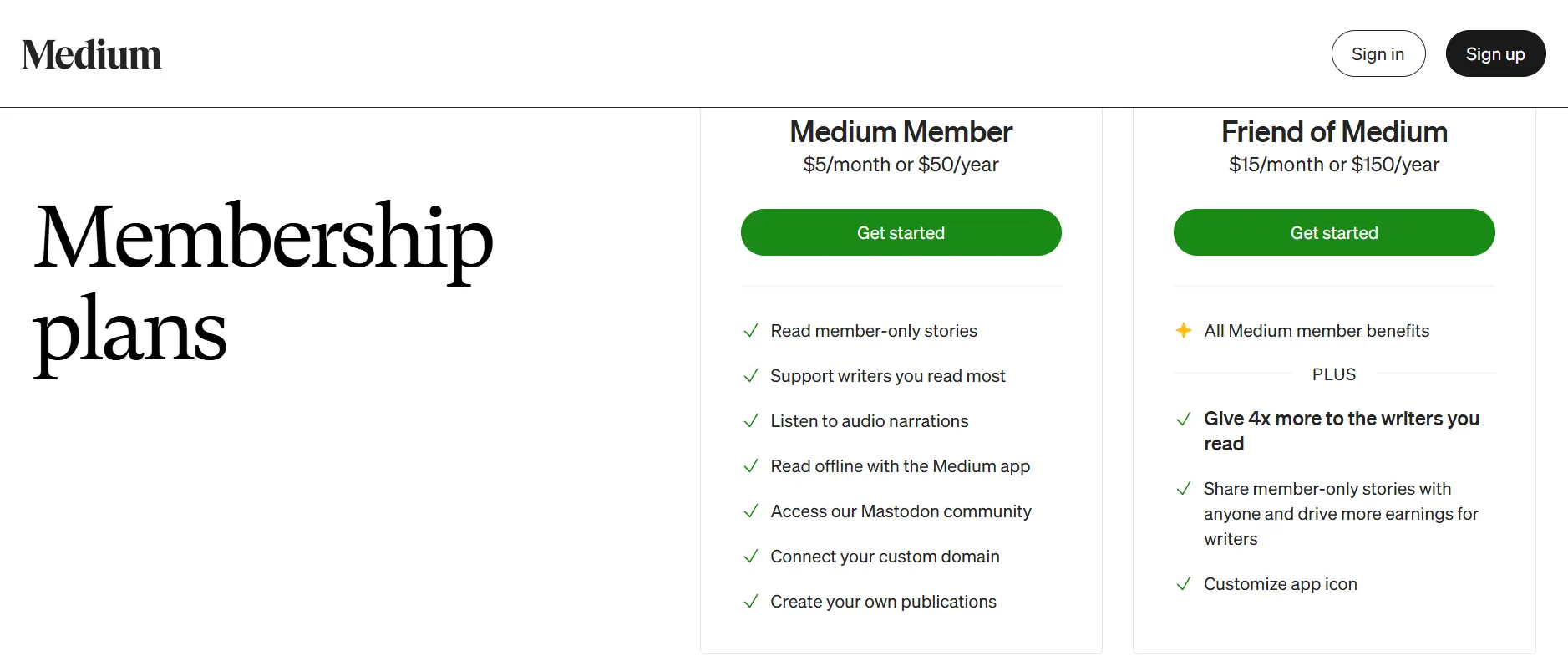
If you want to read and publish behind the paywall ecosystem, Medium also sells a membership subscription. There are two options: Member ($5/mo) or Friend of Medium ($15/mo). Becoming a member enables you to read Members-only stories and listen to audio narrations. Friends of Medium get all the benefits of Members, plus added perks like customizing their Medium icon and the ability to share members’ stories, potentially increasing their earnings.
Source: https://medium.com/membership
#5. Blogger Review: The Best for Sharing Your Story
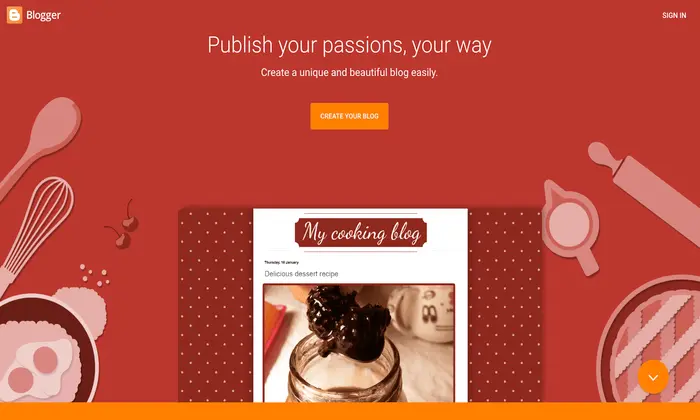
Blogger is a great platform for casual bloggers, individuals advocating for a cause, or companies that want nothing more than a traditional blog. It’s Google’s lightweight blogging tool—meant to be easy, stable, and low-maintenance.
It’s also entirely free, and includes your own subdomain. Your web address will be at example.blogspot.com. Set-up takes minutes, and you never have to worry about hosting, storing your files, or keeping your site’s load speed. Leave that all to Google.
If you want to look more legit, you can connect a custom domain that you own (like yourbrand.com) instead of the Blogspot address. Blogger supports domain mapping, but you’ll need to update DNS records with your domain registrar.
Where Blogger falls short is in control and growth features. You have options to tweak the blog presentation, but you can’t change too much to make it your own. Templates are limited, deeper customization often requires HTML/CSS, and you won’t get the ecosystem of plugins and integrations you’d have with WordPress.
Monetization is Blogger’s strongest “business” feature. You can also monetize your page very easily using Google AdSense. Blogger has an Earnings section that walks you through connecting (or creating) an AdSense account. If you want a low-stress, no-cost blog and don’t care about a super custom design or advanced marketing workflows, Blogger is a solid pick.
Source: https://www.shopify.com/
If your blog exists to sell something (products, subscriptions, courses, services), Shopify is hard to beat. It’s an ecommerce platform first, but it includes a built-in blogging engine so you can publish content that supports product pages and rankings growth.
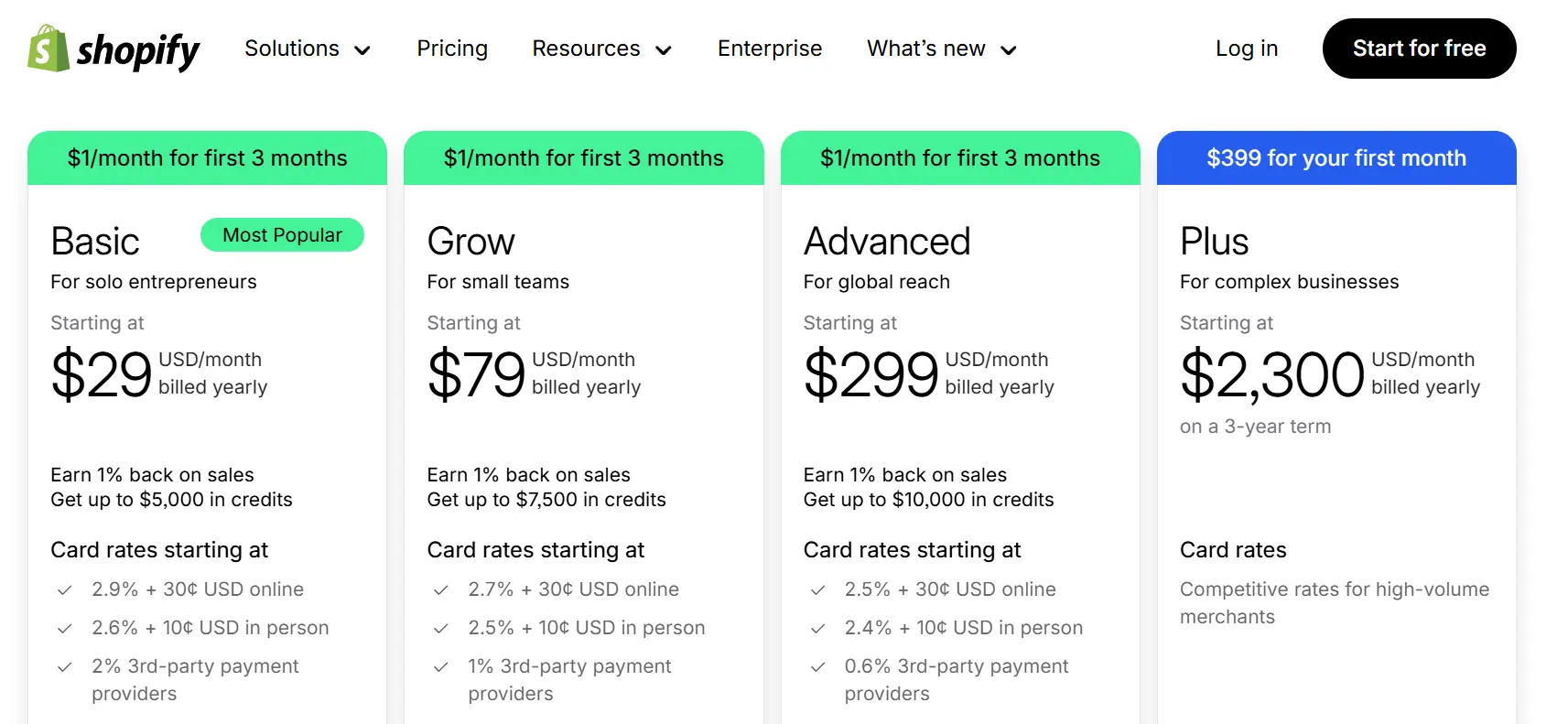
Shopify’s core plans are Basic ($29/mo billed yearly), Grow ($79/mo billed yearly), and Advanced ($299/mo billed yearly). Shopify Plus starts at $2,300/mo billed yearly on a 3-year term.
Each plan level builds off the one below it, offering all of the previous plan’s features and offering additional incentives like preferred credit cards and more staff accounts. The Plus plan, being the highest option, offers a completely customizable checkout experience and 24/7 customer support.
Source: https://www.shopify.com/pricing
What surprises people is the fees. Card rates and third-party payment provider fees vary by plan, so your real cost depends on how you take payments and how much you sell.
On the blogging side, Shopify covers the basics well. You can create multiple blogs, pick templates, and manage comments. You can also schedule posts and generate drafts/titles with Shopify Magic inside the editor.
Design-wise, modern Shopify themes (Online Store 2.0) are much more flexible than they used to be. Reusable design modules allow editors to customize blog and article layouts without constantly calling a developer.
Shopify’s blog isn’t as deep as WordPress (especially for heavy editorial sites), but if your end goal is revenue, Shopify’s combo of storefront, checkout, and content creates real value.
#7. Hostinger Review: The Best For AI-Driven Blog Building Tools
Source: https://www.hostinger.com/
Hostinger is a solid pick if you want to launch a blog fast and keep costs low. You’ve basically got two paths: use Hostinger Website Builder (no-code) or host a WordPress blog on Hostinger’s managed WordPress plans. Either way, they’re aiming for a simple set-up with decent speed and fewer headaches.
Pricing is usually where Hostinger shines, but it’s plan-and term-dependent. On their current pricing page, Premium Website Builder starts at $1.99/month on a 48-month term, and Business Website Builder starts at $2.99/month on a 48-month term (renewals are higher, and shorter terms cost more). Hostinger’s Premium plan gives you the website basics, while upgrading to their Business Website Builder provides you with AI tools and ecommerce customization features.
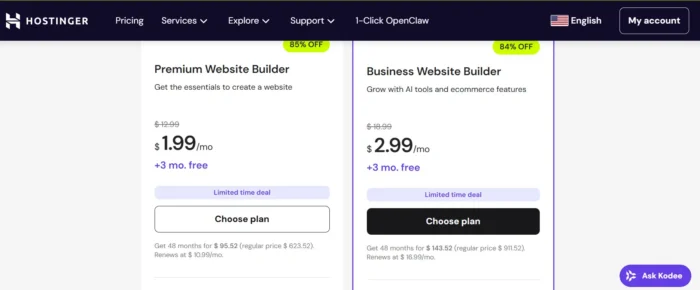
Source: https://www.hostinger.com/pricing/website-builder#plan-selector
For blogging, the builder covers the fundamentals most people actually use, like creating posts, managing blog settings, and organizing content with. SEO features are built in, with key optimization controls available in the builder.
Their differentiator is their AI bundle. Hostinger’s builder includes tools like an AI Website Builder, AI Writer, AI Blog Generator, and AI SEO support. These come in handy if you want to quickly create structured drafts.
Hostinger is not as flexible as WordPress for advanced customization. If you expect to outgrow a builder, Hostinger’s WordPress hosting is a safer long-term option.
#8. HubSpot CMS Review: The Best for a Website You Want to Grow
Source: https://www.hubspot.com/products/cms-lp
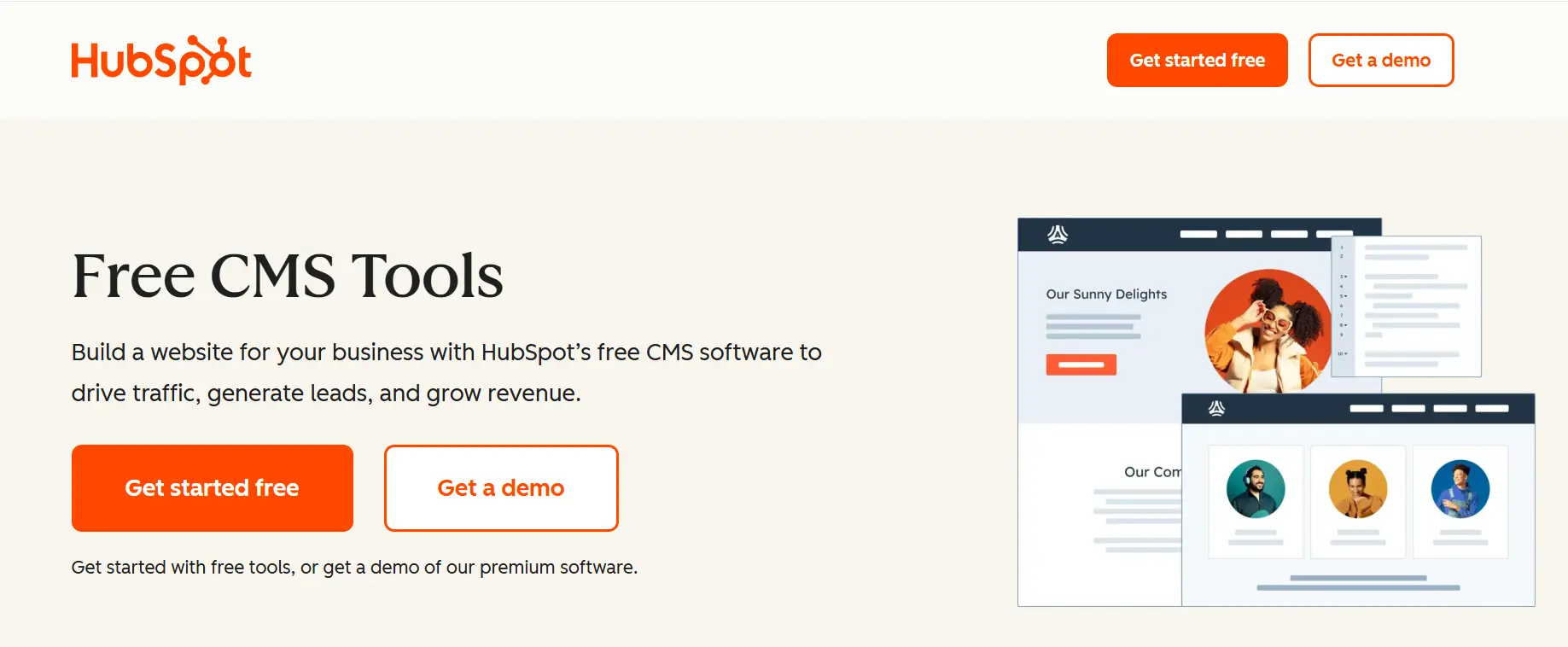
HubSpot’s CMS (now part of Content Hub) is a marketing-first platform. The platform is designed to leverage your blogs to generate leads. Your blog, landing pages, forms, CTAs, email, and CRM data all live in the same system, so you can actually connect “someone read a post” to “someone became a lead.”
As for pricing, there’s a Free tier, then Content Hub Starter at $9/seat/month, Professional at $450/month (includes 3 seats), and Enterprise at $1,500/month (includes 5 seats). Costs go up as you add seats and upgrade tiers.
On the blogging side, you get a clean editor, themes, and hosting/security handled for you. The real differentiator is the built-in conversion tools like lead forms, dashboards, and the ability to personalize content based on who’s visiting. HubSpot calls this “smart content,” and it enables you to display different modules or messages based on rules such as lifecycle stage, list membership, location, or device.
That’s a big deal for B2B and service businesses. For example, first-time visitors see an educational CTA, while returning prospects see a “book a demo” CTA, without having to create two separate sites.
HubSpot is rarely the cheapest option once you move past the “starter” tier, and it’s not trying to be an “infinite customization” playground like WordPress. But if your priority is having publishing, conversion, and attribution in one place, HubSpot CMS is one of the cleanest setups you can buy.
What I Looked at to Find the Best Blogging Platform
Here is a quick breakdown of how I approached each platform. Hopefully, this quick, at-a-glance view will help you make the right decision to grow your blog and your business:
| Platform | Cost & Revenue | Branding Capabilities | Design Flexibility | Maintenance & Upkeep | Available Tools for Growing Your Audience |
| WordPress.org | Low software cost, variable total cost. The software itself is free, but you pay for hosting, domain, and any premium themes/plugins. Best if you want to control monetization yourself instead of being boxed into a platform plan. | Excellent. Full control over domain, theme, layout, plugins, and how the blog looks and behaves. Best fit if you want a blog that feels fully yours. | Excellent. This is the most flexible option here. You can start with a theme, then extend the site with thousands of plugins and custom code if needed. | Highest upkeep of the group. You handle hosting choices, installation, updates, plugin management, backups, and more of the technical stack yourself. | Excellent. Huge plugin ecosystem for SEO, analytics, email capture, memberships, e-commerce, and newsletters. Great for long-term audience growth. |
| Wix | Predictable entry cost. You can build for free, but paid plans remove Wix branding and let you use a custom domain. Good if you want a straightforward monthly spend. | Strong. Plenty of templates and enough visual control to create a polished branded blog quickly, though you are still working inside the Wix system. | Good. Drag-and-drop editing makes design easy, but it is still more template-led than WordPress. Better for speed than deep customization. | Low. Hosting, security, and platform updates are handled for you. That cuts down the tech work a lot. | Good. Built-in SEO settings, SEO dashboard, analytics, social features, and mobile editing help you publish and promote without extra plugins. |
| Squarespace | Mid-range, all-in-one pricing. Plans start at the lower end for simple sites and move up fast if you need selling features. Works well if you want fewer add-ons to manage. | Excellent. One of the best options for a cohesive, premium-looking brand without hiring a designer. Templates do a lot of the heavy lifting. | Good to very good. More design polish than most quick builders, but still less open-ended than WordPress. Great for teams that want control without complexity. | Low. Squarespace manages hosting, updates, and core features, so there is far less plugin and compatibility work. | Good. Built-in blogging, scheduling, categories/tags, social sharing, analytics, and extensions cover most growth needs out of the box. |
| Medium | Very low upfront cost. No hosting or design costs. Revenue comes through the Partner Program, where earnings are tied to member engagement, not your own ad stack. | Weak. You get your author profile and publication presence, but very little control over brand presentation or conversion paths. | Low. Clean editor, minimal design freedom. That simplicity is the selling point, but it limits differentiation. | Very low. Medium handles hosting, design framework, and platform maintenance. You mostly just write and publish. | Moderate. Built-in distribution and discovery can help you reach readers faster, but audience ownership is limited compared with your own site. |
| Blogger | Very low cost. Free to use, with optional custom domain costs. Easy AdSense integration makes basic monetization simple. | Limited. You can use a custom domain, but the overall brand experience is much more basic than Wix, Squarespace, or WordPress. | Low. Enough for a straightforward blog, but templates and deeper customization are limited unless you want to edit code. | Very low. Google handles hosting and most of the infrastructure, so it is one of the lightest-maintenance options here. | Basic. It covers publishing and AdSense, but it lacks the broader growth toolkit and integration depth you get on more modern platforms. |
| Shopify | Higher starting cost, stronger commerce upside. You pay for the store platform first, and transaction/payment costs vary by plan and provider. Best for blogs tied directly to revenue. | Strong. Themes look polished and can support a solid branded storefront-plus-blog experience, though the core brand expression is still commerce-led. | Good. More flexible than older Shopify setups, but still not as editorially flexible as WordPress for content-heavy sites. | Low to moderate. Shopify handles hosting and the core platform, but you may still manage apps, theme tweaks, and commerce settings. | Very strong for selling-focused growth. Built-in blog, multiple blogs, comments, scheduling, Shopify Magic, analytics, sales channels, and marketing automations help turn content into sales. |
| Hostinger | Low intro pricing, but term-based. It is cheap to start, though renewals are higher and best rates depend on long commitments. Strong value play for budget-conscious users. | Good. You can customize colors, fonts, templates, and core site elements enough to build a branded blog fast. | Good for a builder. Drag-and-drop editing plus AI generation makes it easy, but it is not as open-ended as WordPress for advanced customization. | Low. Hostinger handles hosting and SSL, and the builder cuts out most of the technical setup work. | Good. AI Website Builder, AI Writer, AI Blog Generator, AI SEO Assistant, email tools, analytics, and social integrations help newer blogs get moving quickly. |
| HubSpot CMS / Content Hub | Wide pricing range. Free entry is available, but serious use gets expensive fast. The value is in tying content directly to leads and revenue attribution. | Strong. Flexible themes and centralized brand control make it good for teams that care about consistency across blog, pages, and campaigns. | Good to very good. Not as limitless as WordPress, but strong enough for marketers who want control without relying on developers for every update. | Low. Hosting, security, and core CMS management are handled inside the platform. | Excellent for lead generation. Built-in SEO tips, forms, landing pages, reporting, personalization, CRM ties, and smart content make it the strongest audience-growth toolset here for B2B and service brands. |
Your options break down into two basic categories:
- Traditional blogging platforms
- Website builders with great blogging capability
Depending on what you are trying to do, one of these will make much more sense than the other.
If you are looking for a low-maintenance venue to share stories with the world or advocate for a cause, traditional blogging platforms are perfect. They can also work as a simple portfolio for businesses that want to showcase their portfolio of work.
Website builders can do a whole lot more, but they aren’t free like the traditional platforms.
Let me walk you through the primary criteria you need to figure out which type of builder you want and how to weigh your different options from there.
Cost and Revenue
For some bloggers, turning a profit isn’t their main focus. If they can make a little extra cash on the side, it’s a bonus, but they’re not depending on blog income to live.
If that’s you, I strongly suggest checking out Medium and Blogger. These two traditional blogging platforms are free forever. You don’t have to pay for hosting, web design, or worry about the site staying online. These providers handle all of that. In fact, Blogger lets you run ads and keep the money yourself. Medium has a Partner Program that lets you earn money from your blog posts when people read them. You can even add affiliate links to your Medium posts to generate your own source of revenue.
If you’re using your blog for business or you want serious revenue, you’ll usually need a paid platform—Wix, Squarespace, and WordPress—because you’ll be able to accept payments for products, services, and put content behind a membership paywall. For ecommerce-first brands, Shopify fits here too. And if your blog’s job is lead gen, HubSpot CMS is built to connect posts to forms, emails, and CRM conversions.
If you like the WordPress route but want to keep monthly costs down, Hostinger is a budget-friendly option for hosting, so you can put more money into content, email tools, or a premium theme.
I’ll say more about the benefits of premium blogging platforms throughout this post, but it really comes down to this simple truth: the more you want your blog to do, the more it’s going to cost.
Branding Your Blog Your Way
Is your blog part of your brand? This is important when evaluating blogging platforms, as some of your free options will limit the branding control you have.
WordPress and Wix support their freemium options by running their own ads on your site. You don’t control what they sell, nor do you see any revenue. It’s no big deal for a hobby blog, but far from ideal for a business.
Blogger and Medium, on the other hand, don’t run ads. So if you want a free blog to promote your business, I’d start with one of those two. (Just remember: Medium gives you limited design control, and you’re building on their platform.)
You also want to get your own domain name to build your brand. Free blogs give you a subdomain with their company name in your web address. On Blogger, your URL would be yourusername.blogspot.com. It’s easy to buy your own domain name, and it looks way more professional.
If you’re building a business site, paid platforms make branding easier. With the website builders, you get a lot more freedom to create your site your way. It’s easier to align your blog with your brand when you have more control. Squarespace is especially strong for design-forward brands, Shopify is ideal when the blog supports a storefront, and HubSpot CMS is best when the blog is tied directly to lead gen and your CRM.
Design Freedom
Blogger and Medium offer simple tools for creating, organizing, and sharing posts. There’s not a ton you can do with the layout, but it’ll always look sharp.
The premium blogging platforms give you a lot more control and design flexibility, allowing you to build a complete website and brand around your blog. Customize the look and feel of nearly every aspect of your blog instead of having to color inside the lines someone else drew.
For the first-time blogger who wants an original site, I highly recommend Wix. There’s virtually no learning curve, and you can drag-and-drop your way to a site you love. Squarespace is very approachable in terms of design. It might take slightly longer for the novice user to build their first site than with Wix, but the tradeoff is greater control over your blog’s layout and design.
If your blog is tied to selling products, Shopify offers strong design options through themes, especially for maintaining consistency across your blog and storefront without the “build-it-all-yourself” setup. And if you care more about on-brand pages that convert than pixel-perfect customization, HubSpot CMS gives you a clean theme system with marketing modules baked in.
WordPress is at the top of the heap in terms of design freedom. There is little you can’t do, but there is a bit of a learning curve. But if you are looking for the freedom to create, a WordPress blog is your ticket to infinite possibilities.
Maintenance Requirements
How much upkeep does your blog require? Or put it this way: How much time are you willing to spend making sure your blog is up and running?
If you want the most hands-off experience, Medium and Blogger are hard to beat. You don’t have to worry about hosting, updates, or really anything besides publishing your posts.
Wix and Squarespace are still pretty hands-off, too. They can host your blog, manage SSL certificates, patch security issues, and all the other backend work that most bloggers aren’t excited about. Same idea with Shopify and HubSpot CMS—both are fully hosted, so platform updates, security, and infrastructure are handled mainly for you while you focus on content and marketing.
With WordPress, you’ll need to get web hosting and a domain name to get started. Over time, you’ll have to update WordPress as well as any plugins and themes you use. As the most free-range, customizable platform, it requires the most attention. The “low-stress” version of WordPress is pairing it with a solid host. Hostinger is a budget-friendly option, and Bluehost is a popular choice for beginners.
Tools for Growing Your Audience
One of the big reasons I recommend these particular blogging platforms is that they all include features that make it easier to connect with more people. It could be readers, customers, fellow enthusiasts—whatever your blog’s audience, you can grow it with these solutions.
Even the free platforms. Blogger analyzes traffic on your site and lets you know how visitors arrived. Connect Google Analytics for a deeper picture of what’s happening. Blogger also integrates with popular email marketing services, which turn your blog into a newsletter.
Medium has a built-in audience of paying readers. Once you join the Partner Program, Medium will curate your content for readers who are interested in similar blog posts. Plus, you can easily share your Medium posts across social channels, reaching exponentially more readers with a few clicks.
And those are just the free options. If you go with a premium platform, the quality and variety of your growth features increase tremendously. Wix and Squarespace both lean into SEO, analytics, and email/list building. WordPress can do basically anything with the right plugins.
Shopify is best when content is meant to move readers to product pages and checkout, while HubSpot CMS is built for turning blog traffic into leads (forms, CTAs, CRM tracking). Hostinger is a cost-effective way to run WordPress, so you can spend less on overhead and more on plugins and content promotion.
The bottom line is this: If you want people to read your blog, you can’t just curate posts and expect the world to figure it out.
FAQs
What features are important when choosing a blogging platform?
Consider security, ease of use, price, customer support, and whether they offer features you need for your specific website.
What are the best blog platforms?
WordPress, Wix, SquareSpace, Blogger, and Medium are some of the most popular platforms. Shopify, HubSpot CMS, and Hostinger are also great platform options. Ultimately, the best blogging platform will depend on your growth and revenue goals.
How do blogging platforms affect my website’s SEO?
Most blogging platforms have plugins or add-ons that do some SEO automatically for you, like creating a sitemap. However, it is good to know some basic SEO that will help you when you’re writing content. Tactics like keyword insertion, metadata optimization, and using robot.txt files to guide crawlbots as they navigate your site all take more manual support, and can’t be handled with just a plugin.
Conclusion
If you’re still stuck, go look at each platform’s own site and blog. They’re using their product to show off what it can really do, and it’ll tell you a lot about design, speed, and usability (which impacts both SEO and conversion rate optimization):
Quick recap of my top picks for the best blogging platforms:
- WordPress (with a good host like Bluehost): best for a truly unique blog and long-term control
- Wix: fastest way to launch a great-looking blog quickly
- Squarespace: best for bold branding without hiring a designer
- Medium: best for reach with minimal setup
- Blogger: best for a simple, free “just publish” blog
- Shopify: best for ecommerce brands that want content and checkout in one place
- HubSpot CMS: best for turning blog traffic into leads with a built-in CRM and automation features
- Hostinger: best for keeping WordPress hosting costs low while you grow
Pick the platform that matches your goal—control, speed, branding, distribution, or simplicity—and you’ll be in good shape. Once you choose, commit for 30 days, publish consistently, and you’ll start to see your blog grow.

See How My Agency Can Drive More Traffic to Your Website
- SEO – unlock more SEO traffic. See real results.
- Content Marketing – our team creates epic content that will get shared, get links, and attract traffic.
- Paid Media – effective paid strategies with clear ROI.
Book a Call
Are You Using Google Ads? Try Our FREE Ads Grader!
Stop wasting money and unlock the hidden potential of your advertising.
- Discover the power of intentional advertising.
- Reach your ideal target audience.
- Maximize ad spend efficiency.