


As your laptop gets older, it tends to get slower, offer a little less battery life, overheats easily, the keyboard feels spongy, the power connector feels loose, and the trackpad doesn’t feel as good as the first day. That’s normal and a result of regular wear and tear.
But not all of it has to happen so fast. Certain habits kill your battery faster, and we’re talking 8 hours after 3 years versus barely 2. The same carelessness can mean a display replacement just as the warranty expires, or a laptop that looks like it came straight from a scrapyard.
It’s not just about battery life, though. Not caring for your laptop and its accessories can affect its resale value significantly when you want to trade it in or sell it. Except for the five compatible chargers I bought for my laptop, my HP Pavilion is running strong after 4 years. I’m sure it’ll last me 4 more years if I continue to avoid the mistakes that can shorten my laptop’s lifespan.
Mishandling the charger
Proprietary chargers cost a fortune if you can find them
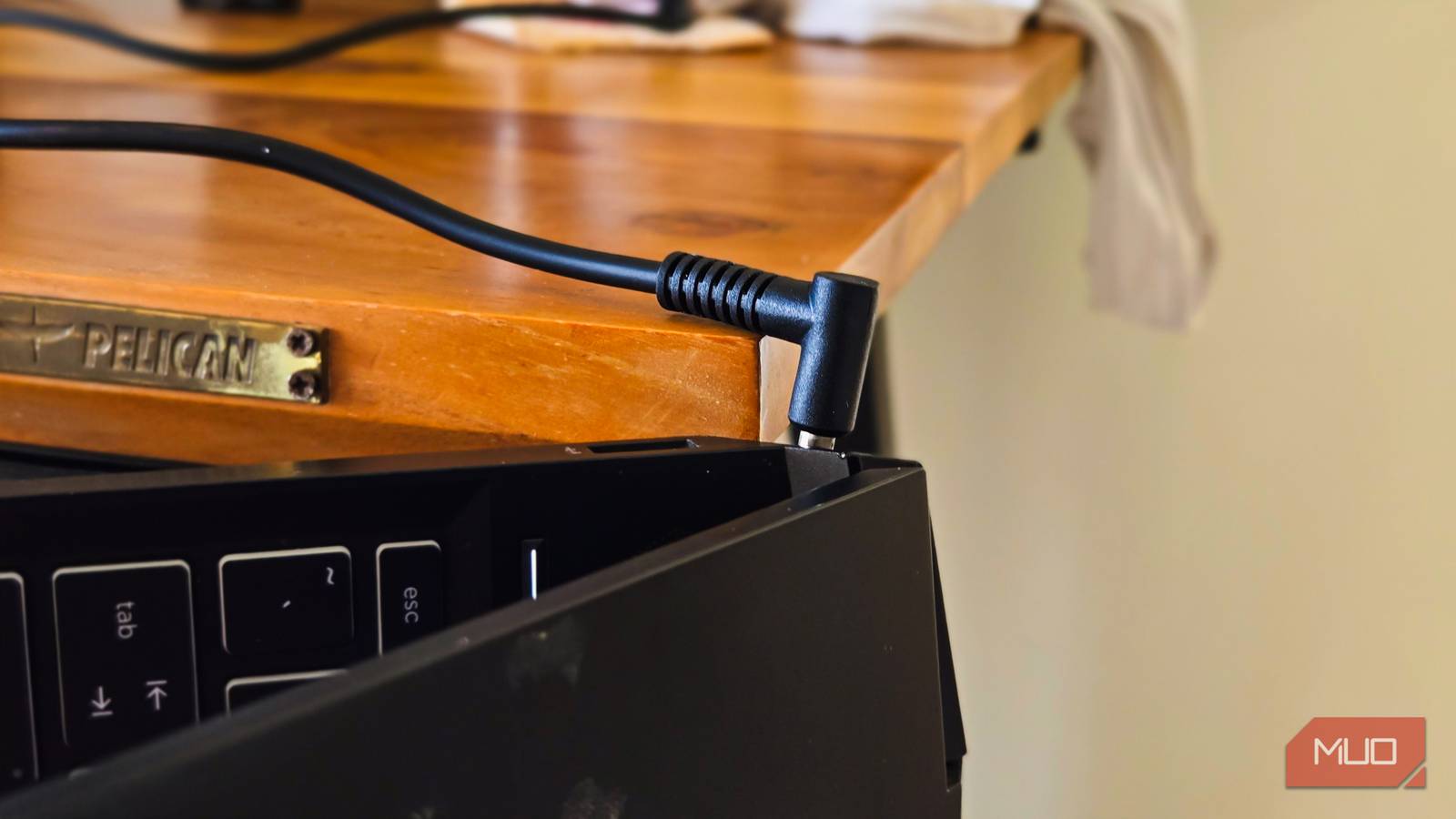
Not many of us pay attention to how we store and carry the charger that comes with our laptops. However, if your laptop still uses a conventional barrel jack power adapter, mishandling the power brick can cost you a fortune and unending frustration.
My gaming laptop’s 150W charger stopped working after a year, and since then, I have had to buy 5 more replacement chargers because the company stopped selling the 150W power adapter. Replacement chargers last a good 6 months if they work at all, and then I need to buy another replacement when the current one stops working.
You can possibly avoid being in this situation just by being careful with how you handle the power brick. For example, store your cable loosely coiled rather than tightly wound. Keep it away from pets and floor areas where it might get stepped on. When traveling, pack the charger in a small pouch separate from heavy items so it doesn’t get crushed or bent.
Choking the fans
Your laptop needs room to breathe

A laptop is a portable device, so it’s common sense that you’ll want to use it on your lap in the living room. However, the device still needs some room to manage its thermals effectively, so keeping it on a surface that can block its fans can cause overheating issues.
Most laptops have their intake vents on the bottom or sides. When you place your laptop on a pillow, blanket, or bed, you’re essentially suffocating those vents. The fans spin faster, trying to compensate, but they can only do so much when there’s nowhere for the air to go.
Overheating doesn’t just cause temporary performance issues. Sustained high temperatures degrade your battery faster, can damage internal components over time, and shorten the lifespan of the thermal paste between your CPU and heatsink.
If your laptop frequently feels hot to the touch or the fans sound like a jet engine, you need to rethink where you’re using it. A simple laptop stand or even a hard, flat surface can help keep the temperature below the threshold.
Clean them regularly
Regular maintenance is the key

How often do you clean your laptop’s fans? Maybe not too often, or maybe never. However, much like anything that involves ventilation, the laptop fans tend to accumulate dust over time, resulting in reduced cooling performance. If your fans aren’t working at their optimum speed, you’re essentially dealing with the same overheating problem, just from the inside rather than blocked vents. Dust buildup can make your laptop run so hot you’d think it’s malware.
An easy maintenance tip is to use compressed air to blow out dust from the vents every few months. If you’re comfortable opening your laptop, a deeper clean of the fans and heatsinks can work wonders for an older machine. I’ve seen laptops that run a few degrees cooler after a proper dust cleaning.
The keyboard and trackpad attract anything that’s greasy and slips between the cracks. Whatever you’ve been eating at your desk can work its way under the keys, making them feel mushy or unresponsive over time. A quick wipe down with a microfiber cloth and occasional cleaning between the keys can save you a trip to the service center.
Handling the device carelessly
Physical damage adds up faster than you think

We are often careful with our shiny new gadgets. You pick it up a certain way, you keep it spot clean, and you handle it with care. But with time, we tend to get sloppy and start being not so gentle with the device. You start picking it up by the display, toss it into a backpack without a sleeve, or the backpack is stuffed with other heavy items pressing against it. You place it on a countertop or at the edge of a table where you’re likely to spill something on it or knock it to the floor.
Pets and little ones don’t care how expensive your laptop is. My toddler has a habit of grabbing whatever’s in reach, and a laptop lid pulled to an extreme angle can easily damage the hinge or crack the display. Hinges are one of the most common failure points on laptops, and they’re expensive to repair. The display ribbon cables run through those hinges, so damage there can cause flickering screens or complete display failure.
Additionally, if you tend to travel with your laptop, consider buying a proper sleeve or case to protect it against scratches. The other stuff you already know: close the lid before moving, and keep your drinks away. Basic, but easy to forget.
Ignoring resale value until it’s too late
Even minor damage can tank your trade-in offer

Physical damage, even minor ones, can tank your laptop’s resale value when it’s time to upgrade. Buyers and trade-in services are less forgiving about cosmetic issues. A cracked panel, scratched screen, or non-original charger gives them reason to slash their offer significantly.
Case in point. When I tried to upgrade the RAM and storage, I slightly cracked the back panel of a Lenovo Ideapad. It was minor, the size of a hair, barely visible unless you knew where to look. However, when I tried to trade in the laptop while buying a new one, the pickup agent refused to accept it, citing the almost invisible crack.
So even if your laptop works fine after all the abuse it goes through, physical damage can reduce its resale value to a great extent. If you’re someone who likes to trade in your laptop for newer ones after a few years, treating your current machine with care isn’t just about longevity. This can help you get the best value for your device when you’re ready to move on.
Treat it like you’ll sell it someday
It’s easy to get complacent with a device you use every day. The scratches, the dents, the loose hinge, they all happen gradually, and you stop noticing them. But someone looking to buy your laptop will consider how the device looks and not just how it performs.
Every time you toss your laptop on the couch or skip the sleeve when packing it, you’re chipping away at its future value. Whether you sell it in two years or five, the condition it’s in will determine what you get back. A little mindfulness now can mean better trade-in offers when it’s eventually time to upgrade.
