


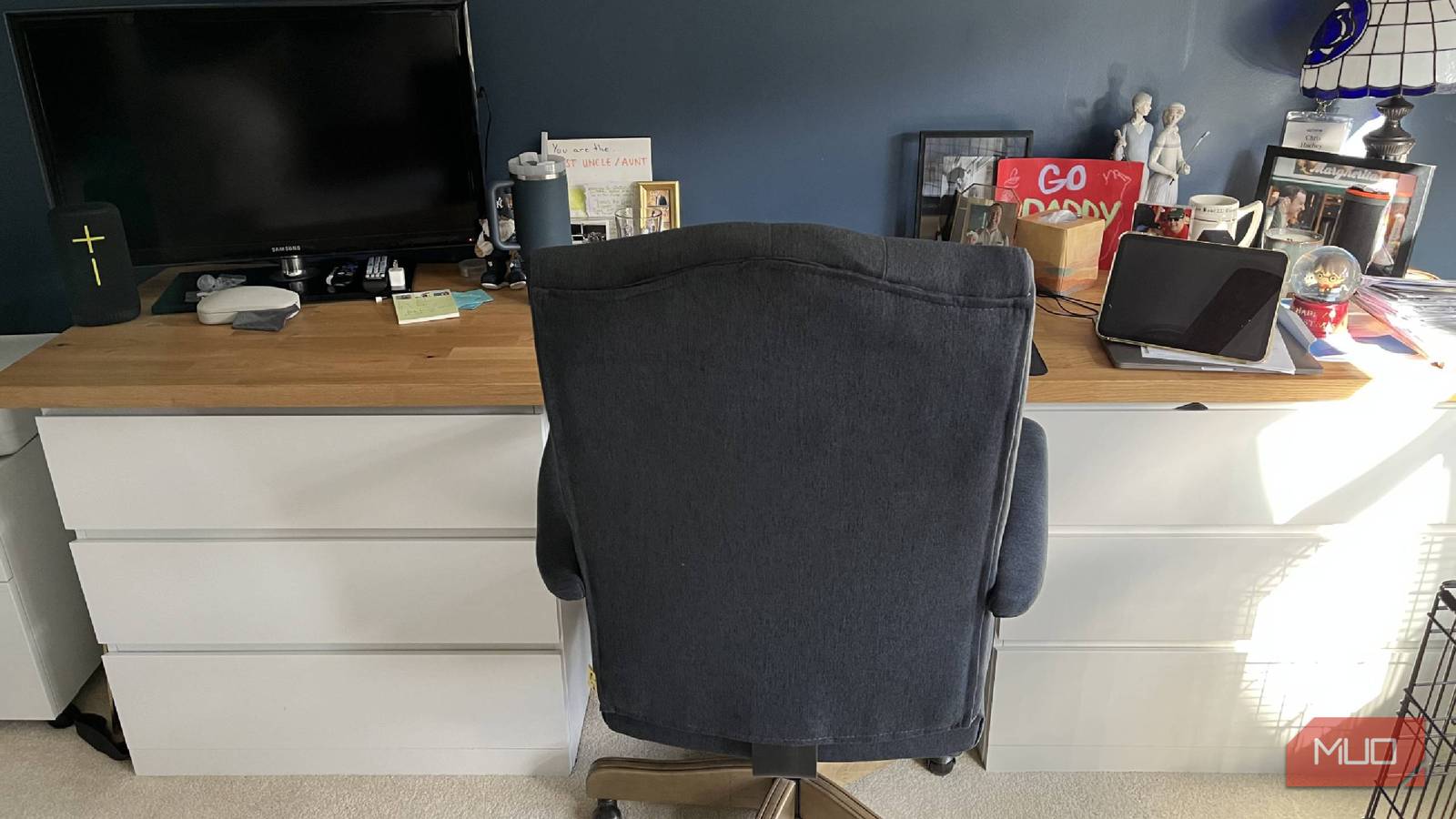
I was trying to figure out how to set up my office at my new house a few years ago. I had used a leaning desk in my smaller apartment before I moved. But I had a much larger room to work with when I moved, giving me the luxury of finding a good desk. Unfortunately, buying a carved and manufactured wood desk can be incredibly expensive, and I didn’t want to sink thousands of dollars into a desk at that time.
That might be something that I eventually do, but I also knew that I wanted to do more than just sit at my kitchen table on calls and while doing writing assignments. My wife and I decided that setting up the perfect work-from-home office was going to need a few pieces to fill the large wall of space and make it look good. The DIY aspect of it all and creativity gave me a desk I couldn’t be happier with.
I have a countertop instead of a desktop
Who would have thought this would be the move?

When my wife and I mapped out how we were going to build a desk, we realized that, at the end of the day, a desk is really just legs supporting a desktop. But what I wanted to make the desktop sturdy and long? And what if we wanted to have ample amounts of storage rather than just small drawers that were built into a unit?
We decided to head to IKEA and make our own desk from three different components. The first was a countertop. At IKEA, you can buy kitchen parts such as light fixtures, tables, knives, cutting boards, and even countertops. If you want to redo your kitchen, you can choose new countertops to install either on an island or around your kitchen.
If you want to DIY your own desk, it’s important to measure the space you have, as you can have a countertop custom cut by IKEA.
The surface of a countertop is long and industrially built, making it a great surface to store a lot of things on. That’s what made it the perfect option for a desk. I chose a lighter wood option, and the toughest part about getting it was fitting it in the car on the way home, due to its length. It has served me incredibly well since I installed it, and while I realize not everyone has a room that can fit one, it is a great option for anyone who can.
Two dressers serve as the legs
So much storage to keep everything in

Something substantial was needed to support the heavy countertop for the top. Enter two MALM IKEA dressers. With three large drawers in each unit, I gave myself six drawers to store all kinds of things in my desk. One thing I knew would happen when we moved was that there would just be more stuff that accumulated. That’s happened in every home I’ve ever been in, and this house is no exception.
Putting together the dressers wasn’t the most fun thing I’ve ever done (after all, it is IKEA furniture). But I did not assemble the top of the dressers, knowing the countertop was going to lie on top of it. The countertop is heavy enough that I didn’t fasten it down either. If I ever need to disassemble the desk, I can do so by just lifting the countertop up and picking up the two dressers.
Part of being a tech journalist is also testing out new products, and my top right drawer is just filled with headphones, smart cameras, smart plugs, and every cable you can imagine. It’s a great place to store all of them because I either need to use them or I can look back and see what I might need around the house as well.
Each drawer has a designated purpose, and it makes it easier to know where things are. Rather than just having one random junk drawer in my desk, I’m able to keep them more organized and find things more easily. Plus, I was able to space the dressers out nicely to give myself plenty of legroom to slide a rolling chair underneath. The height of the dressers is also a good size, so I’m not too low or too high in the room.

These Are My 9 Essential Tech Work-From-Home Gadgets
There are always new gadgets that will improve your work-from-home setup.
I prefer a Bluetooth mouse and keyboard
It makes life easier, in my opinion
For my work-from-home setup, I like a Bluetooth keyboard and mouse. I don’t want to be bogged down with cables (considering I have an entire drawer filled with them). But the Bluetooth keyboard gives me a ton of flexibility about where to work. I have a couch in the office as well, and I can put my computer on a stand and just take the keyboard with me, keeping it in my lap to type.
I also like the Bluetooth mouse because I rarely enjoy using just a touchpad at all times. I find myself to be more efficient with a mouse, and a Bluetooth one is a great option. I mostly use an Apple MacBook Pro from a few years ago for my writing. I use an Apple Magic Keyboard to connect to it, giving me an easier time sitting at my desk, being able to lean back in my chair, and not feel like the screen is right in my face. It may be a personal preference, but it’s one I enjoy.

- Brand
-
Apple
- Backlight
-
No
- Wireless
-
Yes
- Media Controls
-
Yes
- Battery
-
1 month
- Num Pad
-
Yes
An Apple Magic Keyboard offers a full keypad with numbers and letters. It is battery-powered and connects via Bluetooth.
A wireless printer is a must-have
I use this more often than I realized

Being able to print from wherever I am is incredibly helpful. Despite usually being at home while I’m working, I’m not always on my computer. That’s why having something like the HP Envy Pro printer gives me a lot of flexibility.
I can control it from a mobile app and can do things like scan and copy. I can also do those things from the main control center on the printer itself. But because it’s a wireless printer, I can connect via Bluetooth to multiple computers and print from anywhere in the house.
So, if I’m not working at my desk, and I’m working downstairs, I can print from my computer to the printer. If I’m looking at a PDF on my phone, I can print it to the printer as well. It sits nicely on top of a filing cabinet in my office, adding a nice accent to the left side of the desk. It was important to me to have one of the top wireless printers, and I haven’t had any complaints yet about this one.

- Brand
-
HP
- Type
-
All-in-One
- Color Printing
-
Yes
- Scanner
-
Yes
- Document Feeder
-
Yes
- Pages Per Minute
-
10
The HP Envy Pro is a printer, scanner, and copier all in one. It connects via Bluetooth and can be controlled via a mobile app.
A TV with a Roku had to go in the office
I have to test out so many streamers

A lot of times, I’m looking at what’s on streaming services for work purposes. I like to highlight some of the best free streamers and some of the top options available to people with smart TVs. While I have other smart TVs in my home, the extra one we had is a dumb TV. It’s not a big TV by any means, making it perfect to fit on the left side of the desk.
I added a Roku Streaming Stick to it to make a smart TV, and I’m able to watch TV when I’m not in intense writing mode. It helps me keep up with what’s going on in the world, whether I’m watching the news or just putting on a movie in the background for some noise. I love watching sports on my office TV, and I can get a lot of streaming services, thanks to the Roku and its settings.
If you have a spare TV, may I suggest adding it to your home office? While some may think it’s a distraction, I can use enough self-control to know when it’s helpful and when it’s not to have it on.

- Connective Technology
-
HDMI
- Brand
-
Roku
- Wi-Fi
-
Yes
- Ethernet
-
No
The Roku Streaming Stick works to turn my dumb TV into a smart one. It delivers Roku TV to my TV and lets me use streaming services.
My work-from-home desk suits my needs
I have made the most out of a good mix of DIY strategy and additional devices in my office. I work from home full-time, and being able to have all that I need for my jobs at my desk is incredibly helpful. Using Bluetooth items also lets me work around the house, making it feel like I’m not stuck in my office. But even when I am, the spacious desktop I created makes it feel more welcoming.
