



For most small businesses, agencies, and solo marketers, that combination is enough to track brand mentions on Twitter, analyze data over time, and make data-driven decisions about which posts to boost, which content categories to scale, and where your brand’s performance is slipping.
What I like about using SocialBee:
- Gives a comprehensive view of content, analytics, and conversations across multiple social media platforms
- Engage module helps you monitor Twitter mentions, replies, and DMs in one inbox and act fast when public posts need attention
- Detailed analytics and post history make it easy to spot patterns, reuse high-performing tweets, and report results to stakeholders
- Content categories and AI tools help you create content and keep a consistent posting rhythm, which supports long-term follower growth
- PDF exports are handy when the marketing team needs quick reporting for clients or leadership
What could be better about SocialBee:
- It is not a full social listening suite, so if you need deep sentiment analysis across millions of public posts, you will still want a dedicated social media monitoring tool
- Because it covers many networks, there is a bit of setup time before boards, categories, and reports are tailored to your exact workflow
SocialBee pricing
- Free trial: 14 days
- Paid plans: Start at $29/month
If you want one place to plan Twitter campaigns, schedule posts, track Twitter mentions, and manage social listening across your main channels, SocialBee is usually where I start.
2. X Pro (formerly TweetDeck)
X Pro is still the most direct way to monitor Twitter activity inside the native ecosystem. Once you connect your profile and subscribe to X Premium, you can build custom columns to track Twitter mentions, specific keywords, lists, hashtag tracking, and even competitor feeds in real time.
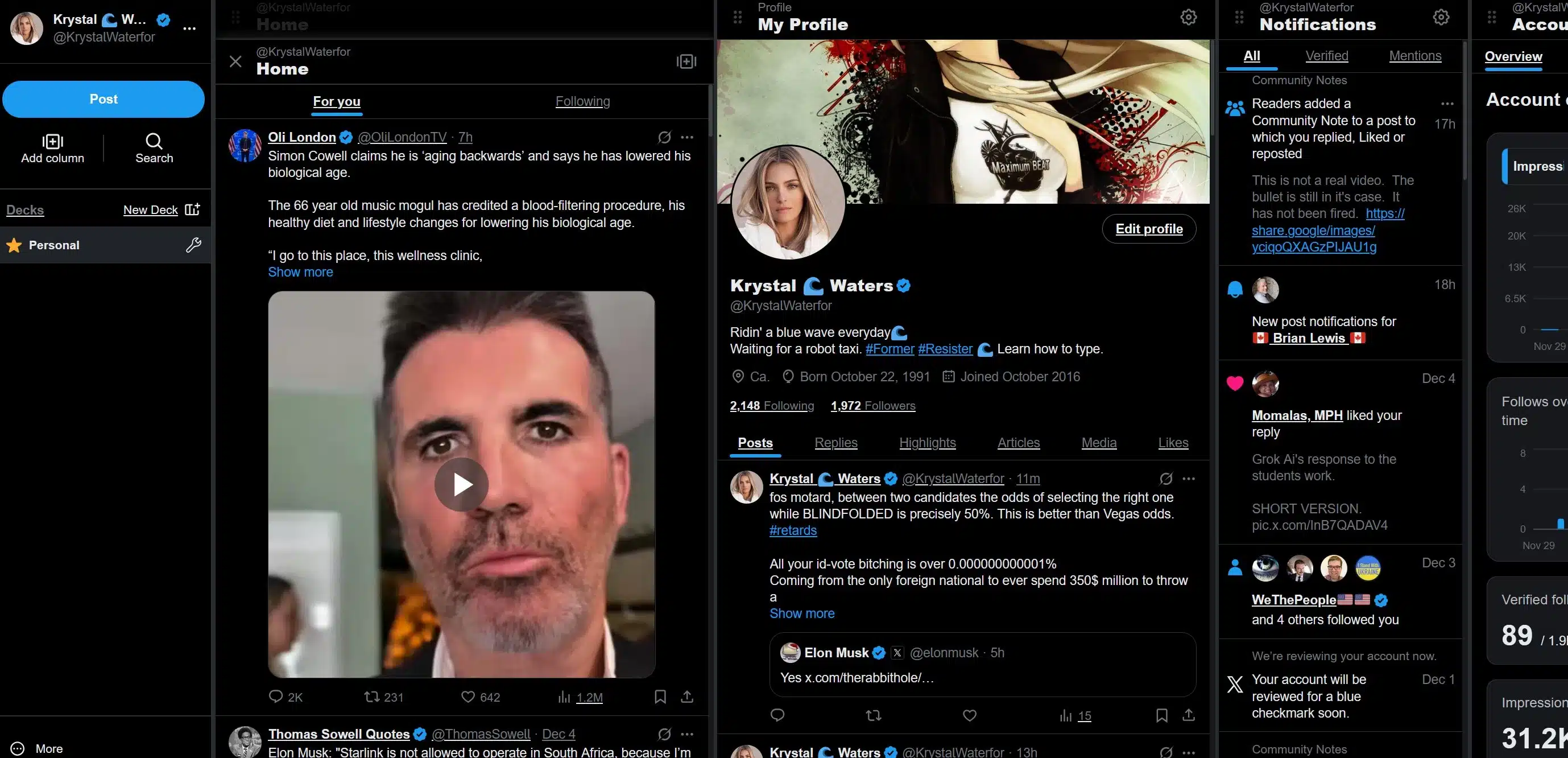
I like using X Pro when I need a live, column-based view of everything happening around a brand at once: customer feedback, public posts from other users, replies to a campaign, and real-time alerts in the form of constantly updating streams. For many social media managers, it remains a great tool for frontline social listening and fast response during events, product launches, or potential crises.
You can also schedule tweets, monitor X performance at a glance, and keep multiple accounts in one interface, which is helpful if you manage several brands or regional profiles.
What I like about X Pro:
- Real-time, column-based monitoring capabilities for mentions, hashtags, lists, and searches
- Strong fit for teams that live inside X all day and need to stay ahead of fast-moving online conversations
- Good for managing multiple accounts without logging in and out repeatedly
What could be better about X Pro:
- Access now depends on an X Premium subscription, and pricing varies by tier and region, with recent increases on Premium Plus
- It focuses on X only, so you will still need another tool for cross-channel social media monitoring and reporting
X Pro pricing
3. Audiense
Audiense is built for deeper Twitter marketing and audience intelligence rather than just basic monitoring. It connects directly to X data to give you advanced audience insights, segmentation, and competitive analysis, which is useful when you want more than a list of Twitter mentions.
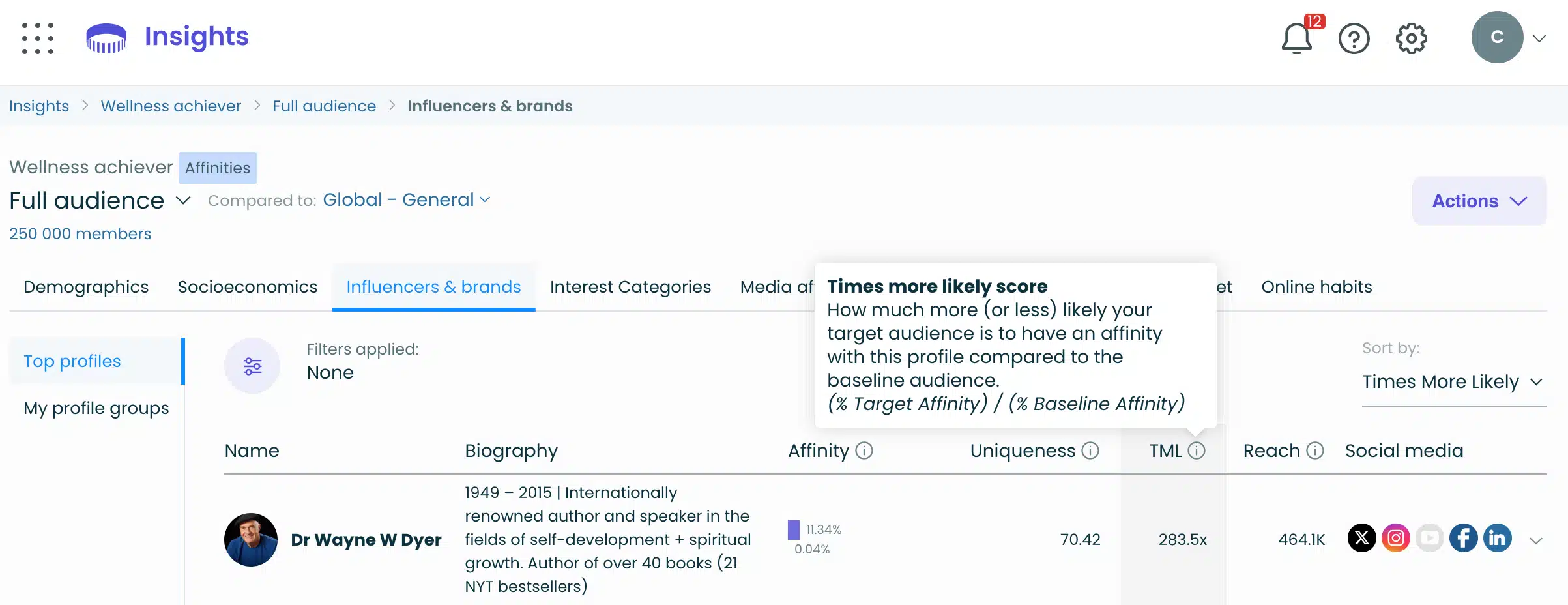
When I use Audiense, it is usually to answer questions like: Who exactly is engaging with this brand? How do different audience segments behave? Which clusters are most valuable for lead generation or campaign targeting?
The platform lets you analyze followers and other users based on over 170 criteria, build tailored audiences for ads, and uncover patterns in interests, locations, and behaviors that you would never see just by scrolling through tweets.
This is especially helpful if your marketing team wants competitive insights, wants to stay ahead of industry trends, or needs a more sophisticated view of the people behind your brand mentions.
What I like about Audiense:
- Deep audience segmentation and Twitter marketing capabilities that go beyond simple dashboards
- Strong at uncovering audience insights that inform campaigns, messaging, and positioning
- Integrates audience data into broader marketing workflows, so you can connect monitoring with strategy
What could be better about Audiense:
- The interface and feature depth can feel like a steep learning curve for smaller teams
- Best suited to brands that will actually use advanced reporting and custom audiences, not just light monitoring
Audiense pricing:
- Offers a free plan
- Paid plans: Start at $62.99/month
4. Mention
Mention is a full-scale social media monitoring tool and media monitoring platform that tracks brand mentions across Twitter, other social networks, news sites, blogs, and forums. If you need to monitor Twitter and the rest of the web in one place, this is closer to an enterprise-grade solution.
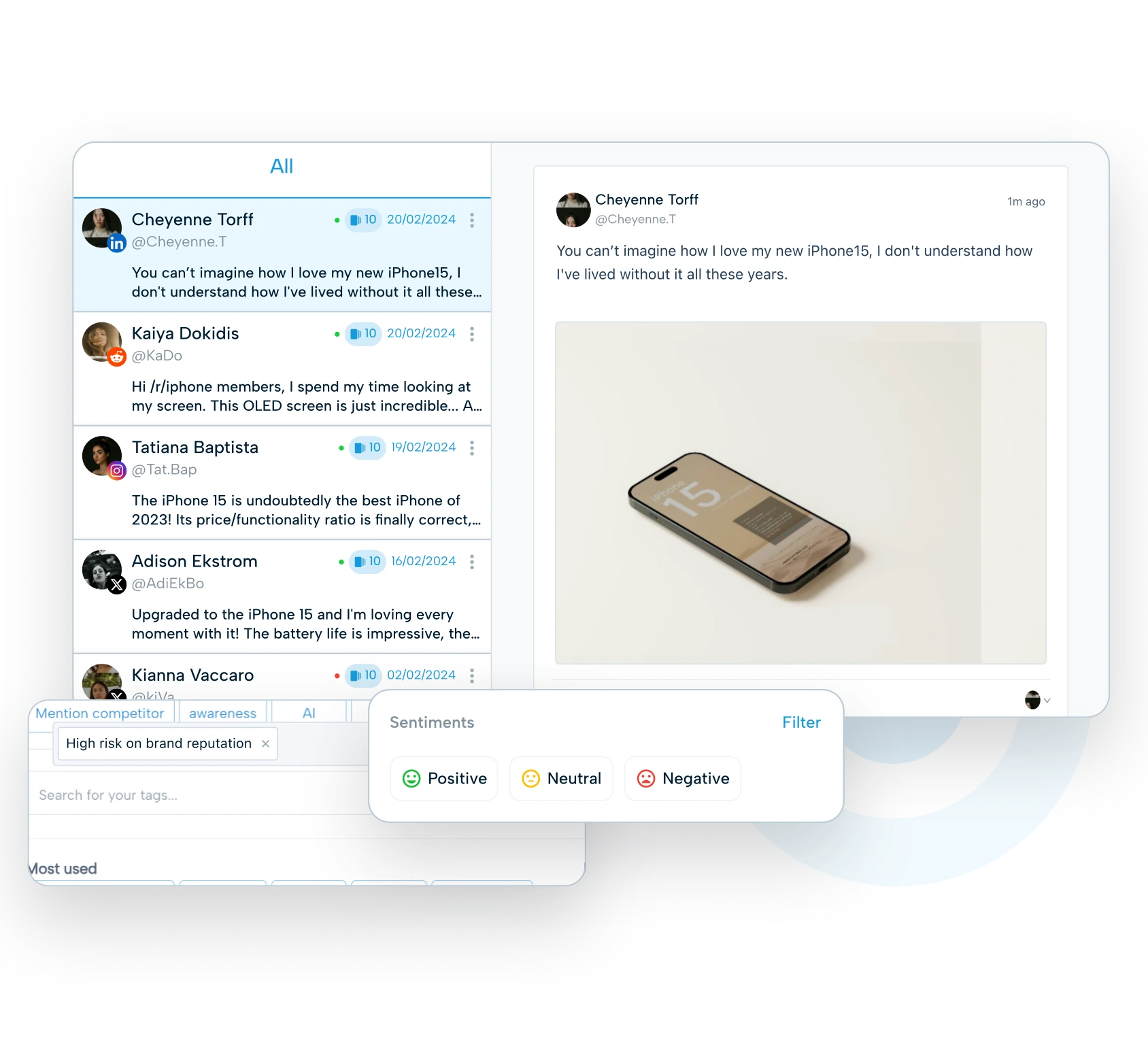
In practice, I reach for Mention when brands care about social listening on multiple online platforms, not just X. You can track specific keywords, sort mentions by source, set up instant alerts for spikes in conversation, and use sentiment analysis to understand whether discussions are positive, negative, or neutral.
Boolean search helps you filter out noise and focus on the relevant mention types that matter for your brand’s reputation, risk management, or campaign tracking.
Mention is strong for teams that need real-time analytics, historical data, and detailed dashboards that bring Twitter alerts, public posts, and news coverage together into one comprehensive view.
What I like about Mention:
- Powerful cross-channel social listening with sentiment analysis and competitive analysis
- Boolean search and filters help you stay focused on actionable data instead of drowning in noise
- Good fit for marketing teams that need to manage crises, protect the brand’s reputation, and track brand mentions at scale
What could be better about Mention:
- Pricing is on the higher side; plans for full media and social monitoring typically start in the mid-hundreds of dollars per month
- Overkill if you only need to monitor Twitter activity for a single small brand
Mention pricing:
- Free trial: 30 days
- Paid plans: Start at $599/month
5. Juphy
Juphy is best described as a unified inbox for social support teams that want to monitor Twitter interactions alongside other channels. Instead of acting like a traditional X monitoring tool, it consolidates mentions, comments, reviews, and DMs from Twitter, Facebook, Instagram, YouTube, and more into a single workspace.
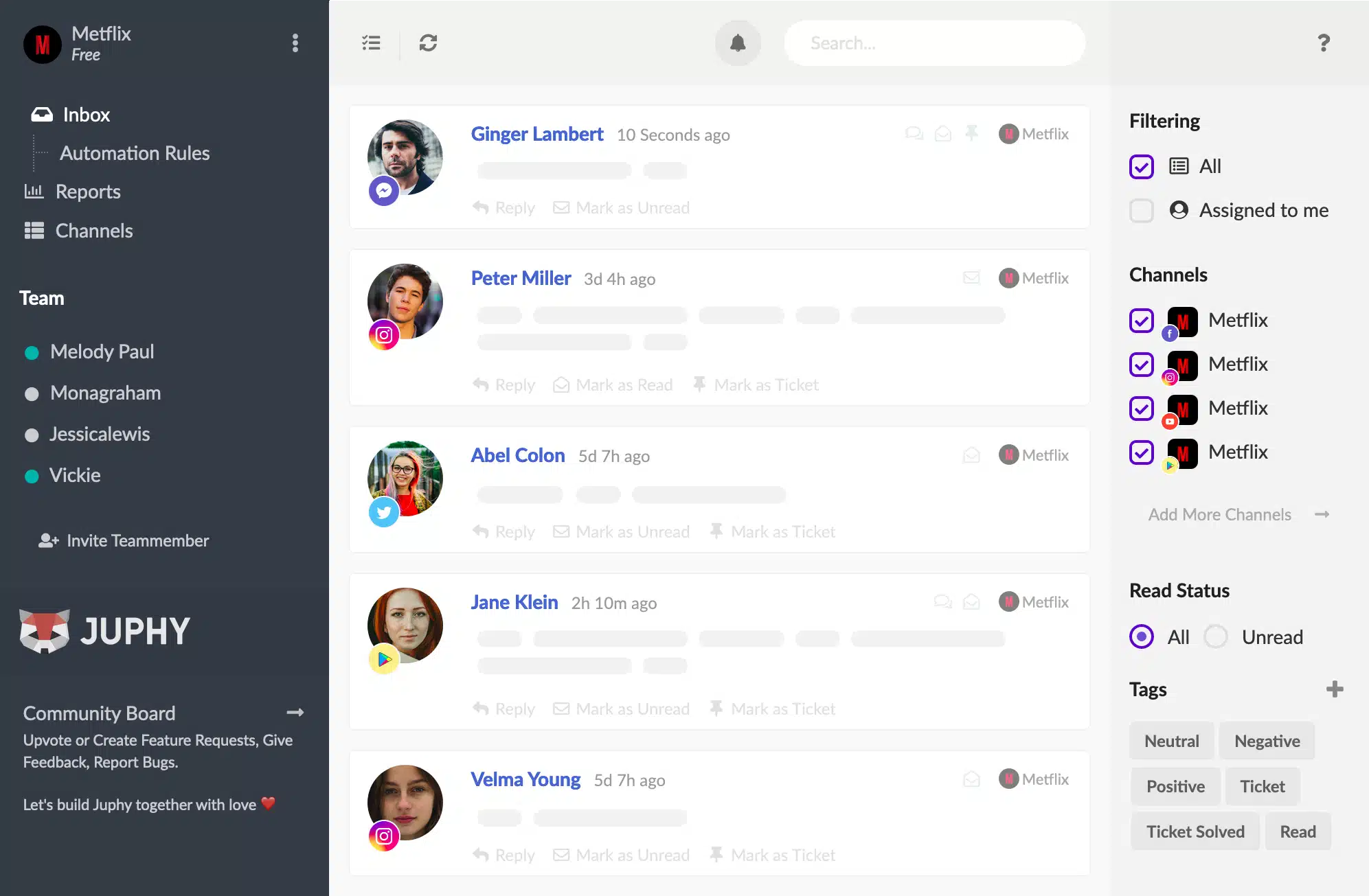
I recommend Juphy when the main goal is to respond quickly to customer queries and potential clients wherever they reach out.
Monitoring Twitter through Juphy means you see brand mentions and direct messages right next to reviews and comments from other social media platforms, which is helpful for teams responsible for customer support, not just social media marketing.
You also get collaboration features so teammates can assign conversations, leave internal notes, and keep track of who is handling what. That makes it easier to manage crises, keep response times low, and stay on top of online conversations that might otherwise be missed.
What I like about Juphy:
- Strong unified inbox that pulls in Twitter mentions, comments, and DMs with interactions from other channels
- Designed for teams who want to respond in real time and streamline customer support workflows
- Helpful when your brand cares about customer experience and wants a single place to handle public posts and private messages
What could be better about Juphy:
- Focuses more on engagement and customer service than on deep Twitter analytics or advanced audience insights
- Pricing is tailored around e-commerce and AI assistant features, so some social-only teams may find more specialized monitoring tools a better fit
Juphy pricing:
- Free trial: 7 days
- Paid plans: Start at $19/month
Frequently asked questions
1. What should I track when monitoring Twitter?
You should focus on the signals that shape your brand’s reputation and strategy. Track brand mentions to understand how people talk about you, monitor sentiment to spot early shifts in tone, and follow keywords and hashtags tied to your products, competitors, and industry topics.
It also helps to watch competitor activity, campaign reactions, and recurring customer questions. Together, these data points reveal emerging trends, potential crises, and opportunities to improve your social media marketing.
2. How often should I check my Twitter mentions and keywords?
Check your Twitter mentions and keywords several times a day if you handle customer support or manage time-sensitive campaigns. For less urgent monitoring, rely on real-time alerts or daily summaries to stay aware of important conversations without constantly checking the feed.
During high-risk periods, like product launches or potential crises, monitoring more frequently ensures you can respond quickly and keep your team informed.
3. Can I monitor Twitter without paying for a tool?
Yes, you can monitor Twitter using native search, saved searches, and manual hashtag tracking. However, free options limit how much historical data you can see, make it harder to filter noise, and require more manual work.
Dedicated monitoring tools give you a clearer view of mentions, sentiment, competitor insights, and long-term trends, and they save time by centralizing alerts, analytics, and reporting in one dashboard.
Start monitoring Twitter like a pro
The teams that monitor consistently, not perfectly, are the ones that respond faster, avoid unnecessary crises, and create content that aligns with what their audience is already talking about.
If you want a simpler way to manage mentions, review performance data, and handle conversations across all your social networks, SocialBee can help. Its unified inbox and analytics give you a clear view of your Twitter activity alongside every other platform you manage, so you spend less time switching tabs and more time acting on what matters.
You can try SocialBee free for 14 days and see how it fits into your workflow. It’s a straightforward way to monitor key signals in real time and support a more intentional social media strategy.
