


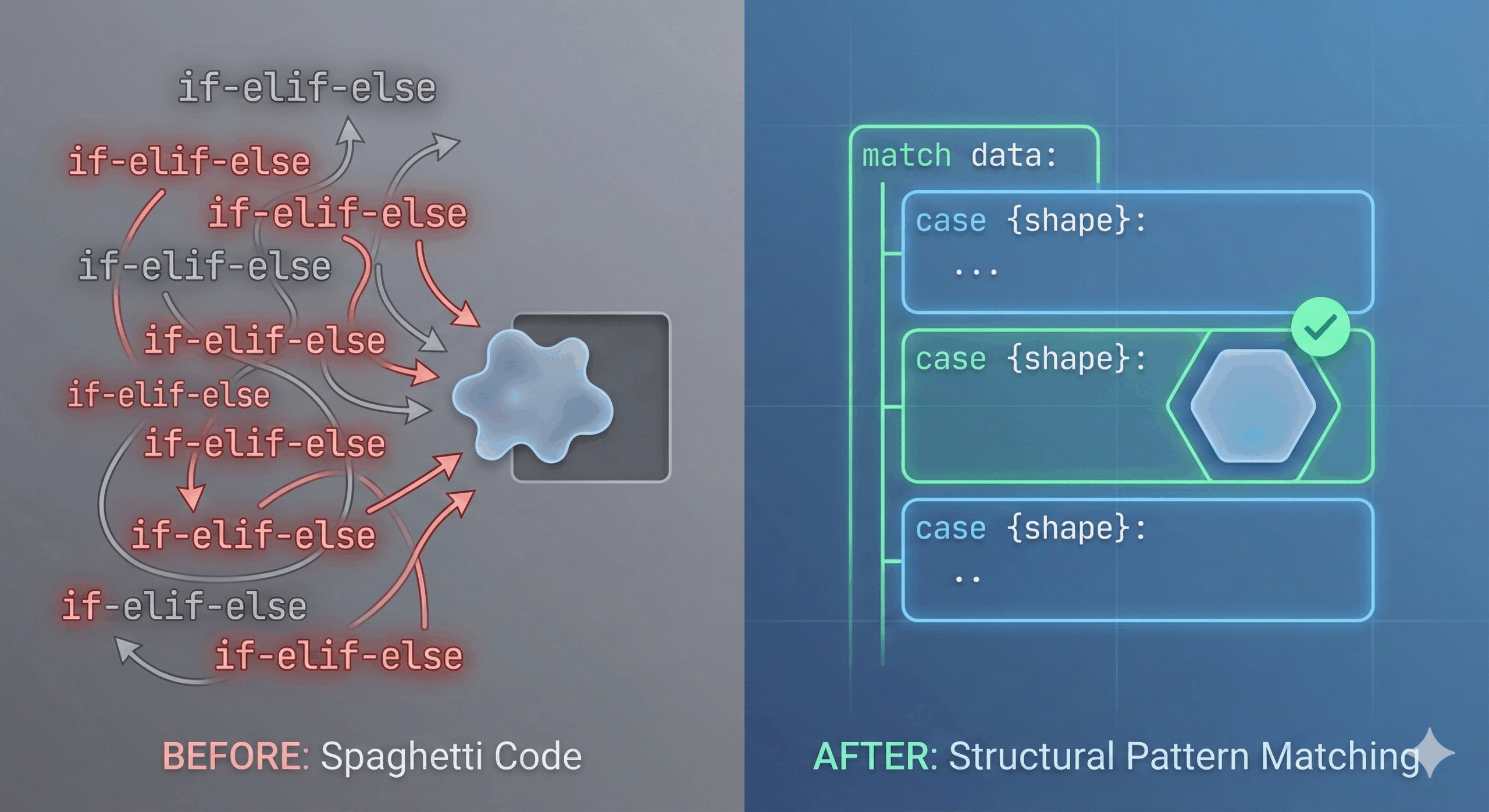
If you work in data science, data engineering, or as as a frontend/backend developer, you deal with JSON. For professionals, its basically only death, taxes, and JSON-parsing that is inevitable. The issue is that parsing JSON is often a serious pain.
Whether you are pulling data from a REST API, parsing logs, or reading configuration files, you eventually end up with a nested dictionary that you need to unravel. And let’s be honest: the code we write to handle these dictionaries is often…ugly to say the least.
We’ve all written the “Spaghetti Parser.” You know the one. It starts with a simple if statement, but then you need to check if a key exists. Then you need to check if the list inside that key is empty. Then you need to handle an error state.
Before you know it, you have a 40-line tower of if-elif-else statements that is difficult to read and even harder to maintain. Pipelines will end up breaking due to some unforeseen edge case. Bad vibes all around!
In Python 3.10 that came out a few years ago, a feature was introduced that many data scientists still haven’t adopted: Structural Pattern Matching with match and case. It is often mistaken for a simple “Switch” statement (like in C or Java), but it is much more powerful. It allows you to check the shape and structure of your data, rather than just its value.
In this article, we’ll look at how to replace your fragile dictionary checks with elegant, readable patterns by using match and case. I will focus on a specific use-case that many of us are familiar with, rather than trying to give a comprehension overview of how you can work with match and case.
The Scenario: The “Mystery” API Response
Let’s imagine a typical scenario. You are polling an external API that you don’t have full control over. Let’s say, to make the setting concrete, that the API returns the status of a data processing job in a JSON-format. The API is a bit inconsistent (as they often are).
It might return a Success response:
{
    "status": 200,
    "data": {
        "job_id": 101,
        "result": ["file_a.csv", "file_b.csv"]
    }
}
Or an Error response:
{
    "status": 500,
    "error": "Timeout",
    "retry_after": 30
}
Or maybe a weird legacy response that is just a list of IDs (because the API documentation lied to you):
[101, 102, 103]The Old Way: The if-else Pyramid of Doom
If you were writing this using standard Python control flow, you would likely end up with defensive coding that looks like this:
def process_response(response):
    # Scenario 1: Standard Dictionary Response
    if isinstance(response, dict):
        status = response.get("status")

        if status == 200:
            # We have to be careful that 'data' actually exists
            data = response.get("data", {})
            results = data.get("result", [])
            print(f"Success! Processed {len(results)} files.")
            return results

        elif status == 500:
            error_msg = response.get("error", "Unknown Error")
            print(f"Failed with error: {error_msg}")
            return None

        else:
            print("Unknown status code received.")
            return None

    # Scenario 2: The Legacy List Response
    elif isinstance(response, list):
        print(f"Received legacy list with {len(response)} jobs.")
        return response

    # Scenario 3: Garbage Data
    else:
        print("Invalid response format.")
        return None
Why does the code above hurt my soul?
- It mixes “What” with “How”: You are mixing business logic (“Success means status 200”) with type checking tools like
isinstance()and.get(). - It’s Verbose: We spend half the code just verifying that keys exist to avoid a
KeyError. - Hard to Scan: To understand what constitutes a “Success,” you have to mentally parse multiple nested indentation levels.
A Better Way: Structural Pattern Matching
Enter the match and case keywords.
Instead of asking questions like “Is this a dictionary? Does it have a key called status? Is that key 200?”, we can simply describe the shape of the data we want to handle. Python attempts to fit the data into that shape.
Here is the exact same logic rewritten with match and case:
def process_response_modern(response):
    match response:
        # Case 1: Success (Matches specific keys AND values)
        case {"status": 200, "data": {"result": results}}:
            print(f"Success! Processed {len(results)} files.")
            return results

        # Case 2: Error (Captures the error message and retry time)
        case {"status": 500, "error": msg, "retry_after": time}:
            print(f"Failed: {msg}. Retrying in {time}s...")
            return None

        # Case 3: Legacy List (Matches any list of integers)
        case [first, *rest]:
            print(f"Received legacy list starting with ID: {first}")
            return response

        # Case 4: Catch-all (The 'else' equivalent)
        case _:
            print("Invalid response format.")
            return None
Notice that it is a few lines shorter, but this is hardly the only advantage.
Why Structural Pattern Matching Is Awesome
I can come up with at least three reasons why structural pattern matching with match and case improves the situation above.
1. Implicit Variable Unpacking
Notice what happened in Case 1:
case {"status": 200, "data": {"result": results}}:We didn’t just check for the keys. We simultaneously checked that status is 200 AND extracted the value of result into a variable named results.
We replaced data = response.get("data").get("result") with a simple variable placement. If the structure doesn’t match (e.g., result is missing), this case is simply skipped. No KeyError, no crashes.
2. Pattern “Wildcards”
In Case 2, we used msg and time as placeholders:
case {"status": 500, "error": msg, "retry_after": time}:This tells Python: I expect a dictionary with status 500, and some value corresponding to the keys "error" and "retry_after". Whatever those values are, bind them to the variables msg and time so I can use them immediately.
3. List Destructuring
In Case 3, we handled the list response:
case [first, *rest]:This pattern matches any list that has at least one element. It binds the first element to first and the rest of the list to rest. This is incredibly useful for recursive algorithms or for processing queues.
Adding “Guards” for Extra Control
Sometimes, matching the structure isn’t enough. You want to match a structure only if a specific condition is met. You can do this by adding an if clause directly to the case.
Imagine we only want to process the legacy list if it contains fewer than 10 items.
case [first, *rest] if len(rest) < 9:
        print(f"Processing small batch starting with {first}")
If the list is too long, this case falls through, and the code moves to the next case (or the catch-all _).
Conclusion
I am not suggesting you replace every simple if statement with a match block. However, you should strongly consider using match and case when you are:
- Parsing API Responses: As shown above, this is the killer use case.
- Handling Polymorphic Data: When a function might receive a
int, astr, or adictand needs to behave differently for each. - Traversing ASTs or JSON Trees: If you are writing scripts to scrape or clean messy web data.
As data professionals, our job is often 80% cleaning data and 20% modeling. Anything that makes the cleaning phase less error-prone and more readable is a massive win for productivity.
Consider ditching the if-else spaghetti. Let the match and case tools do the heavy lifting instead.
If you are interested in AI, data science, or data engineering, please follow me or connect on LinkedIn.
