


Whether you want it or not, Google’s AI Overviews are here to stay. There have been mixed responses to the AI-organized summaries that now appear at the top of your Google search results after you ask a question, leading Google to address the concerns.
Initially, the only way AI Overviews appeared was if you had signed up for Search Labs, which lets you participate in Google’s latest AI experiments. Now, the AI-created summaries have been pushed out to everyone in the US.
Check out: Google’s AI Overviews: What It Is and Why It’s Getting Things Wrong
If you don’t see AI Overviews in Google yet, it’s just a matter of time.
While you may appreciate Google taking on even more of the heavy lifting when you’re doing research, you may not want an AI-generated summary to be the first thing you see when you use Google search. Google’s Gemini generative AI model powers these summaries, but Gemini — like AI right now — is not always accurate.
AI Overviews has already suggested eating pizza with glue, as well as drinking urine to quickly pass a kidney stone.
So, is there a way to turn off AI Overviews? The answer is more complicated than you’d think. For more, here’s what else Google has talked about at its Google I/O conference, including what to expect in the upcoming Android 15.
What are Google Search AI Overviews?
AI Overviews are AI-generated answers to the questions you ask on Google search. Google said AI Overviews would start appearing at the top of Google search starting May 14 whenever Google’s search systems determine that these types of AI-generative responses can quickly provide useful information.
For example, if you typed, “What’s the shortest war in history?” in Google search, you may see something about the Anglo-Zanzibar War of 1896, thanks to AI Overviews. Underneath the AI-generated summary, you’ll see links to all the resources used, which you can click to check out the websites where the information is pulled from.
This is the AI Overview for, “What is the shortest war in history?” The answer was pulled from four sources, including Wikipedia.
If you scroll down, you may see the featured snippet that you’re used to seeing in Google search, as well as those “people also ask” sections, Quora and Reddit “question and answer” boxes, relevant videos and links to websites.
Who has access to AI Overviews?
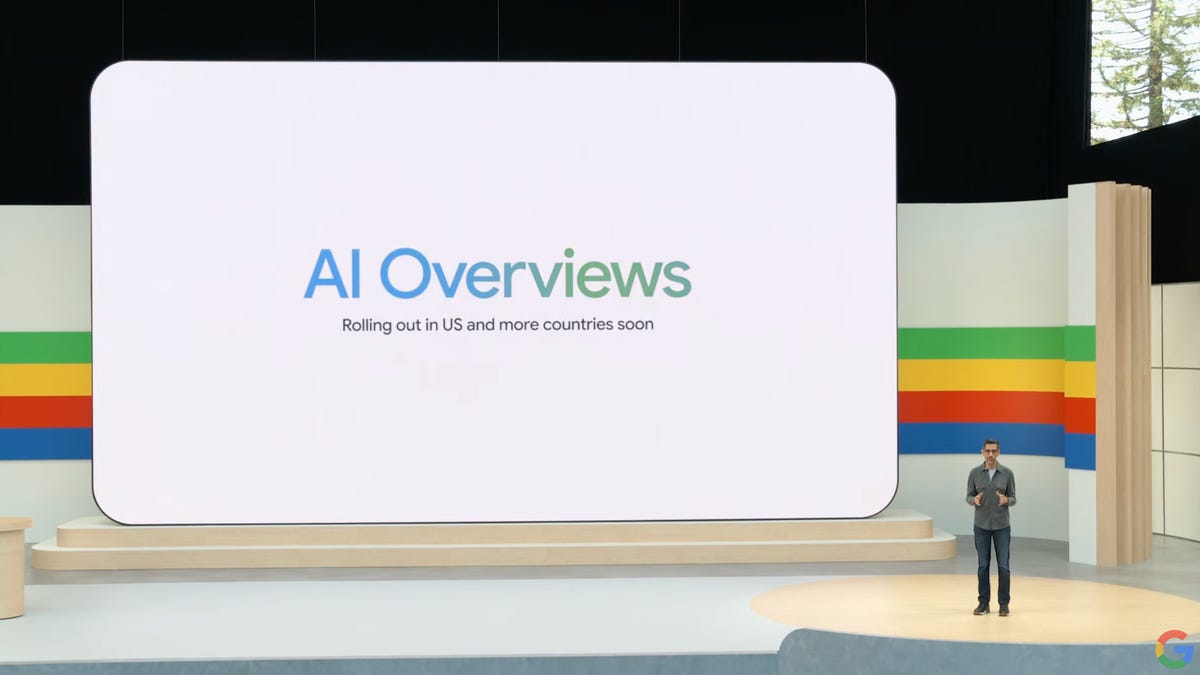
Google started testing AI Overviews in 2023 with a small group of people who signed up in Search Labs, where Google experiments with possible search capabilities. During the latest Google I/O conference, Google announced that it would be rolling out AI Overviews to hundreds of millions of users in the US, with more countries coming soon. Google expects to bring AI Overviews to over a billion people by the end of this year.
AI Overviews for everyone announced at Google I/O 2024.
Is there a way to turn off Google’s AI Overviews?
Now, to the important question: Is there any way to turn off AI Overviews in your search results?
Unfortunately, you can’t go into your Google or Chrome settings and disable the feature.
For those of us here at CNET who tried, AI Overviews is already turned off in Search Labs, and if anything, all we could do is boost AI Overviews to cover more search topics when we turn it on in Labs.
On the Labs page, Google said, “Turning [the AI Overviews and more experiments] off does not disable AI Overviews in Search outside of Labs.”
If you enable the AI Overviews experimental setting, you can ask more complex questions in Google searches and receive fuller AI Overviews. You can ask something like, “Create a 5-day meal plan that includes blueberries,” and you’ll get an AI-generated response. Great for people who love blueberries, but bad for people who just aren’t into AI.
You can’t disable AI Overviews, but you can make it extensive.
Earlier this year, there seemed to be a way to turn off AI Overviews in search results, but now it’s hardwired in results. So, is there any other way to get rid of AI Overviews?
You can’t turn off AI Overviews, but you can do this…
Google may not give us an obvious way to turn off AI Overviews in Google search, but there are some workarounds.
The first workaround, whether you’re on mobile or a computer, is to use the Web tab that appears at the top of Google search results. If you don’t see it — it should be in there with the “All,” “News” and “Images” tabs — scroll left or right until you do. You’ll still initially see an AI summary at the top, but this allows you to quickly go to a more traditional search, filled with only links. If you’re on a computer, there’s a way you can make the web tab the default option when you use Google Search online.
Read more: Google Search Without Ads or AI: How to Get Just Links in Your Results
A second workaround is to use another web browser other than Chrome. We didn’t receive AI Overviews for queries in Safari and Firefox. Unfortunately, this only works on your computer, not on mobile.
For more, here are all 13 of Google’s AI tools, including an interesting AI tool for Gmail.
