


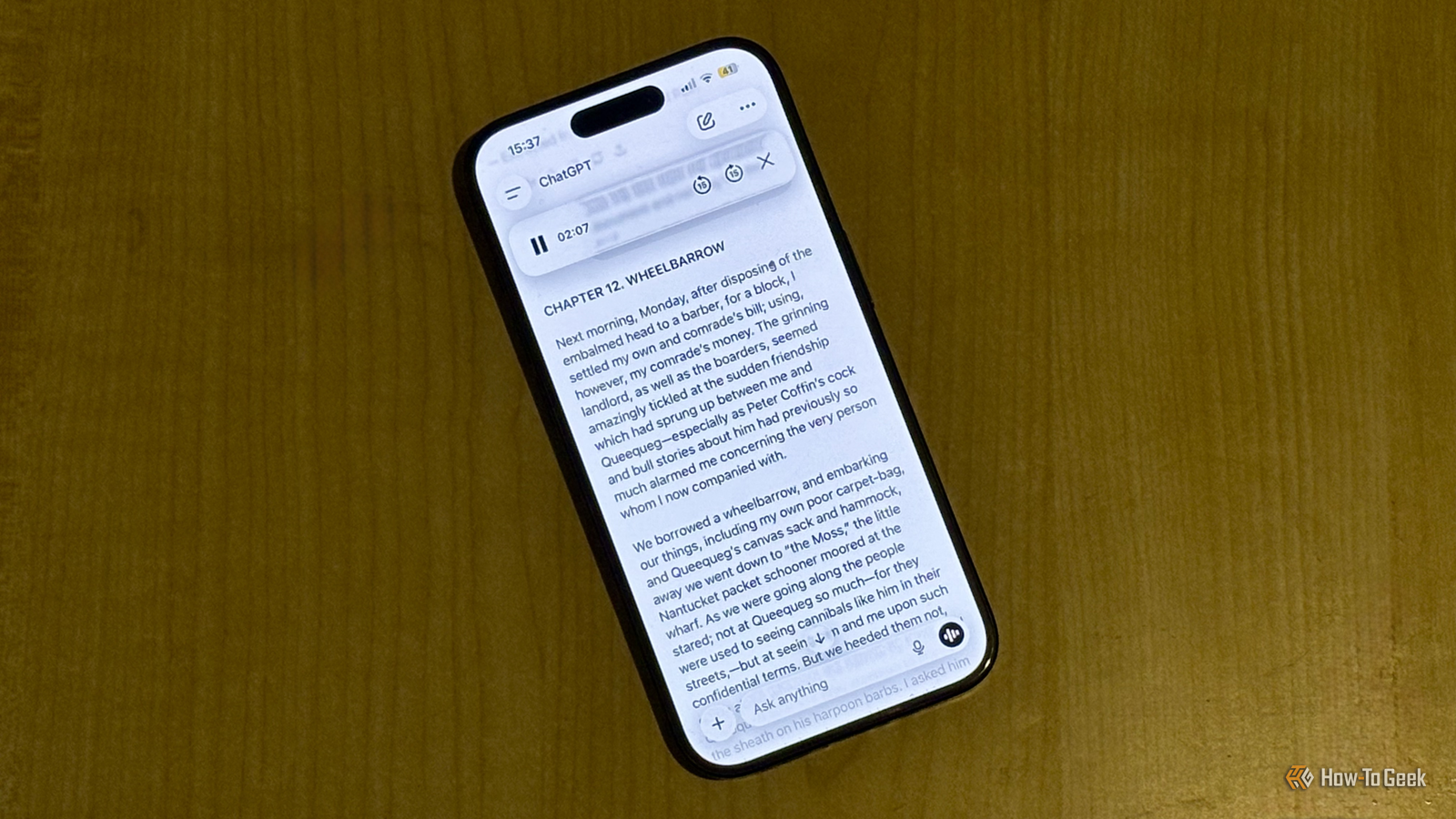
You don’t need to pay to have something read out loud to you. The free tier of ChatGPT can read any text aloud in an impressively natural way. You can do it on your phone or desktop, and you’re not limited to how long the text can be.
I wondered if ChatGPT’s voice mode could read books to me
I recently received a trial offer for Audible and spent three months trying out the app. Ultimately, I decided that audiobooks weren’t for me, with one of the major issues being the price. Once my offer was over, I would have effectively been paying $14.95 to listen to a single audiobook per month. I decided to see if there was a way to get the audiobook experience for free.

I’d used ChatGPT’s voice mode in the past and had been impressed by how the voice models could change their tone of voice based on your prompts. I used it to get ChatGPT to sound like Santa, and my kids loved it. Would ChatGPT be able to read books aloud to me and do different voices for different characters?
My hopes were quickly dashed. I found it almost impossible to get ChatGPT to read the text of the uploaded file. It would say it was going to read it and then simply say nothing, or it would read a sentence or two and then say that it would carry on with the rest of the text in the same manner, but never actually do so.
The Read Aloud feature did what ChatGPT’s voice mode couldn’t
After ChatGPT’s voice mode completely let me down, I wondered if there were any other ways to get ChatGPT to read my text aloud. There are already AI-powered services that can turn any text into speech, such as Speechify. However, the costs are prohibitive, with Speechify costing $29 per month, so I wanted to see if I could replicate the same kind of functionality for free.

As well as the voice mode, ChatGPT also has a feature called Read Aloud. This feature is found beneath every response that the chatbot gives. If you tap the Read Aloud icon, the response is read out in whichever voice you have selected for use in the voice mode. The feature is available without a subscription, although you need to be signed in to a free ChatGPT account to use it; it won’t work if you’re not signed in.
I uploaded a PDF of a public domain book (Herman Melville’s Moby Dick) and asked ChatGPT to extract the text of the entire first chapter. Once it had done so, I clicked the Read Aloud icon beneath the response, and ChatGPT started to read.
Read Aloud has duration limits, but it’s simple to bypass them
As the first chapter of Moby Dick was being read out loud to me, I thought that I’d cracked it. Here was the free version of ChatGPT, reading aloud, exactly like I wanted. However, it didn’t take long to hit a snag.
After 60 seconds, ChatGPT stopped reading. There was still plenty of the chapter left to read out, but the voice stopped, with a warning that said “Failed to play message” appearing at the top of the screen. This is because there is a time limit of one minute for the Read Aloud feature. I thought my experiment was over.

However, I didn’t want to give up just yet, so I asked ChatGPT to just carry on reading automatically whenever it reached the one-minute limit, until the entire text had been read aloud. I didn’t really think it would work, even when ChatGPT replied that it would do what I asked. But when I tried again, ChatGPT read the entire chapter, which took several minutes to get through.
With the right voice, the results are genuinely impressive
The whole reason that I tried this was because I’d been very impressed with how natural some of the voices in ChatGPT were, and some of the audiobooks that I listened to on Audible didn’t sound that impressive. I was hoping that ChatGPT would be able to do a good job.
I was really impressed by the results. After trying a few options, I settled on the Arbor voice. This is a male voice with a British accent, which reminds me a little of Karl Urban’s Billy Butcher in Prime Video’s The Boys, if Karl Urban could actually do a good British accent.

The voice was really well-suited to the old-fashioned writing style in Moby Dick, and the level of expression is excellent. It really does sound like you’re being read to by a real person, and one with some impressive narration skills. To my ears, it sounded similar to the best Audible audiobooks I’d listened to, and better than many of them.
The beauty is that you can use this method to read literally any text at all. If you can’t face wading through a long Wikipedia page, just copy the text into ChatGPT, ask it to strip the citation numbers, and tap the Read Aloud icon. I’ve also started using it to read my articles aloud, as it’s a great way to spot errors or overly repeated phrases.
There are plenty of things that AI isn’t very good at, but reading text isn’t one of them. If you need some text read aloud, and you don’t want to have to pay for the privilege, using ChatGPT can work surprisingly well. It’s not perfect; if you want to listen to an entire book, for example, you’ll have to keep extracting it a section at a time. For a free tool, however, I’ve been surprised by just how well it works.
