


I dislike the feeling of staring at a notification from a friend, a colleague, or even my wife, knowing exactly what I want to say but struggling to find the right words. Sometimes I dread typing it out; other times, I’m walking and can’t use both hands; or I’m exhausted from sending the same “Sounds good, see you then” message for the fifth time in a week.
Android keyboards have tried to address this with predictive text, but they typically only guess the next word based on frequency, not the actual context of the conversation.
This is where Coreply comes in. It is one of the best AI apps to download on your phone that works as a keyboard assistant, doing more than just suggesting words; it also understands the conversation. After using it for a few weeks, it has transformed the way I handle my messages.

- OS
-
Android
- Price model
-
Free (paid plans available)
Coreply is an open-source Android app that offers smart, context-aware suggestions as you type. It elevates your messaging experience by providing responses that feel intuitive and tailored to the conversation.
Coreply uses AI to suggest complete messages
But you have to do some setup
Most AI writing tools still rely on the same tedious “copy-paste routine.” You have to jump out of your chat app, open ChatGPT or whatever bot you use, type your prompt, wait, copy the response, and then hop back to WhatsApp and paste it in. At that point, you might as well have typed the message yourself.
Coreply sidesteps all of that by working as an overlay inside the apps you already use. It’s essentially an assistant sitting in your text field, ready to write with you instead of sending you on another copy-paste detour.

7 Better Alternatives to OpenAI’s ChatGPT Mobile App
These AI chatbot apps will do a better job than OpenAI’s official ChatGPT mobile app.
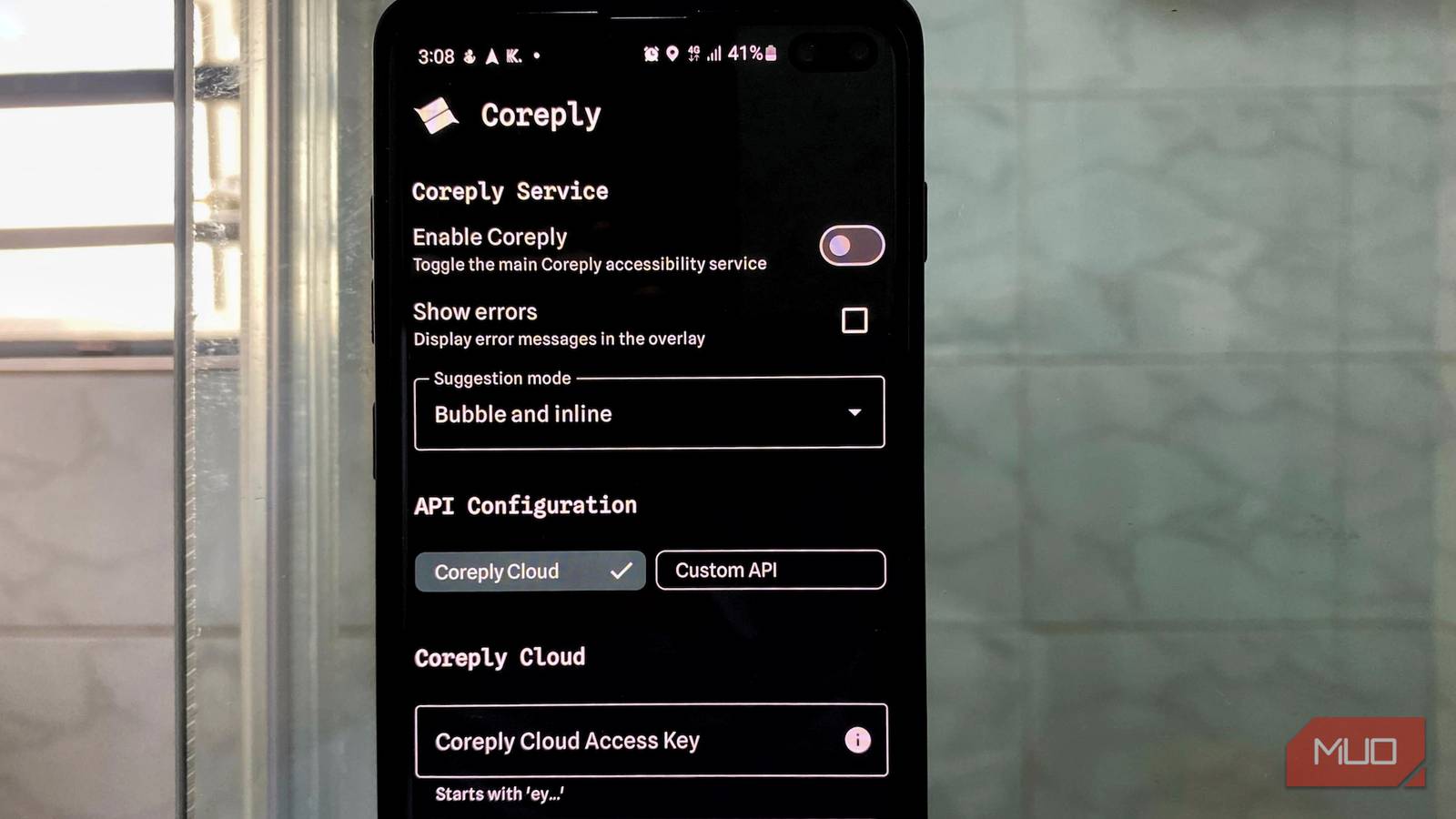
The setup process is simple, though you first need to pair the app with an AI cloud service. Coreply provides its own option—Coreply Cloud—which includes 100 free requests per year on a basic model. If you need more throughput, there’s a pay-as-you-go tier priced at $1 per 1,000 requests, or you can connect your own OpenAI API key. With this flexibility, you’re not locked into a single provider, nor pushed into a subscription you may not actually need.
After inputting the access key, Coreply needs accessibility access to read on-screen text and identify which messaging app you’re using, as well as permission to draw over other apps, so its suggestions can surface in real time. These are standard requirements for any reputable keyboard enhancement tool, and because the app is fully open-source, anyone with technical curiosity can audit exactly how that access is being used.
The app works across several messaging platforms
Without switching apps or copying text
Once configured, Coreply integrates seamlessly with popular messaging apps, including WhatsApp, Instagram DMs, Telegram, Signal, and more, as well as dating apps such as Tinder and Hinge. The suggestions appear in two forms: inline text in your message field or floating bubbles above your keyboard. You can tap once to insert a single word, or long-press to add an entire suggested sentence. The interface feels intuitive within minutes of use.
Another aspect I really appreciate about Coreply is its contextual intelligence. Instead of merely guessing your next word like traditional autocomplete, it evaluates the entire conversation thread and generates replies that mirror both the tone and the substance of the discussion. You can see this in action in the screenshots from my conversations above.

What Is Predictive AI, and How Does It Work?
Generative AI is all the rage, but you’ve probably used predictive AI a whole bunch more already.
The app supports multiple languages and automatically adjusts based on what it detects in your conversation. If you’re messaging someone who uses casual slang, the suggestions incorporate that style. If the conversation has been formal, it maintains that register. This isn’t something you need to configure manually—it happens automatically based on the conversation history displayed on-screen.
Notwithstanding, there are some practical constraints. Coreply can only analyze the content that’s currently displayed in your conversation window. It doesn’t pull from older messages that have scrolled out of view, nor does it access your broader chat history. As a result, if you’re in a lengthy thread, suggestions will be grounded solely in the most recent on-screen context. And because the app can’t interpret images, videos, voice notes, or other non-text elements, its contextual accuracy naturally decreases in media-heavy conversations.
If texting feels like a chore, Coreply makes it effortless again
The real measure of any productivity tool is not whether it feels clever, but whether it actually saves time and reduces friction. In my experience, Coreply consistently clears that bar. Those moments when I am mentally composing a response yet dreading the physical act of typing, especially on mobile—even with tricks to type faster—have become far less irritating. I am not handing my conversations over to an AI. I am simply using it to speed up the mechanical process of getting my intended message on the screen.
The free tier, with 100 requests per year, seems restrictive at first glance, but I consider the pay-as-you-go model inexpensive at $1 per 1,000 requests. You are unlikely to spend more than a few dollars a month if you use it heavily, and you may find the free allowance adequate if you use it sparingly. There is also a weekly plan that provides 100 free requests and refreshes every seven days, available through the app’s social channels.
