


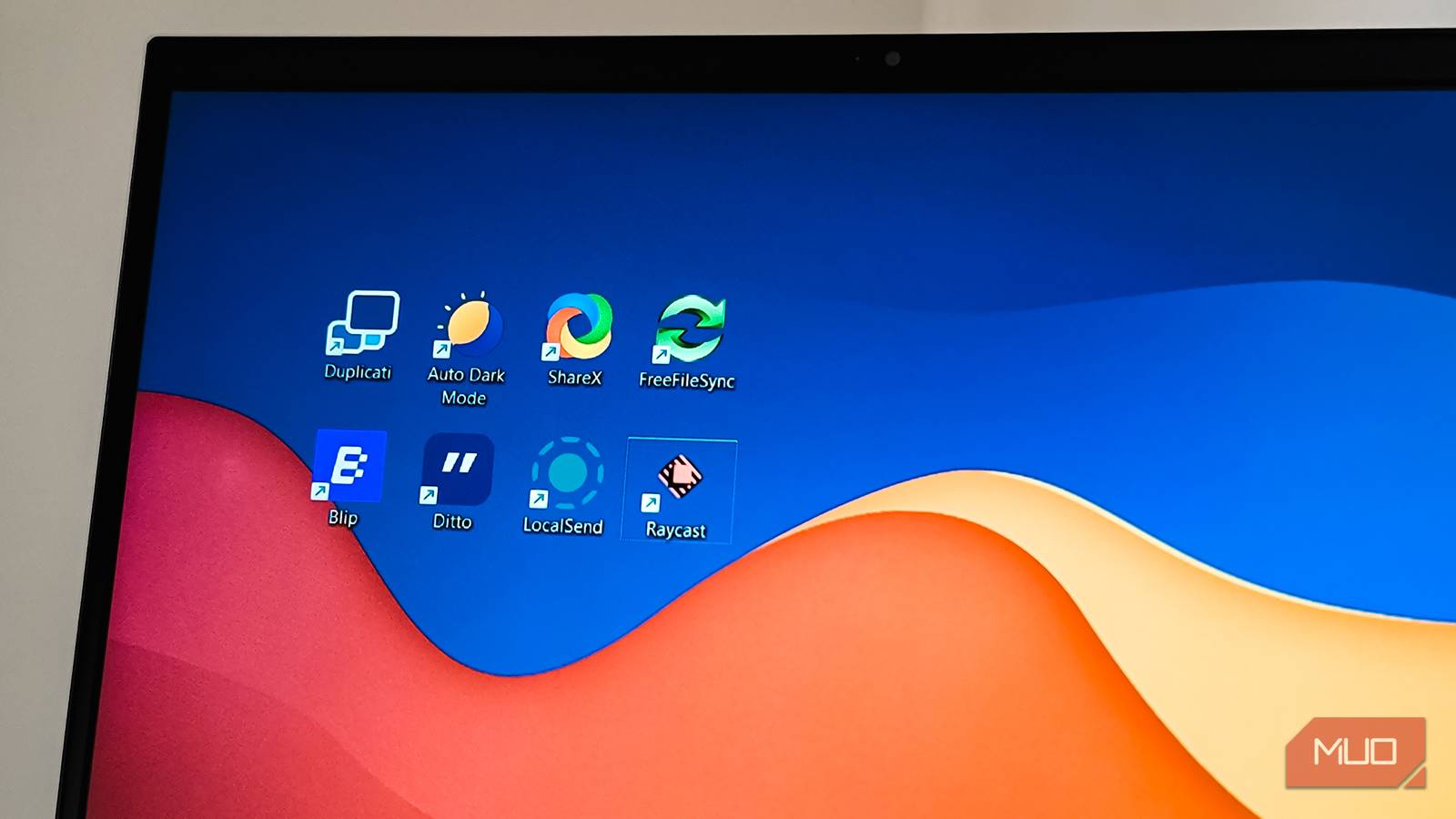
I prefer to do a clean install whenever a major Windows update is due. It’s a good way to keep your system feeling fresh, faster, and get rid of a lot of junk that we often accumulate without realizing. However, after every reinstall, I religiously install the same seven apps before doing anything else.
The list includes Duplicati for file backup, ShareX for screenshot capture, Ditto for unlimited clipboard items and some more amazing apps. Some of these apps are so good that they should come built into Windows, but since they don’t, I make sure to install them before doing anything on my new Windows install.
Monitorian
Easy brightness control for multiple monitors

The first app I install after a fresh install is Monitorian. Windows doesn’t have a built-in option to adjust brightness for external monitors. Since I use a multi-monitor setup, Monitorian offers a quick way to adjust brightness on multiple displays from the taskbar.
The app sits quietly in your system tray and shows sliders for each connected monitor. You can adjust them individually or move all sliders together. It also supports contrast adjustments and works with any monitor that has DDC/CI enabled, which most modern monitors do. I’ve set up keyboard shortcuts to bump brightness up or down without clicking anything, which saves time when switching between day and night work sessions.

- OS
-
Windows
- Price model
-
Free, Premium
Monitorian is a lightweight Windows utility that lets you quickly adjust brightness and contrast for multiple internal and external monitors simultaneously or individually, with optional advanced hotkey and command-line controls via subscription.
Listary
A must-have File Explorer add-on

Windows Search is terrible, but Listary fixes it instantly. Unlike other third-party search utilities like Everything, Listary does a few things better to earn the best Windows search app title in my list.
What makes Listary different is how well it integrates with File Explorer. You don’t need to open a separate app or launcher—just start typing anywhere in File Explorer, and it instantly filters and finds matching files. No need to click the search box first. This type-to-search feature alone saves me countless clicks every day.
The other feature I rely on heavily is Quick Switch. When you’re in any app’s open or save dialog, Listary lets you search for files right there instead of manually navigating through folders. I can locate a file buried deep in my project folders and open it directly without leaving the dialog. For my workflow, where I’m constantly jumping between documents and folders, these two features make Listary indispensable.
Duplicati
Easy file backup

I’ve tried many backup tools, but Duplicati is my go-to backup and restore app for Windows. It’s also a cross-platform app, so it works even if you’re not using Windows and need to manage backups across multiple systems.
I also like FreeFileSync for simple local backups, but I prefer Duplicati for its intuitive web-based interface and the ability to back up data to cloud storage, your own server, or locally. It supports over 20 storage destinations, including OneDrive, Google Drive, and any S3-compatible service.
What makes Duplicati stand out is its encryption and scheduling. Every backup is encrypted with AES-256 by default, and you can set it to run automatically. It only uploads changes after the initial backup, which keeps things fast.
Blip
Cross-device file transfer

I’ve used LocalSend as my preferred cross-device file sharing app to move files between my PC and Android phone. However, LocalSend can be annoying sometimes due to connectivity issues and fails to detect devices on the network, requiring a restart.
Since then, I’ve switched to Blip, a more reliable way to transfer large files between devices, and it hasn’t failed me in the last couple of months of using the app. Unlike LocalSend, Blip uses your email to identify devices, so they automatically discover each other once signed in.
The transfer speeds are impressive—around 92 Mbps over Wi-Fi, which means a 300 MB video moves in about eight seconds. There’s no file size limit either. I’ve sent 7 GB videos and 50 GB installation folders without issues. It integrates into File Explorer’s right-click menu, making the whole process feel native.
Ditto
Best clipboard manager for Windows
Ditto fixes a very real problem with Windows’ clipboard history by offering a way to save unlimited items that persist across restarts. Windows 11’s built-in clipboard (Win + V) only holds 25 items and clears everything when you reboot. That’s not helpful when you need something you copied last week.
I have Ditto set to keep 500 entries, which is more than enough to find old snippets without scrolling forever. The instant search filters through your history as you type, and you can group frequently used items like addresses or email templates separately. There’s also an option to edit clips before pasting—useful when you need to tweak copied text slightly without opening another app.
ShareX
The best screenshot tool for Windows

I’ve used ShareX for years, and I don’t think anything comes closer to it on Windows, especially for a free utility. Windows’ Snipping Tool handles basic captures fine, but if you take screenshots regularly and need to edit them, ShareX is in a different league. Screenshot are saved automatically with a history you can find later from the home screen. The built-in editor handles annotations, blurring sensitive information, and adding arrows or text without needing external software. There’s also a smart eraser that matches background colors instead of leaving grey boxes.
ShareX also supports screen recording and GIF creation. Once you set it up, taking and sharing screenshots becomes effortless.
Raycast
A quick app launcher

There are plenty of third-party quick launchers for Windows, including Listary. However, I’ve started to use Raycast recently, and it has become a must-have app on any PC I set up in the future. Raycast finally arrived on Windows after years of being a macOS exclusive, and it brings a level of polish that other launchers don’t quite match.
The interface feels more fluid than Flow Launcher or PowerToys Run. Press Alt + Space, type in the app name, search files, or run system commands. It also bundles utilities that can replace standalone apps, including a clipboard manager with three months of history, quicklinks for frequently used folders, and text snippets for reusable templates.
The extension catalog adds features like a kill process tool, Spotify controls, and video downloaders. Even in public beta, Raycast is stable enough to replace most of what I used to need separate apps for. That said, I still keep Listary around for its deep File Explorer integration.
My new installation is not complete without these apps
After every clean install, these seven apps go on first. Monitorian handles brightness, Listary fixes Windows Search, Duplicati protects my files, Blip moves them between devices, Ditto remembers everything I copy, ShareX captures my screen, and Raycast launches everything else.
There are a few more I install shortly after, including aText for text expansion, QuickLook for macOS-like file previews, and PowerToys for everything else. But these seven form the foundation. They fill gaps that Windows should have filled by now, and going back to a vanilla install feels incomplete.
