


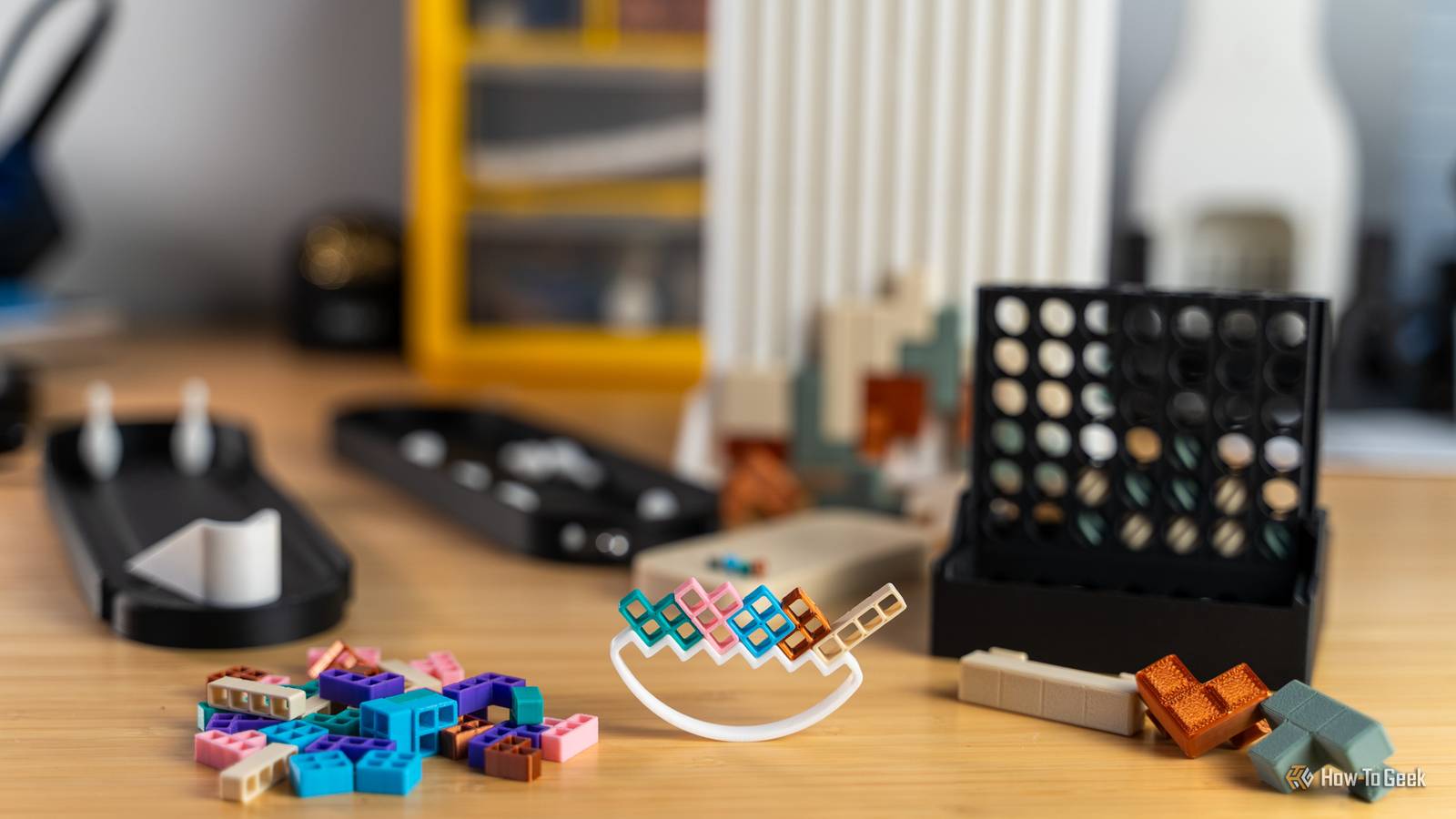
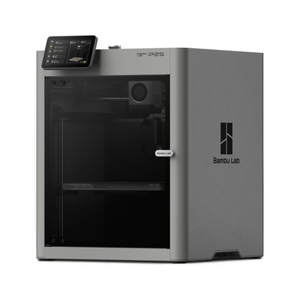
A 3D printer is a wonderful tool, especially around the holidays. I recently upgraded to the Bambu Lab P2S, and wanted to put it to work making some fun games for the family to play. Here are five of the games I 3D printed to play (and gift) this Christmas.

HTG Wrapped 2025: 24 days of tech
24 days of our favorite hardware, gadgets, and tech
3D printing let me modify these games however I wanted
Mini, pocket-sized board games, anyone?

My wife loves collecting the World’s Smallest games, so I thought 3D printing some tiny games would be perfect. The problem is, I couldn’t find models that were quite small enough for what I wanted, but since I was 3D printing them, it was easy to fix that.
One of my favorite things about 3D printing is being able to resize anything, and it almost always works. With the games that I 3D printed for Christmas, I was able to scale the games down and have everything still work perfectly. When scaling 3D prints, you have to make sure to scale every piece, and not just a handful of them. So long as you scale the entire project uniformly, everything should print just fine.
A final note on scaling: always check the preview output before printing. There was one project I wanted to scale to 50%, but couldn’t, because it had some super-fine detail that wasn’t going to print out properly at that small a scale. The preview showed me the problem just fine, and I was able to scale up little by little until I was at the smallest size I could feasibly print with my 0.4mm nozzle.
- Build Volume
-
256x256x256mm
- Printing Speed
-
600mm/s
The Bambu Labs P2S 3D printer is ready to go out of the box and can have you printing within 15 minutes. It features up to 20-color printing with the AMS unit, has an upgraded built-in camera for remote monitoring and time lapses, and has an enclosed body for printing even high-temperature filament.
Analog Tetris
Who knew Tetris could be a physical game?

Tetris is a classic game that I typically only think about in the digital realm. It was a game that helped video games go mainstream in the late 1980s and early 1990s, making it iconic.
When I saw this analog version of the age-old game, I knew I had to print it. I definitely downsized this one by 50%, but you can print it as large as you want.
This now compact version of Tetris is perfect for my wife and I to bring with us to restaurants and waiting rooms, as it easily fits in a purse or backpack and can be ready to play in seconds. I’ve not yet determined how to handle dealing out the pieces so that way it’s difficult, yet playable, but that’s part of the fun!
I only had a few colors available to me when I printed this game, so some of the tiles share colors with other tiles. I do plan to change this up and make all the tiles unique colors in the future, but that’s part of the fun with 3D printing—you can easily change up a print’s aesthetics from the original simply by changing the colors.
Tetris balance mini – travel edition
Tetris—with a twist.

I first saw a retail version of this 3D print on Instagram about a year ago. It seemed super fun, but I wasn’t planning on spending the $30 (or whatever it was) on it. I’m glad I waited, because now I have it as a pocketable and fun little travel game my wife and I can play anywhere.
Like the Analog Tetris project, I shrank the Tetris balance mini game by 50% too. This game is actually tiny, and could easily fit in a larger pant or jacket pocket. The premise is simple: balance the Tetris pieces on the base without toppling the tower.
This is a game that’s easy to understand, but difficult to master. You have to balance many things (pun intended)—where you place the pieces, how much force you use to place the piece, and even if the table wiggles or wobbles. Don’t play this one on a table with a wobbly leg.
Cascade Connect – a self-sorting Connect 4
My father-in-law’s mind was blown when he saw this self-sorting masterpiece.

Connect 4 is another one of those ultra iconic games that everyone thinks of when it comes to something that’s simple, yet fun. Cascade Connect takes the standard Connect 4 that we’re all used to and puts a unique twist on it (I’m full of puns today, it seems.)
With Cascade Connect, you have two spiral-shaped pieces that each twist a different way than the other. Print one set in one color, and another set in the other color. The colors are the only way to tell them apart (just like with traditional Connect 4.)
As you put the pieces into Cascade Connect, they twist and turn as they slide into position. When the game is done, you simply lift the center board up slightly, and each piece spins down and self-sorts into its respective side. It’s really cool to watch them twist and turn and sort themselves, and I love how this print came out, even at 50% scale.
Mini bowling game with auto ball return
Why spend money on shoe rentals when you can bowl at home (or at a restaurant)?

I’m a huge bowling fan. Years ago, I used to bowl in leagues, and my best game ever was in the 280s (with 300 being a perfect score in bowling). So, when I saw this mini bowling game, I knew that I had to print it.
This game was actually already perfectly sized. I didn’t have to do any shrinking, and it came out exactly how I wanted it. I will say, the pins did give me some bed adhesion issues initially, and I had to do some work to get them to print well. I recommend not printing with the brim it tries to add, and instead slowing your printer down some. I put my Bambu Lab P2S into “quiet” mode, which slows it down by 50%, and I was finally able to get it to print properly once I did that.
I ordered some stainless steel ball bearings on Amazon for cheap to use as the bowling ball, though you could 3D print your own. I chose to go the ball bearing route because it’s heavier and will make it easier to knock the pins down.
The best part about this print is it has an auto-return function for the ball—though I did have to lift the lid to get the ball occasionally. Since you choose what size ball bearing you use, you can customize how big and heavy the bowling ball is for the game (as well as how easy it is to get the ball out of the return.)
Mastermind (travel edition)
How fast will you win?

I remember playing Mastermind as a kid when friends would come over. While not as well-known as Tetris or Connect 4, Mastermind was a unique game where one person would set a “code” using four colored pins, and the other person would have to try and guess the code. It was a game of deduction and fun—and plays a lot like Wordle, just with pegs and colors.
I shrunk this 3D printed Mastermind set by 50%, just like most of the other games on this list. Everything printed perfectly, even at the smaller settings. I was honestly very surprised at how well the tiny pegs both printed and fit in the game.
Mastermind is definitely small enough to bring with us when we leave the house to have a simple time-waster game when waiting for food at a restaurant. It’s also fun to just play at the dining table.
The best part of 3D printing is being able to make just about anything you can imagine. Since my wife loves miniature games, I was easily able to find some models, shrink them, print them, and make a Christmas present I know she’ll love. Also, 3D printing is extremely cheap. Most of the games cost me less than $1 in filament total to print using standard PLA.
Whether you print these games to gift as I did, or just to have fun with friends or family, they’re definitely going to become staples of our board game collection.
