


5 tips to generate engagement on your scheduled LinkedIn posts
Scheduling your LinkedIn posts with purpose helps you reach more people, stay visible, and learn what actually works. After managing multiple company pages and personal profiles, I’ve found five simple habits that consistently lead to higher engagement and steady audience growth.
1. Understand your audience demographics and preferences
Start with your data. Use LinkedIn analytics to see who follows you, including their job titles, industries, and locations. Then create two or three content pillars that speak directly to those groups.
For example:
- If most followers work in marketing, share campaign results or lessons from real projects.
- If your audience is filled with HR professionals, post about leadership, hiring trends, or team culture.
According to data, right now LinkedIn’s content is 43.1% of LinkedIn’s audience is female and 56.9% of LinkedIn’s audience is male. This can influence what sort of content performs well on the platform.
The closer your content aligns with your audience’s goals, the more relevant and engaging it becomes.
2. Identify optimal posting times for maximum engagement
Timing matters as much as content. Most LinkedIn users check their feed during work hours, typically between 8–9 AM and 2–3 PM in their local time zone.
To refine your schedule:
- If your audience spans multiple regions, stagger your posts to reach each time zone effectively.
- Review your analytics to learn which hours drive the most reactions or comments.
- Experiment with weekend or evening posts if your community includes freelancers or global teams.
Track these results for several weeks and adjust your posting times based on what performs best.
3. Maintain a consistent posting schedule
Consistency matters more than volume. Aim for two to three posts per week to stay visible without overwhelming your LinkedIn followers.
To stay organized:
- Batch-create content weekly and use scheduling tools to distribute it evenly.
- Build a predictable rhythm such as Monday insights, Wednesday tips, and Friday reflections.
- Alternate formats like text posts, videos, or visuals to keep your feed diverse and engaging.
Over time, a reliable schedule trains your audience to expect and interact with your content.
4. Focus on creating high-quality, relevant content
High-quality content is what turns impressions into meaningful conversations. Every LinkedIn post should aim to educate, engage, or inspire.
Use this quick checklist:
- Educate: Share insights, data, or frameworks others can apply.
- Engage: Ask questions or invite professional opinions.
- Tell stories: Use short examples or personal experiences to make lessons memorable.
- Visualize: Add images, charts, or infographics to increase visibility.
For example, instead of posting “Networking is important,” tell a short story about how one message led to a new client or opportunity. This makes your advice more memorable and relatable.
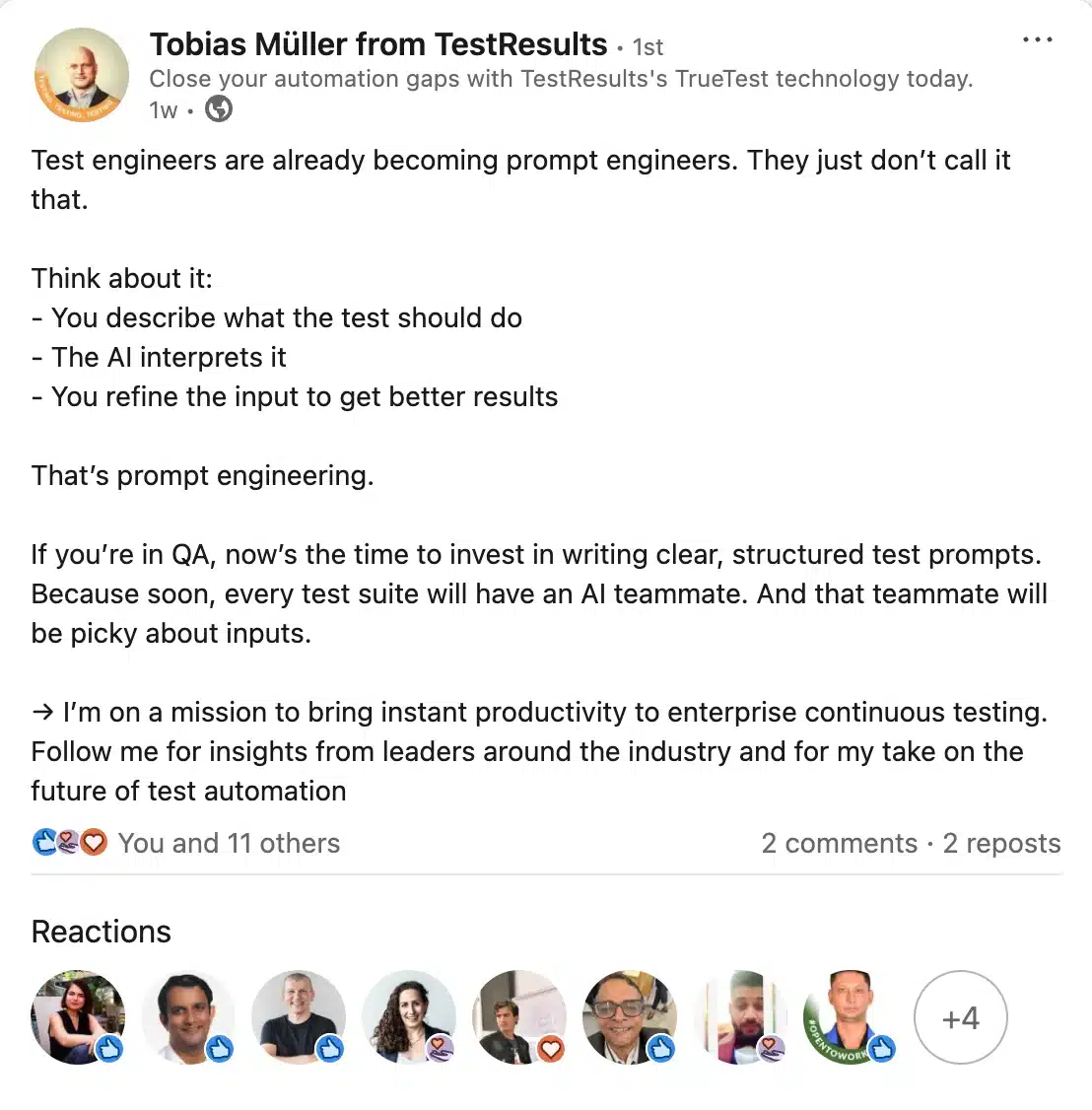
Here’s an example of a LinkedIn post that educates the audience:
Take this valuable insight from marketing expert Judi Fox into consideration as well when working on your strategy: “LinkedIn has a we-energy. We want to be spoken with. When you’re creating posts and content inside of LinkedIn, it’s a collective team, peer energy voice. So think about your colleagues and your peers and how you would speak with them, and that’s the type of energy we want to see in a LinkedIn post. The best tip that I can give you to impact your LinkedIn content strategy is: instead of thinking of LinkedIn as a professional place to put content, replace the word ‘professional’ with ‘leadership.’ Create a container of leadership voice that is peer-related, and you will have a very successful content strategy.”
5. Monitor your LinkedIn strategy and adapt your scheduling
Analytics turn activity into strategy. Check your LinkedIn performance every month to see what resonates and when.
Focus on these metrics:
- Engagement rate: Identify which post formats attract the most interaction and repeat them.
- Click-through rate: Adjust headlines or visuals if fewer people click your links.
- Follower growth: A steady rise means your content appeals beyond your current network.
- Impressions vs. reach: Compare to understand how often your content is shared or reappears in feeds.
- Comment quality: Review how meaningful or thoughtful responses are to gauge genuine interest.
Make one small change each month, such as adjusting your posting time, testing a new headline style, or trying a new format. Small, consistent tweaks help your engagement grow steadily over time.
Frequently asked questions
1. Is there a best time to post on LinkedIn?
On LinkedIn, it’s generally more effective to post between 9AM and 5PM, aligning with typical working hours.
Additionally, incorporating the lunch hour, around noon, into your LinkedIn posting schedule can also enhance engagement, as many users are likely to check LinkedIn during their break.
2. Is it OK to post everyday on LinkedIn?
Posting daily on LinkedIn can be beneficial if the content is valuable and relevant to your audience. Strategic planning, including scheduling posts, is key to maintaining an active LinkedIn presence.
Scheduling allows for consistent engagement and time efficiency, enabling you to prepare and share diverse content during peak activity times. However, it’s important to monitor audience reactions and adjust your posting frequency to avoid audience fatigue, ensuring a balance between frequency and content quality.
3. Does LinkedIn have a scheduling tool?
Yes, the social media platform does have a tool that allows you to schedule LinkedIn posts ahead. However, the native LinkedIn scheduler can only be used to post on a single LinkedIn account at a time.
Third-party social media management tools, like SocialBee, can be used to manage multiple LinkedIn accounts. These tools allow you to schedule and manage posts across multiple platforms, including LinkedIn. They are particularly helpful for maintaining a consistent online presence and ensuring that your content is published at the most effective times for engagement.
Ready to schedule your own LinkedIn posts?
After working with dozens of social media managers, I’ve seen the same pattern again and again: the teams that grow on LinkedIn post during work-hour peaks, keep a steady two-to-three-post weekly cadence, and adjust their timing based on click-through rates and comments. These small habits lead to consistent visibility and stronger relationships.
If you want to make that process easier, SocialBee brings all the moving parts together. You can plan your content categories, set your posting times, collaborate with teammates, and later review performance or export PDF reports, all from one simple dashboard.
Start your 14-day free trial today to build your next two weeks of LinkedIn content, automate your schedule, and see how effortless consistent posting can be.
