


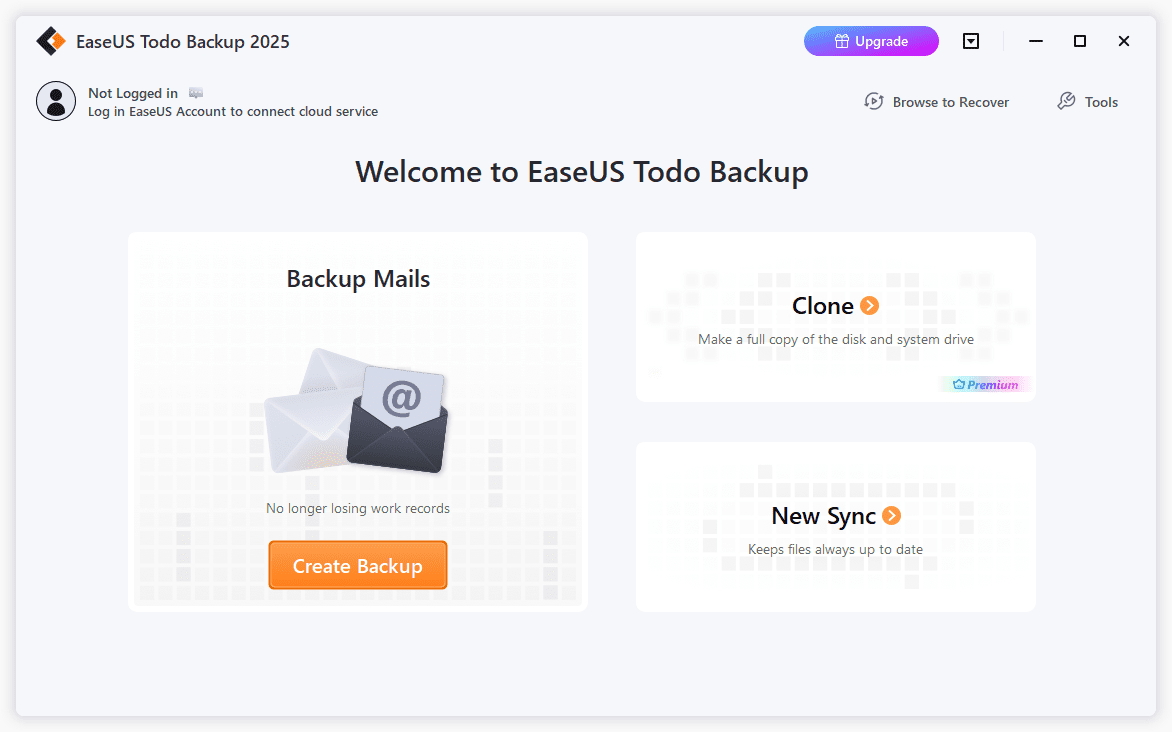
:max_bytes(150000):strip_icc():format(jpeg)/easeus-todo-backup-2025-f6b5da5df03a485d90fa73ac0b70dca2.png)
EaseUS Todo Backup is free backup software that supports automatically backing up the system drive, particular files and folders, and whole hard drives.
The restore function in this program offers the easiest way to retrieve backed-up files by mounting the backup image as a virtual hard drive. If you’ve ever had trouble getting your files back after you’ve backed them up, I highly recommend checking out this program from EaseUS.
What We Like
Intuitive restore feature.
Allows system partition backup.
Includes very useful pre-OS software.
EaseUS Todo Backup: Methods, Sources, & Destinations
The types of backup supported, as well as what on your computer can be selected for backup and where it can be backed up, are the most important aspects to consider when choosing a backup software program. Here’s that information for EaseUS Todo Backup:
Backup Methods
Full backup, incremental backup, and differential backup are supported.
Backup Sources
A backup can be created for entire hard drives, certain partitions, or files and folders. The Apps data option backs up game saves and data from apps like Google Chrome and Microsoft Outlook.
This program supports partition backups, including the one that Windows is installed on (the system partition). This can be done without rebooting the computer or using any external programs.
Backup Destinations
Backups are saved to a PBD file that can be stored on a local hard drive, network folder, or external hard drive.
EaseUS Cloud is listed as a backup location as well, which is the company’s online storage option—you get a 30-day free trial that includes 250 GB of space. There’s also a way to add your own service, which is useful if you use Dropbox, Google Drive, or OneDrive. These options essentially turn the program into an online backup service.
More About EaseUS Todo Backup
- Windows 11, Windows 10, Windows 8, and Windows 7 are supported.
- Backups will automatically be split into smaller sizes for more manageable storage.
- Toggle how much processor power EaseUS Todo Backup can use to ensure performance isn’t degraded too much while running backup jobs.
- Network transfer speed can be limited to save bandwidth.
- Backup images can be configured to remain for a certain number of days before being removed.
- Compressing a backup is supported, but only Normal compression; Fast and High aren’t free.
- You can password-protect a backup.
- Pre-OS can be enabled, which lets you use EaseUS Todo Backup before Windows starts without having to burn the program to a disc or use external media. This feature can be used to restore a disk/partition/system backup or to clone a hard drive or partition.
- A WinPE or Linux emergency disk can be built to boot into EaseUS Todo Backup if Pre-OS isn’t enabled, but you still need to restore or clone a disk.
- When backing up a hard drive or partition, you can choose to back up every sector, which includes both used and unallocated space, to build a replica of the source.
- When restoring a whole disk or partition backup, you’re able to restore individual files instead of the whole hard drive.
- Automatically run missed backup jobs.
- Execute backups as a different user if you need to.
- Restore data to the original location easily, or choose a custom one.
- See the estimated time remaining for a backup to complete.
- Trigger a shutdown or sleep when the backup finishes.
- You’re able to rename a backup so you can keep track of its purpose when referring to it later.
- When restoring data, the program gives a timeline of the date and exact time of backups, so you can easily pick a point in time at which to find a backed-up file.
- Search or filter through a backup to find something specific to restore.
- Any backup (even system backups) can be mounted as a virtual drive in Windows, which lets you browse through it like a real hard drive to view and copy out data without any confusion at all.
- If you have a file backup, you can just double-click the backup file (the PBD file) to open it in EaseUS. What you see looks a lot like a regular folder in Explorer, so you can copy the backed-up files out of the folder if you wish, but you have to have the program installed in order to do this.
- Can calculate the required space a backup needs in the destination folder to ensure there’s enough room before starting the job.
- Can schedule to run a backup just once, on an interval throughout the day, or on a daily, weekly, or monthly schedule.
- Supports scheduling a backup of the system partition.
- Prompts you if the destination for a backup has insufficient disk space to hold the files.
- The Logs section lets you browse, search, filter, and export successful and failed backup jobs.
My Thoughts on EaseUS Todo Backup
A few features are missing from EaseUS Todo Backup, but overall, I think it’s a very good program.
What I Like
The restore feature may very well be my favorite thing about EaseUS Todo Backup. Similar backup programs require you to view a backup from within the program, but being able to mount a backup like it’s an actual drive in Windows makes it extremely easy and natural to browse through.
I appreciate that a system partition backup is included. The fact that you can run it on a schedule makes it just that much more beneficial.
Securing a backup should be a feature in any good backup program, and EaseUS Todo Backup supports this.
It’s rare to see a backup program that lets you run the software before booting into Windows without using a disc or flash drive to run it, which is what Pre-OS in this program allows. It’s useful in the event your computer has been rendered unusable, and you need to restore the system partition.
What I Don’t Like
I don’t like that email notifications, event-based backups, custom commands, offsite copying, file exclusions, file type-based backups, Smart Backup, and disk/system cloning aren’t supported in the free version.
While some of these options can be seen in the free EaseUS Todo Backup, they aren’t actually functional unless you upgrade to the commercial version of the program, EaseUS Todo Backup Home.
Thanks for letting us know!
Tell us why!
