


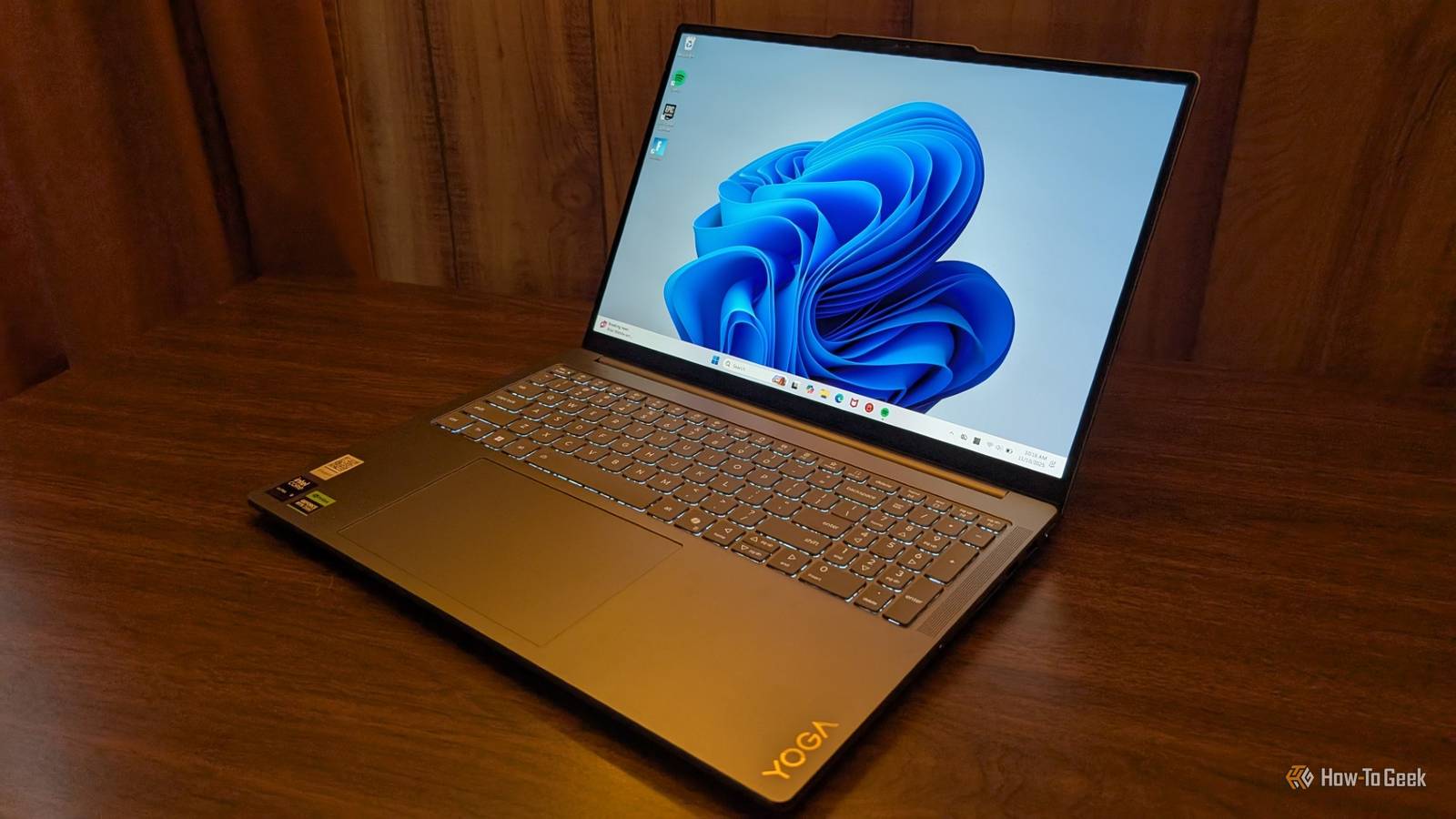
The Lenovo Yoga Pro 9i 16 Gen 10 Aura Edition is a powerful laptop capable of doing most anything you’d ever ask of it. Unfortunately, there is one minor quirk that makes it difficult to recommend.


7/10
- Operating System
-
Windows 11
- CPU
-
Intel Core Ultra 9 285H
- GPU
-
RTX 5050
- RAM
-
32GB
Lenovo Yoga Pro 9i 16 Gen 10 Aura Edition is a top-shelf laptop that is suitable for any range of uses.
The base model sports an RTX 5050 and 32GB of RAM, which ensures you have enough power for the job at hand, whether you’re doing office work, photo and video editing, 3D modeling, or gaming.
The OLED screen is vibrant, boasts a resolution of 2880×1800, and has a maximum refresh rate of 120Hz.
- The screen is beautiful
- The base hardware combination is very capable
- It cannot be charged via USB-C
Price and Availability
The Lenovo Yoga Pro 9i 16 Gen 10 Aura Edition is available from the Lenovo website, and BestBuy, as well as various third-party retailers on Amazon and Walmart.
The starting price is $1870, which includes an Intel Ultra 9 285H processor, an NVIDIA RTX 5050 8GB GPU, 32GB of RAM, and a 1TB SSD. There are a few variations available, the most expensive of which notably includes an RTX 5070 and 64GB of RAM. The “top shelf” model has a price of $2510.
In the box, you’ll find the laptop itself plus the laptop’s charger.
- Operating System
-
Windows 11
- CPU
-
Intel Core Ultra 9 285H
- GPU
-
RTX 5050
- RAM
-
32GB
- Storage
-
1TB
- Battery
-
84WH
- Display (Size, Resolution)
-
16″, 2880×1800
- Speakers
-
2 x 2W tweeters, 4 x 2W woofers
- Ports
-
HDMI 2.1, 2 x USB-C, 2x USB-A, SD Card Reader, Aux Port
- Weight
-
4.25 pounds
- Card Reader
-
SD
- Connectivity
-
Wi-Fi 7, Bluetooth 4.4
A slightly uncomfortable keyboard with great keys

Lenovo laptops are known for their great keyboards, and this is no exception as the typing experience goes. The keys depress nicely, are tactile, responsive, and there isn’t any weird tilting side to side.
Despite those perks, the keyboard was initially a challenge to type on.
The physical layout is a bit different compared to most laptop keyboards; even most people coming from a desktop keyboard will find it a little strange. The biggest annoyance for me was the size of the backspace key. As a result, I frequently found myself missing it while typing.
I’m sure if I spent even more time typing on it regularly I would adjust, and it certainly isn’t a deal-breaker, but it is something to be aware of.
The screen is fantastic
The screen is usually the second impression any laptop makes, behind the physical body of the device, and the Lenovo Yoga Pro 9i 16IAH10 makes a great first impression. On paper, it comes with a 2880×1800, 16-inch screen with a maximum refresh rate of 120Hz. You can buy and get the laptop with a 3.2K screen for an extra $150.
That translates to a great viewing experience. The contrast is pleasant, the colors are vibrant without being oversaturated, and everything you do looks smooth, thanks to the higher refresh rate.
Switching between the laptop and the LCDs I use daily on my desktop PC was jarring—the LCDs seem sad and lackluster by comparison.
Admirable gaming and modeling performance
The version of the laptop I tested came with an integrated RTX 4050, which meant that it should significantly outperform the other variants of the laptop that don’t have the benefit of a dedicated GPU.
My go-to game to test gaming performance is Fortnite, since Unreal Engine is extremely popular these days and Fortnite’s performance is a reasonable litmus test for the performance you’re likely to see in many other games built on Unreal. Additionally, Fortnite is actually pretty demanding (possibly due to just poor optimization). In most cases, maxing out Fortnite will give you a pretty good idea of what kind of performance you should expect in more demanding titles.

With everything maxed out, I was averaging around 30FPS, though my lows dipped into the teens, and my highest sometimes exceeded 60FPS. I didn’t notice a significant performance difference between when I was connected to the dedicated charger or running off battery.
Turning down the settings to medium raised my average FPS to around 60, which I found more than sufficient to be competitive.
Interestingly, the laptop doesn’t get very hot while gaming and charging. I used my Pixel 8 Pro’s built-in thermometer to get an idea of how hot the keyboard was, and I found that the warmest spot was 108 Fahrenheit. Of course, the fans were going all out at that point, but it wasn’t particularly annoying or distracting, and with headphones or earbuds on I didn’t even notice.
My experience with most laptops has been that they’ll get unpleasantly warm if you place them under load and try to charge them simultaneously. 108F is noticeable, but it doesn’t make me want to stop using the laptop.
An unfortunate charging situation
The Lenovo Yoga Pro 9i 16IAH10 laptop comes with plenty of ports, including two USB-C ports that have Thunderbolt 4 support under the hood, but they’re lacking one critical function: the ability to charge the laptop.
The laptop comes with a specialized charging port that is about the same size as USB A.
According to the charging brick, the laptop can take up to 200 watts—something that should be achievable over USB-C—which tops out at 240 watts. However, it isn’t a big deal if the USB-C ports can’t charge it at that speed. I would mostly want that redundancy to use my phone charger to slowly charge the laptop if I happen to lose the specialized charger accidentally, or if I forget it at home before a trip.
Unfortunately, no such thing is possible. Neither port will charge the laptop at all using any of my USB-C chargers, regardless of which combination of cables or chargers I tried, which means that if I lose or forget the dedicated charger, I’m going to be out of luck. It isn’t a particularly common plug either. I checked two large truck stops along major highways, a Best Buy, and a Walmart. None of them stocked replacements.
On the plus side, I found the battery lasted a long time. Using it for my normal work day, I got more than a full day out of it with the screen brightness turned down. If you were gaming, photo editing, or kept the screen maxed out, you’d obviously get less.
A port for every occasion
Many modern laptops have a limited number of ports, but the Lenovo Yoga Pro 9i has no such limitations.
On the left side, it has two Thunderbolt 4 ports, an HDMI port, an aux port, and the charging port. The right side is loaded with an SD card slot plus two USB-A ports.
After using the laptop extensively, on one occasion I did briefly wish for a microSD card slot. It wasn’t a major issue, though, since my USB dock has one built in.
Other than that, the number of ports should be enough for almost anyone, especially since the Thunderbolt 4 ports can handle just about anything if you attach the right dongle.
Mediocre video quality with a decent mic
On the whole, the Lenovo Yoga Pro 9i has a decent webcam. In moderate to bright lighting, I’d describe the quality as decent. There are some minor issues with color in low-lighting, however.
I found the microphone quality was okay when I was sitting at an average distance from the laptop. It seemed to have a slightly tinny sound that I couldn’t get rid of, despite tweaking settings. However, there was no major problem with intelligibility.
The presence of background noise, like the background noise of a coffee shop, doesn’t seem to appreciably change the audio quality.
Should you buy the Lenovo Yoga Pro 9i 16 Gen 10 Aura Edition?
Besides some troubles with the keyboard layout, which I’m sure I’d eventually adapt to, I found the Yoga Pro 9i 16IAH10 very pleasant to use. The keys are every bit as high-quality as you’d expect from Lenovo and a laptop in this price range, the screen is beautiful, and the performance—while less than you’d get from a desktop in the same price range—is pretty good for a laptop. On the whole, the build quality is superb.
In 2025, the inability to use a regular USB-C charger to charge (even slowly) is a huge downside, one that would prevent me from ever buying this laptop for my own personal use. I’m not great about holding on to cables or chargers. The idea that I could accidentally forget the charger and then be stuck with a 4 pound paperweight instead of an essential tool is a dealbreaker.
However, if you’re less scatterbrained than I am, and you don’t expect accidentally donating a charger to your local airport is likely to happen, then I’d consider it.
7/10
- Operating System
-
Windows 11
- CPU
-
Intel Core Ultra 9 285H
- GPU
-
RTX 5050
- RAM
-
32GB
Lenovo Yoga Pro 9i 16 Gen 10 Aura Edition is a top-shelf laptop that is suitable for any range of uses.
The base model sports an RTX 5050 and 32GB of RAM, which ensures you have enough power for the job at hand, whether you’re doing office work, photo and video editing, 3D modeling, or gaming.
The OLED screen is vibrant, boasts a resolution of 2880×1800, and has a maximum refresh rate of 120Hz.
