


Smart homes may introduce apps and voice assistants, but buttons aren’t going away as a central way to control lights, fans, and everything else. Flic Duo shows how helpful a smart button can be, and it’s absolutely worth adding a device like this to your smart home. The problem is, this probably isn’t the one you want.


6/10
- Dimensions (exterior)
-
51 x 29 x 8mm
- Compatibility
-
Android, iOS
- Weight
-
12g
- Colors
-
White, black
Flic Duo is a smart home controller that can serve either as a fixed button or a portable remote. It integrates with smart home devices via Matter or third-party smart home platforms, allowing you to control lights, music, fans, and more. The top button includes swipe and rotation gestures intended for granular controls like dimming lights or adjusting volume.
- Simple and functional hardware
- A long-lasting battery that is user-replaceable
- Increased number of controls, including swipe and twist gestures
- Both Matter compatibility and direct third-party integrations
- Requires the Flic app
- Also requires a hub if you don’t want to be tethered to your phone
- More expensive than the competition by many orders of magnitude

How We Test and Review Products at How-To Geek
We go hands-on with every product to ensure it’s worth your time and money.
Price and availability
Flic Duo costs $59 and is available directly from Flic in both white and black. For optimal performance, you will also want a Flic hub. A Flic Hub Mini, priced at $30, is the cheapest option. That’s the one I have on hand.
6/10
- Dimensions (exterior)
-
51 x 29 x 8mm
- Compatibility
-
Android, iOS
- Weight
-
12g
- Colors
-
White, black
- Battery life
-
Up to 3 years battery (replaceable CR2032)
- Wi-Fi
-
Yes
- Bluetooth
-
Bluetooth 5 LE Long Range
A button that doubles as a remote
Flic Duo is the latest smart button from Flic, a company staking its future on the premise that smart homes need buttons just as much as they need smart speakers. The company’s simplest product is the Flic Button, a small plastic circle with a single button. As the name suggests, the Flic Duo has not one button, but two.

Every Flic button is technically a remote that you can carry around the home with you. They can function as long as they’re within range of your phone or a hub. By adhering them to a wall, desk, side table, or other surface, they can effectively become fixtures in your home. They come with adhesive already in place on the back. Each Flic Duo is powered by a user-replaceable CR2032 battery and lasts up to three years.
Double the buttons—double the fun?
The standard Flic Button can perform three different actions depending on whether you press, double-press, or hold the single button. The Flic Duo keeps all of these actions, but it introduces both a swipe gesture and a rotation gesture. This incorporates some of the functionality from Flic’s other available smart home controller, a knob known as the Flic Twist. These gestures are only available on the Duo’s top button, which is twice the size of the lower one.

Flic buttons require an app to function. If you don’t purchase a hub, you can perform most of the Flic Duo’s functions anywhere within range of your phone. Once outside of Bluetooth range, the button ceases to function. If you purchase a hub, the Duo can operate independently of your phone, and you gain the hold and twist gesture that isn’t available via the phone alone.
Two buttons mean you can make button controls more intuitive, such as using the top button to turn on the lights and the bottom button to turn them off. Alternatively, the top button can control the lights while the button operates a ceiling fan. Technically, the original Flic Button can do the same by assigning these actions to a single or double press, but these are controls you have to commit to memory more so than with the Duo. There are optional stickers you can purchase for any Flic product that communicate what each button does, making the buttons intuitive to others who share your home.
The additional gestures are what expand functionality beyond what the original Flic Button can do. The hold and swipe gesture can be used to increase the volume of a connected device or skip between tracks. The Duo can also be used as a TV remote, but that requires a Flic Hub LR with an IR accessory. That hub costs three times more than the Flic Hub Mini.
A product that still matters
The Flic Duo can connect to your smart home devices through a direct connection via Matter or by going through a third-party service, such as by integrating with Apple Home, Amazon Alexa, or Samsung SmartThings. There are also brand-specific integrations, such as Bose and Sonos. You can also connect the buttons to IFTTT. How well things work varies a lot depending on what is allowed by the third-party service or hardware.
Some functionality, like controlling Bluetooth devices or triggering a fake call to help you get out of a bad date, is limited to Android phones. Other integrations, like controlling Apple Music or managing the ForScore app for digital sheet music, are limited to Apple devices. If you want to use the Flic Duo in this way, I recommend checking out Flic’s list of supported integrations and doing some research beforehand.
I opted for Matter, since my home consists of Matter products, and this reduces the quirkiness of third-party integrations. Trying to integrate Flic with Samsung SmartThings, for example, requires that I have functions set up in SmartThings as scenes, which is just not the way I manage my home. Integrating Flic Duo with Home Assistant isn’t as straightforward, so I felt no desire to connect Flic directly to either of the two smart home platforms I use to control my home.
Flic works well with Matter, but you need to be familiar with how Matter works in order to have a smooth experience. Few people are going to set up a Matter device with the idea of exclusively using it with a Flic button. This means that Matter devices are initially paired to a smart home platform like SmartThings first, and you need to know how to generate a new pairing code to share that device with a second platform like Flic. I find this easy to do in SmartThings, but the sharing option fails whenever I attempt it in Home Assistant.
If you’re familiar with how to generate this new pairing code, adding a Matter device is as simple as tapping a button, pasting the code, and giving the device a name. The Flic app supports the standard controls I expect from lights, like the ability to both toggle them on and off and also change their colors. I found the color controls to be a bit fiddly, but I also have no desire for my smart button to not only turn on my lights, but also make them blue. On the other hand, using swipe gestures to dim my lights was an exercise in frustration. This is partly to do with current Matter limitations, but even when I set a swipe to set brightness to a fixed percentage, the swipe often failed to register.
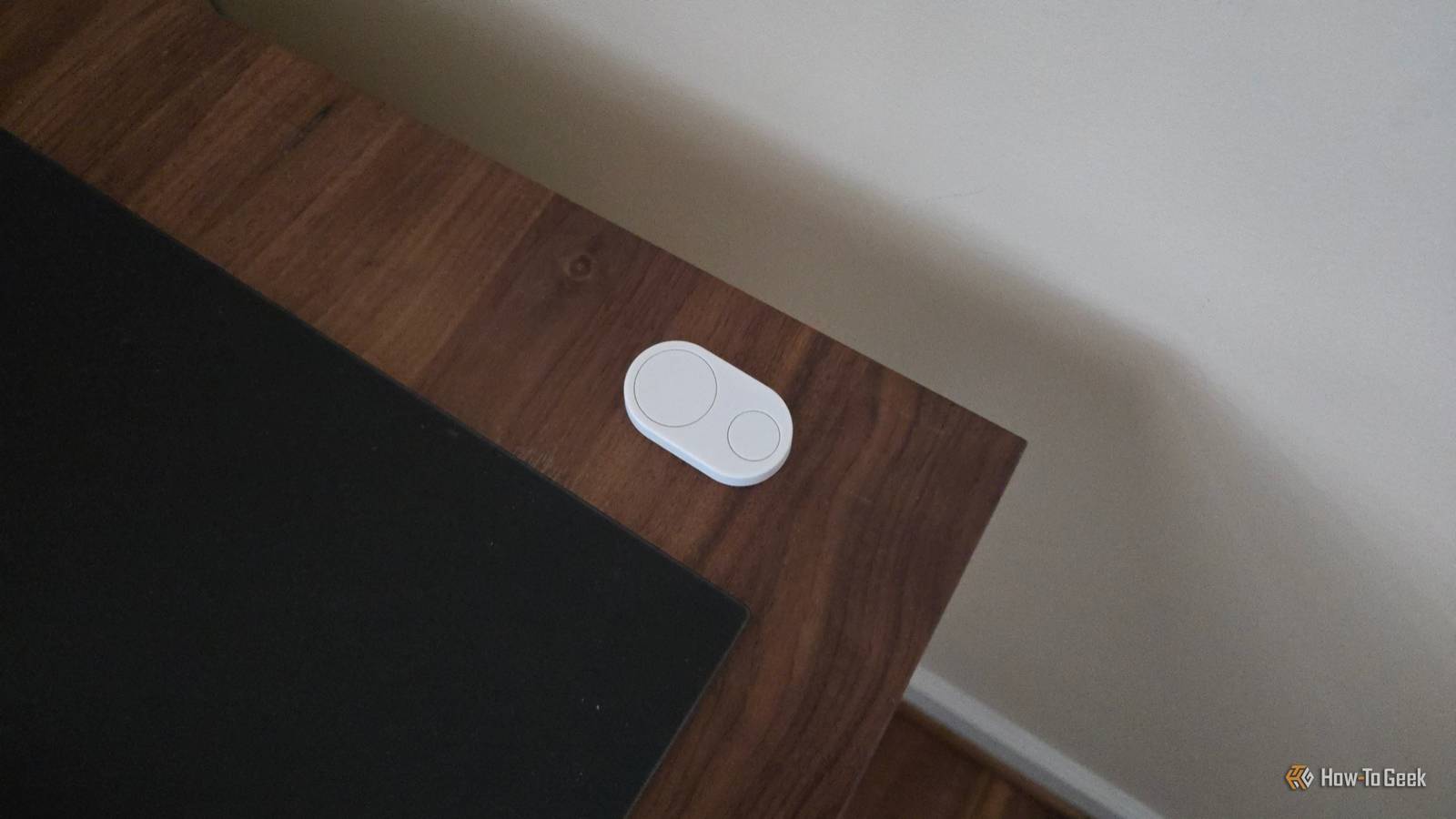
Depending on your expectations, the Flic Duo might disappoint. My desires are more basic. For me, the Flic Duo is a physical button I keep at the corner of my desk that I can tap to control multiple lights at once that would otherwise require reaching for three separate power buttons, opening an app, or speaking to a voice assistant. At the end of the day, having a single button is the fastest option of the lot.
A mostly reliable product

Unfortunately, there was a point when the button stopped controlling my lights, and I had no idea why. Turns out the solution was as simple as opening the app and tapping on the hub the button is paired to. This seemed to reestablish the connection somehow. Sadly, this further cemented the product as something I can happily recommend to my fellow smart home nerds who enjoy the Lego block-style nature of being able to connect devices in various ways, but the Flic Duo is not yet something I can pitch to people as a simple product that just works. That, ultimately, depends a great deal on what you’re trying to do, and so much of that is outside of Flic’s control.
I must say, I was surprised by the range of the Flic Hub Mini. I live in a single-story home that is over 3,000 square feet and relatively wide. No matter where I went, the Flic Duo still functioned. I have the hub set up in my office, where I use the Duo to toggle on and off my battery-powered Umbra Cono smart lamps. I could walk to my bedroom at the other end of the house, press the button, and find that when I returned to the office, the lights were successfully turned on. The naming of the Flic Hub LR suggested I would need to pay more for that hub, but the Flic Hub Mini works just fine. That said, I can’t speak to the impact having multiple floors or thicker walls made of brick or cement might have. My home is new, with interior walls consisting of insulated drywall.
Should you buy the Flic Duo?

The Flic Duo is great, but there is an IKEA-sized elephant in the room. At only $6 each, an IKEA Bilresa smart home button is just ten percent of the price. I can fill a home with IKEA buttons for the price of one Flic Duo.
Is the functionality the same between these two devices? For my uses, IKEA’s button is actually better. It’s merely a Matter device and doesn’t require creating yet another account for yet another app. I also like that it uses standard AAA batteries. IKEA’s button also utilizes Matter-over-Thread, though that can be a double-edged sword due to the extra battery drain.
On the other hand, IKEA’s button lacks integration with various services. It’s Matter or bust. IKEA also lacks a one-for-one alternative to the Flic Duo. The dual-button version of the IKEA Bilresa lacks the swipe and twist gestures. The scroll wheel version of the Bilresa only has one button. So, ultimately, if you’re not concerned about Flic shutting down its app, the Flic Duo is the superior product. But even with as few complaints as I have with this handy little accessory, that hasn’t stopped me from ordering several Bilresa buttons before finishing this review.
This is one instance where my overall impression, and my eventual score, both took a plummet entirely based on how thoroughly a competitor has been able to eat Flic’s lunch.
6/10
- Dimensions (exterior)
-
51 x 29 x 8mm
- Compatibility
-
Android, iOS
- Weight
-
12g
- Colors
-
White, black
Flic Duo is a smart home controller that can serve either as a fixed button or a portable remote. It integrates with smart home devices via Matter or third-party smart home platforms, allowing you to control lights, music, fans, and more. The top button includes swipe and rotation gestures intended for granular controls like dimming lights or adjusting volume.
