


Home Assistant is, in my opinion, the best smart home software available. It’s free, open-source, privacy-focused, works with a huge number of devices, and can make your smart home do almost anything you can think of. Despite all that, Home Assistant definitely has its faor share of problems.
Home Assistant is not suitable for everyone
Home Assistant sounds like the perfect smart home solution. It can work with almost any device or service you can think of, it doesn’t care if your devices are compatible with Alexa or HomeKit, you can create any automation you want, and you can make it as private as you need. So why isn’t everyone already using it?
The unfortunate answer is that it’s still not suitable for a lot of people. There are several technical barriers to entry that are too off-putting for the average person.

For a start, before you can even use it, you need to set up your own server. It’s not like an Amazon Echo or a HomePod where you just plug it in and start using it. Steps such as flashing an operating system or dealing with static IP addresses make the process much more complex than commercial smart home platforms. The Home Assistant Green makes things easier, but the setup is still much more complex than with major smart home brands.
Once Home Assistant is up and running, creating automations isn’t simple. Even with the improvements in the Automation editor, it can still be confusing for new users, as they try to get their heads around the difference between a device and an entity or what on earth YAML is.
Home Assistant is incredibly powerful, but it does have a reasonable learning curve. If you’re not okay with tinkering and want something that “just works,” then Home Assistant probably isn’t for you.
Your family often bears the brunt
Another major issue with Home Assistant is that when you’re building your perfect smart home, things can and do go wrong. If you live alone, it’s not really a problem; you can put up with the lights not turning on when you expect them to if it was your fault. If you share your home with other people, however, then things start to get awkward.
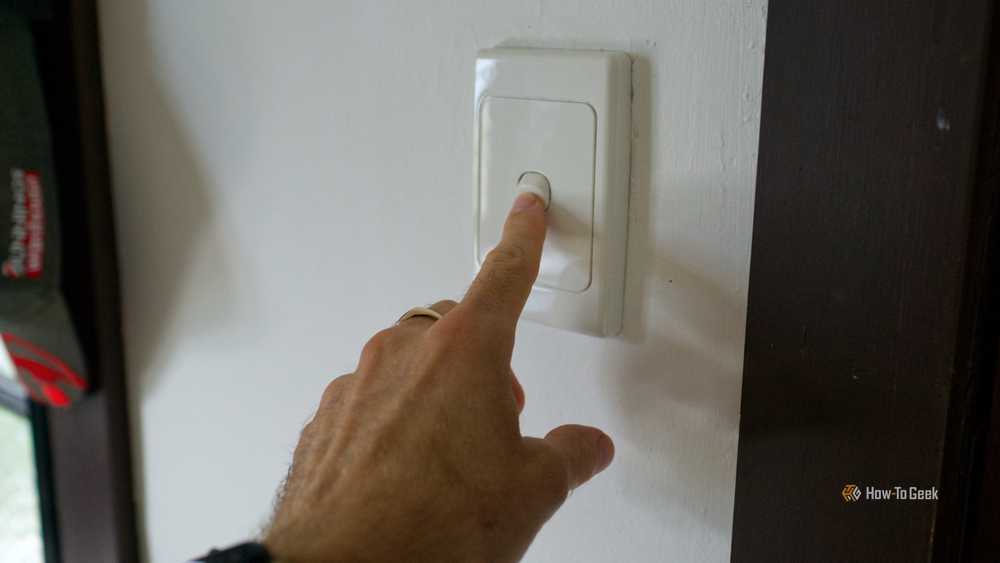
A classic example is smart light bulbs. You can build a perfect automation that automatically turns your lights on at sunset and uses adaptive lighting to change the color temperature and brightness of your lights based on the time of day. All it takes, however, is for someone to turn off the light switch, and the whole thing stops working as your smart bulbs lose power.
This is as frustrating for your family as it is for you. They use the light switch, expecting the lights to turn on, and nothing happens. Everyone ends up unhappy. It’s a sad truth that when you’re using Home Assistant, your family members effectively become guinea pigs for your smart home experiments.
The perfect fully local smart home is still out of reach
One of the major benefits of Home Assistant is that you can have full local control of your smart home devices. With many smart home devices, when you tap a button on an app, the data is sent to the cloud, the information is processed, and the relevant command is sent back to your home. The command is then passed to your smart home device, and the light turns on. There are two major issues with this: you’re exposing your data outside of your home, which has significant privacy issues, and if your internet goes down, the system doesn’t work at all.

Home Assistant lets you control smart home devices completely locally. The commands are processed on your local device and sent directly to your devices, with none of the data ever leaving your home. Everything remains private, and if the internet goes down, your smart home doesn’t.
If you want to create a perfect local replica of other smart home ecosystems, such as Alexa, however, then the fully local dream is currently still out of reach. When you talk to Alexa through a smart speaker, almost everything that follows happens in the cloud. The audio is turned into text, the command is examined to determine its meaning and context, the relevant skills are activated, and the response is generated. This all takes place on Amazon’s servers and not in your home.
Trying to replicate this locally is possible, but the experience still falls short of what you get with cloud-based services. Home Assistant offers its own version of a smart speaker called the Home Assistant Voice Preview Edition. As the name suggests, it’s only really a prototype, and many users have found using it to be frustratingly slow.
You can build your own voice assistant and run a local LLM if you have powerful enough hardware, but even in this scenario, things such as wake word detection and overall experience just can’t match up. If your priority is local, reliable automations rather than voice control, Home Assistant can already deliver that. If you’re hoping for an exact replica of Alexa, however, then Home Assistant is still not quite there.
You can spend as much time fixing automations as using them
For me, a lot of the reason that I spend hours tinkering with Home Assistant is that it’s fun. Automating my smart home isn’t something essential, but doing so can be really enjoyable. When I stop to think about how I spend my time working on Home Assistant, however, the reality is that I spend as much time fixing things as I do using them.

Sometimes you build a Home Assistant automation, it works flawlessly the first time, and you never need to touch it again. Most of the time, however, there will be some small wrinkle that takes hours to solve.
Why can I get this Echo device to speak in my own voice, but it won’t work on this identical device? Why can’t I get the firmware to install on my new Home Assistant Connect ZBT-2? Why have all my Waze Travel Time entities suddenly gone dead? I shudder to think about how many hours I’ve lost to trying to solve Home Assistant problems.
I love Home Assistant. There’s very rarely a day when I don’t make at least one small tweak to an automation or look into a new integration. It’s not all sunshine and rainbows, however, and much of the time, Home Assistant can be incredibly frustrating. For the tinkerers among us, that’s a price well worth paying.
