



The first quarter of 2026 at Inoreader was focused on helping you work smarter, whether you’re collaborating with a Team or turning large volumes of content into structured insights automatically. From powerful new Team features to automated Intelligence reports and thoughtful quality-of-life improvements, here’s what’s new:
A more powerful workspace for Teams
We introduced a major update to Inoreader Teams, designed to improve collaboration, streamline navigation, and support more efficient shared workflows.
At the center of this update is a redesigned Team sidebar and a new Manage Team hub, bringing all settings and shared resources into one place. From managing members and billing to organizing folders, channels, tags, and Intelligence reports, everything is now easier to access and control.
One of the most requested additions – shared Team dashboards – is now available. Team admins can create customizable dashboards with widgets that surface key information at a glance, including new articles, Intelligence reports, recent uploads, and annotations. This makes it easier for everyone to stay aligned and focused on what matters most.
We also introduced file uploads, allowing Teams to build a shared archive of documents directly in Inoreader. Uploaded files are converted into articles, so you can search within them, annotate, organize, and manage them alongside the rest of your content.
Another highly requested feature, Team filters, helps reduce noise by automatically removing duplicates or filtering content across Team folders. This ensures that all members see only the most relevant information.
Together, these updates create a more structured and collaborative workspace, from onboarding new members to managing complex information workflows.
Read more about the update:

Automated Intelligence reports
We also introduced one of our most powerful Intelligence features yet – automated reports.
With automated Intelligence reports, you can analyze multiple articles at once using custom or predefined prompts, on a schedule you set. Whether you’re tracking trends, monitoring a topic, preparing a daily briefing, or generating content, reports are created automatically – no manual repetition of actions required.
Each report is saved as a new article in your account, making it easy to review, annotate, share, or export. You can customize everything from the source (feeds, folders, tags, or Team channels) to the number of articles, prompt instructions, and delivery schedule.
Automated reports are designed to turn information into structured insights, helping you move from reading to understanding faster. They are included in Team Intelligence plans and available as an add-on for Pro and Custom plans.
Explore all the details:

Improvements across the user experience
Along with these major updates, we rolled out a range of improvements to make everyday workflows smoother and more flexible.
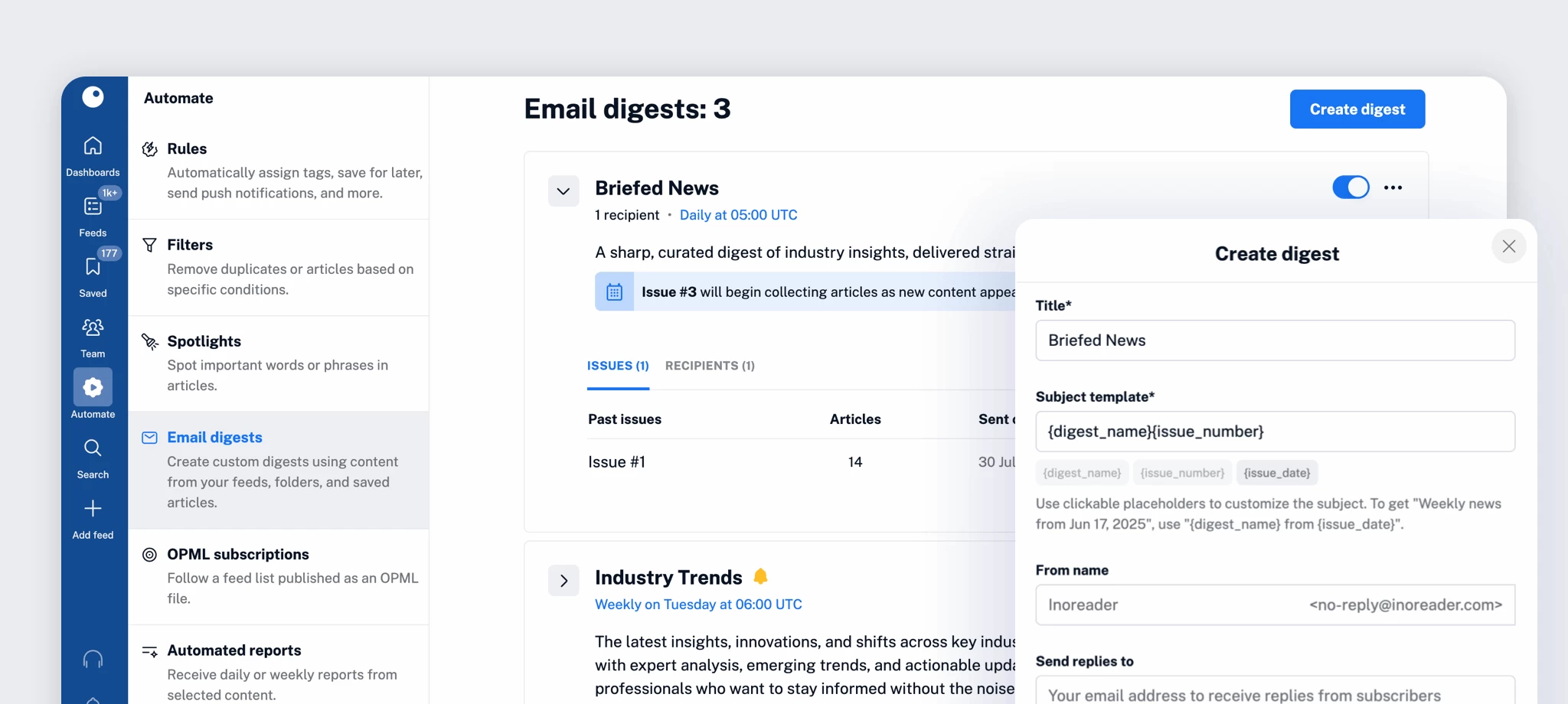
Email digests received a series of upgrades, including custom sender and reply-to fields, inline editing of article elements, and a more intuitive layout. Creating and managing digests is now faster and more predictable, with improved confirmations and a better first-issue experience.
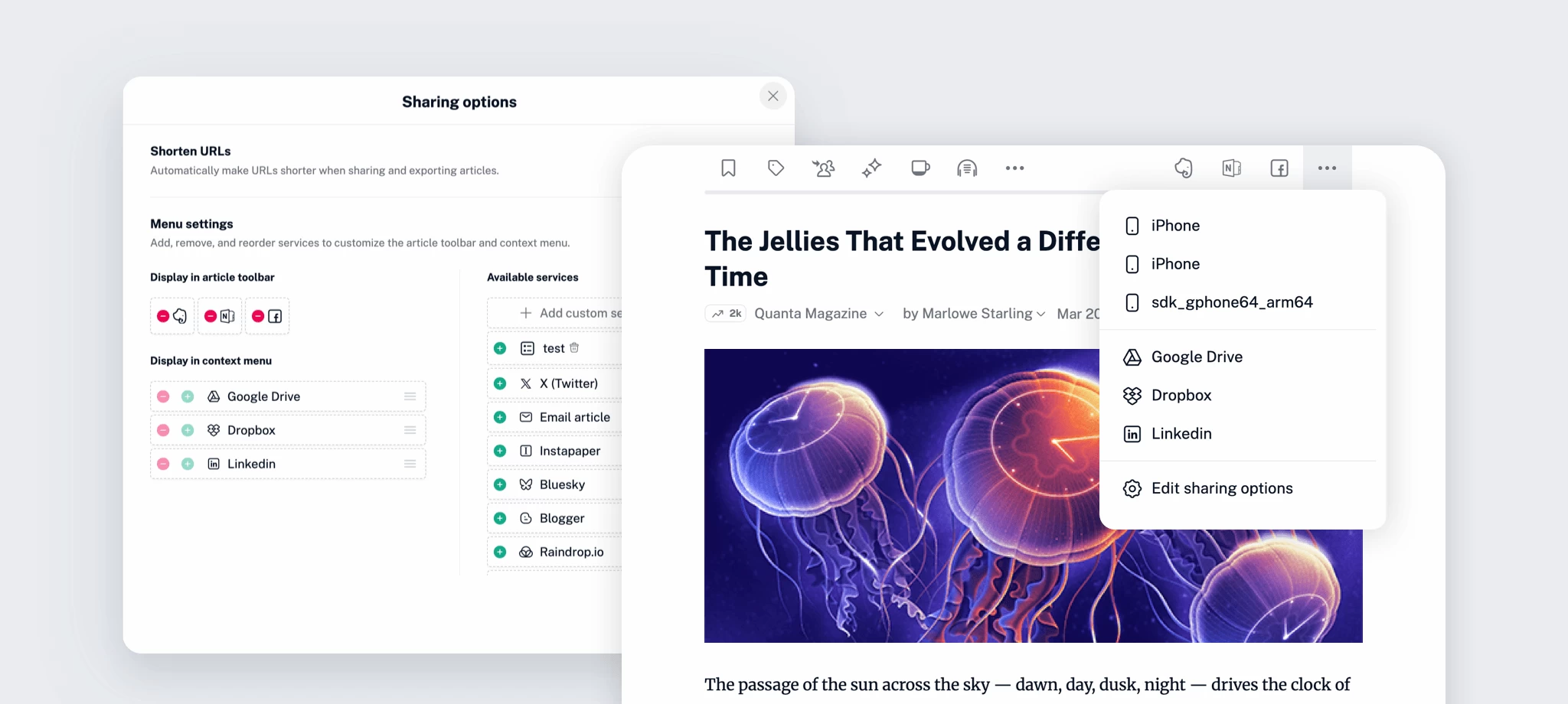
We also introduced updated sharing options, giving you more control over how you distribute content from your Inoreader account.
Other additions include:
- New HTML clips with easier setup and improved configuration handling
- An AI assistant in the search query builder, helping you create complex Boolean searches more easily
- An upgraded OAuth flow for smoother integrations with tools like Zapier, n8n, and IFTTT
- A major upgrade to our translation engine, improving speed and translation quality
- A Show saved articles first option for better content prioritization
Wrapping up Q1
From powerful Team collaboration tools to automated insight generation and everyday usability improvements, Q1 2026 was all about helping you get more value from the content you follow.
With shared dashboards, Team filters, automated reports, and a more refined experience across the board, Inoreader continues to evolve into a complete platform for content discovery, research, and collaboration.
We’re excited to build on this momentum in the coming months – stay tuned for what’s next!
Never miss an update:
