



For years, Alexandrea Browman’s team had two options when it came to responding to client comments and messages on social media: log in with the client’s credentials (a security risk), or navigate Meta Business Suite (time-consuming and clunky).
Neither was great. And community management wasn’t a nice-to-have for her boutique agency, Sapphire Social — it’s their specialty.
So when she found a tool that solved it, it was a no-brainer.” With Buffer, it’s just all in one place,” she says. “It’s so easy.”
Alexandrea has been working in social media for over a decade. For the last three years, she’s been running Sapphire Social, an agency based in Oregon.
She manages around 30 channels for her clients across Facebook, Instagram, LinkedIn, YouTube, and TikTok, with a small team of designers, community managers, and a scheduling assistant.
When you’re operating at her scale, tool choices shape the profitability and flexibility of the whole business.
Customer Snapshot: Sapphire Social
- Industry: Social media agency
- Location: Oregon, USA
- Channels managed: ~30
- Platforms: Facebook, Instagram, LinkedIn, TikTok, YouTube
- Team: Designers, community managers, scheduling assistant
- Key Buffer features: Scheduling, Approvals, Engagement
A 600% price hike she didn’t ask for
Alexandrea spent two years on another tool before switching to Buffer. She didn’t leave by choice — the platform made the decision for her.
“They had crazy price increases that didn’t make any sense for my business,” she says. “I could either have a package with 12 connected accounts or 60. There was no in-between, and I’m in between.”
When her previous provider restructured its pricing, citing AI features Alexandrea didn’t need, her costs jumped by over 600%. She was left to choose between a tier that was too small for her client load and one that was far more than she needed. Neither made sense.
Her customer support experience didn’t help either. When the pricing change came, the relationship was already strained enough that switching felt easy.
Why she picked Buffer
The recommendation came from two places at once: a client who was already using Buffer, and the social media agency communities Alexandrea is part of online, where Buffer kept coming up.
“I went to it and was like, okay, this seems powerful without having a huge learning curve,” she says. “So far, it’s been great.”
But what really sold her was the pricing model. Buffer charges per channel, which means Alexandrea only pays for what she’s actively using. When a client’s contract ends, she removes their channels. When she onboards someone new, she adds them. The bill reflects her actual business at any given moment.
“That’s why I went with you guys, the per-channel amount,” she says. “It allows me to be flexible and save money if a client leaves. They’re never locked in indefinitely, and I don’t want to continue paying for their channel in Buffer when they’re no longer in contract.”
She ran the numbers: even with 60 channels connected, Buffer would cost her around $250 a month — less than what she was paying before, and with none of the rigidity.
Where the time savings actually show up
Since switching, the gains have shown up in two areas: time and quality control.
On the time side, being able to post to multiple channels at once has saved Sapphire Social roughly an hour per week per client. Across a full client roster, that adds up fast.
“Manually posting to Meta, LinkedIn, TikTok, YouTube, and others can take away much-needed time when you could instead post to all the platforms you need with the click of a button,” Alexandrea says.
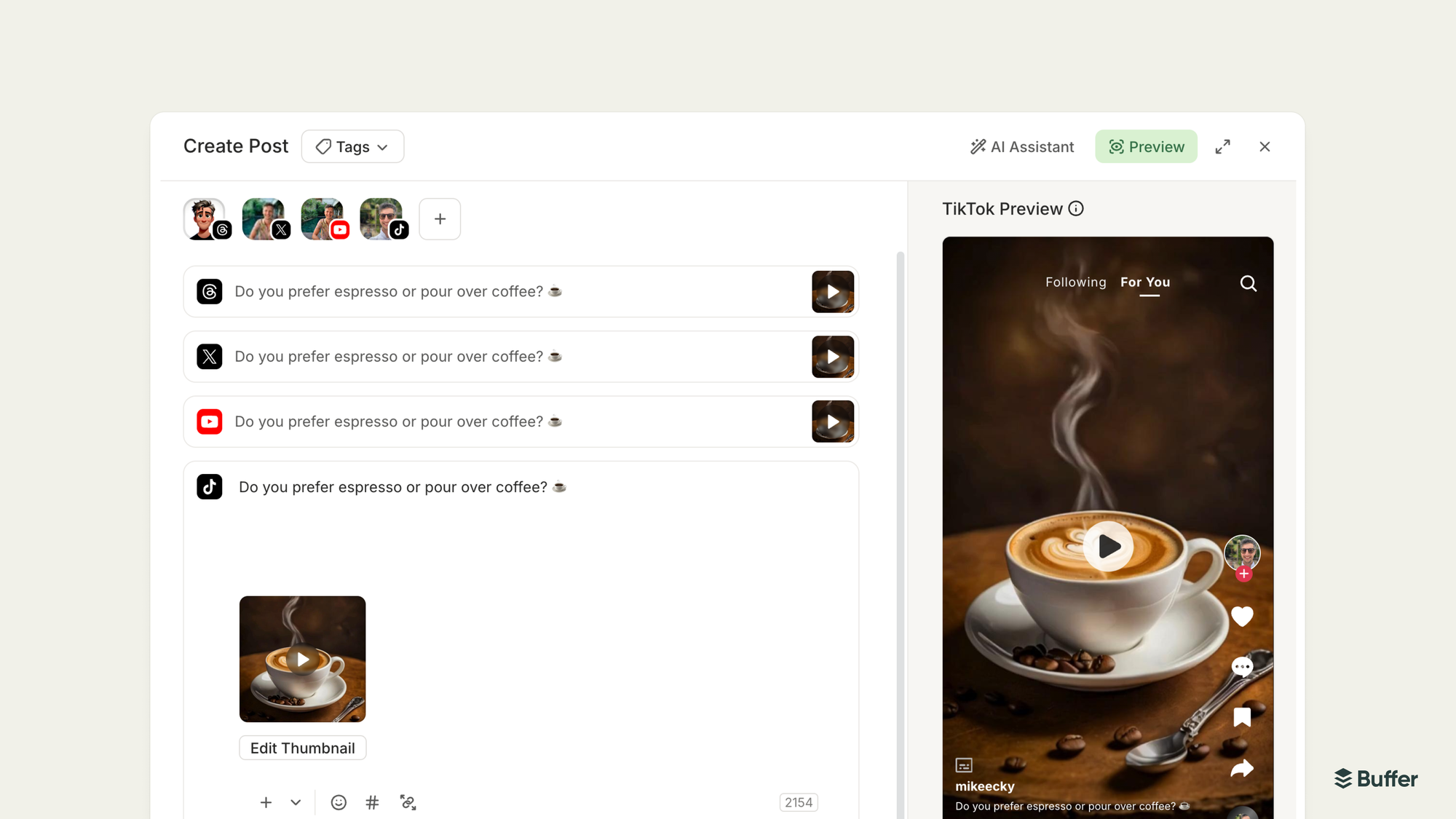
On the quality control side, Buffer’s approval workflow has given Alexandrea an extra layer of protection before anything goes live. Her team drafts and schedules content, and Alexandrea reviews it before it goes out.
“Before, it was easier to make mistakes. Everyone is human. You could post to the wrong account or post twice. Now Buffer allows me to approve the post before it goes out, making sure there’s that extra layer of protection.”
The feature that changed everything
Ask Alexandrea what’s made the biggest difference, and she doesn’t hesitate. “Community management, hands down.”
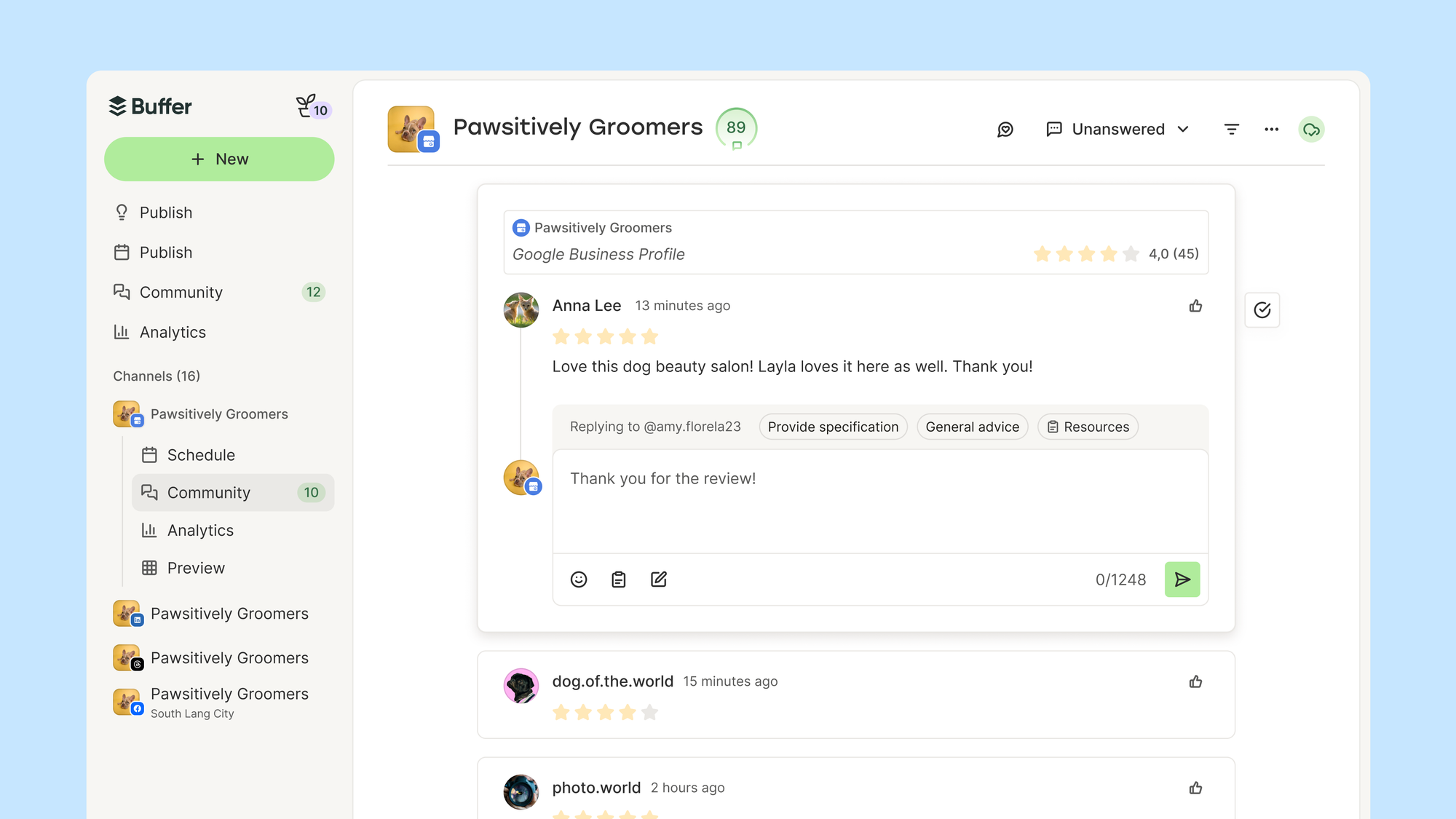
But the community management shift goes beyond just social comments. With Buffer’s Community, Alexandrea’s team can also respond to Google reviews — something that previously meant yet another platform to juggle.
“Not only can we respond to people on social, but we can now respond to reviews on Google, which has been amazing,” she says. “We don’t have to toggle between inbox and comments.”
For an agency where community management is a core service, having everything centralized in one tool has made it easier to deliver — and better for her clients.
Community management is a core service Alexandrea provides to her clients, and having it centralized in Buffer has made the whole thing easier to deliver and better for her clients.
What she’d tell other agency owners
“If you want a tool that handles scheduling, quality control, community management, and team management without the usual headaches, Buffer is it.”
And the rigidity that pushed her away from her last tool? That’s the thing she hopes Buffer never changes.
“I would hate to have a social media scheduler where you’re forcing me to be in a certain tier. Please don’t do that.” Noted, Alexandrea!
