


15-Second summary
Getting the full threat intelligence context means manually synthesizing closed-source reports and matching them against your open-source intelligence feeds, a slow, time-consuming process that pulls analysts away from higher-value work.
Feedly now lets you upload your own PDFs directly alongside your open-source intelligence and use Ask AI to analyze both together, so you can produce richer, more actionable intelligence without the manual overhead.
In this blog, we’ll show you how to use the feature to start saving time and elevate your analysis with more complete context.
Overview
This new capability lets you upload files directly into Feedly and leverage powerful features like Ask AI. It provides a seamless way to analyze your closed-source reports and extract actionable intelligence in seconds.
Since you’re already tracking open-sources in Feedly, this feature bridges the gap between your closed- and open-source context. The result is richer, more accurate, and actionable threat intelligence that accounts for both open and closed-source domains.
Add open-source context from the Feedly Threat Graph
Uploading a file means Feedly can analyze your closed-source intelligence using the Threat Graph which is a continuously updated knowledge base built from over 10,000 trusted cybersecurity sources.
The Threat Graph automatically extracts and correlates key entities from your uploaded files, threat actors, TTPs, malware families, exploited CVEs, and IoCs. When you use Ask AI to analyze a report, you’re not just getting a summary of the document; you’ll also get answers informed by the full open-source intelligence picture.
Feedly does not use your private files to train its AI Models, nor does it share them with third parties. They are used solely to power your own analysis.
See it in action
Use case #1: Monitoring threat actor activity
Upload your new incident response report into Feedly and query Ask AI to cross-reference every TTP against what’s currently being reported across the open web. This allows you to validate whether the behaviors documented in the report appear elsewhere in the wild.
Prompt
Based on the uploaded report, which TTPs were used by the threat actor, and are these same techniques being reported in the open web right now? Are other organizations documenting similar behaviors?Response
Use case #2: Track critical vulnerabilities
If your team receives a dense vulnerability report, Feedly can instantly enrich the CVEs with real-time data from the Threat Graph, including exploit status, threat actor activity, and patch availability. This helps you quickly identify which vulnerabilities are actively exploited, who is using them, and whether fixes are available, connecting your internal findings to the broader threat landscape.
Prompt
Based on the uploaded report, which CVEs were exploited in this incident, are they currently being actively exploited by other threat actors in the open web, and what does the latest reporting say about patch availability and exploit status?Response
Use case #3: Identify cyberattacks
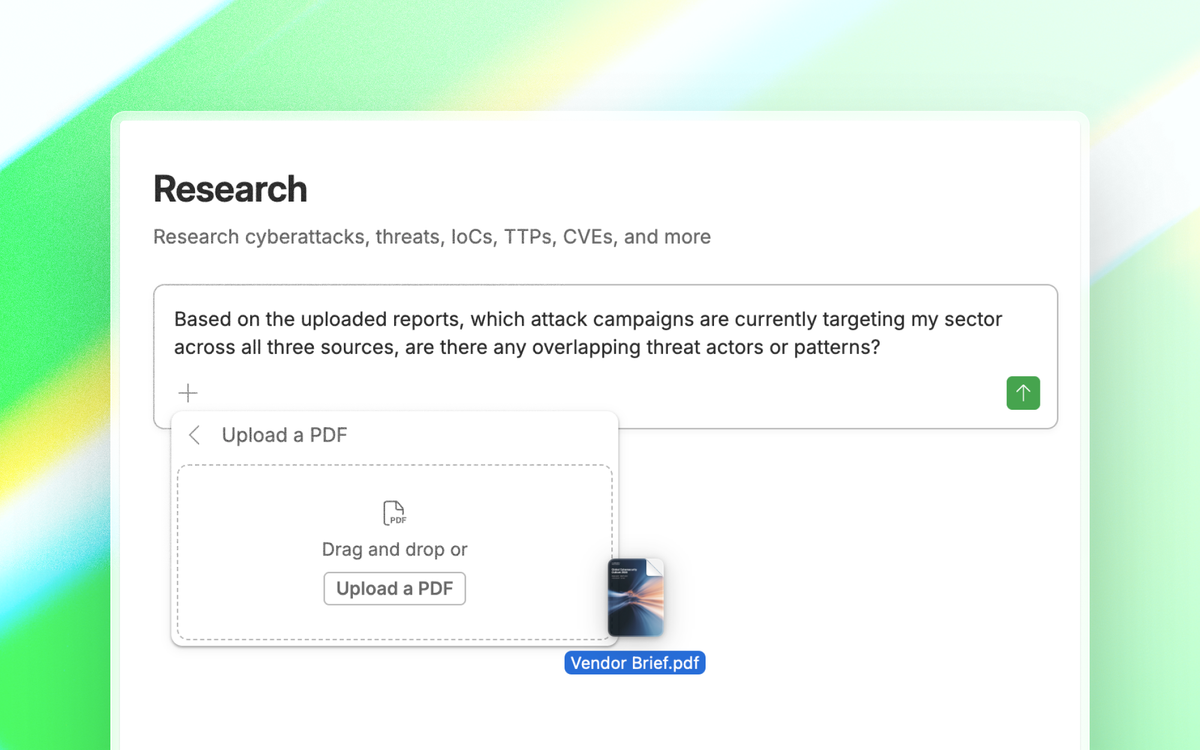
Your ISAC bulletin, a vendor threat brief, and an industry outlook report all landed this week. Instead of reading through each one separately, you can upload all three into Feedly and Ask AI synthesizes across them. It will identify overlapping threat actors and recurring attack patterns worth keeping an eye out for.
Prompt
Based on the uploaded reports, which attack campaigns are currently targeting my sector across all three sources, are there any overlapping threat actors or patterns?Response
Use case #4: Collect IOCs
Extract the IOCs directly from your CERT bulletin to check whether they appear in active campaigns on the open web, and attribute them to threat actors and malware families. This gives you real-time context on whether those IOCs are still relevant.
Prompt
Based on the uploaded bulletin, which IOCs are listed, are they currently associated with active campaigns in the open web, and what threat actors and malware families are they attributed to?Response
Conclusion
The four use cases above are just the beginning. Any closed-source report in your workflow (government advisories, ISAC bulletins, incident response reports, vendor assessments) can be uploaded into Feedly and queried however you need. Ask: Which threat actors in this report are still active? Are these CVEs being exploited in the wild? Has anything changed since this advisory was published? Answers can come from your uploaded documents alone, or from both your documents and the open web. You control your workflow and your sources, so you can enrich your threat intelligence and context.
Closed-source and open-source intelligence don’t have to live in separate places
Upload your PDFs into Feedly and analyze everything in one workflow, no manual bridging required.
Start Free Trial

