


I have numerous Philips Hue products in my house, and I love them. They offer deep smart home integrations (you can even have them run silently via automation), a versatile array of products from light strips to bulbs to uplighting, and allow you to set a variety of colors and levels of warmth.
But there’s one big problem (that I solved). Unless you have the app on your phone, controlling Hue lights is not easy enough for anyone in my family to do. My wife and kids want the technology in our house to be simple, and I get that.
So, after having set up various scenes in our living room to create a warm mood at night, you’d still need the app to change scenes or even turn the lights on or off. Unless you get an add-on for your Hue system that you can mount to the wall, right next to your other switches, that gives you easy access to controlling your lights. That was perfect for the whole family.
Meet the Philips Hue Dimmer Switch
No-fuss control of your smart lights

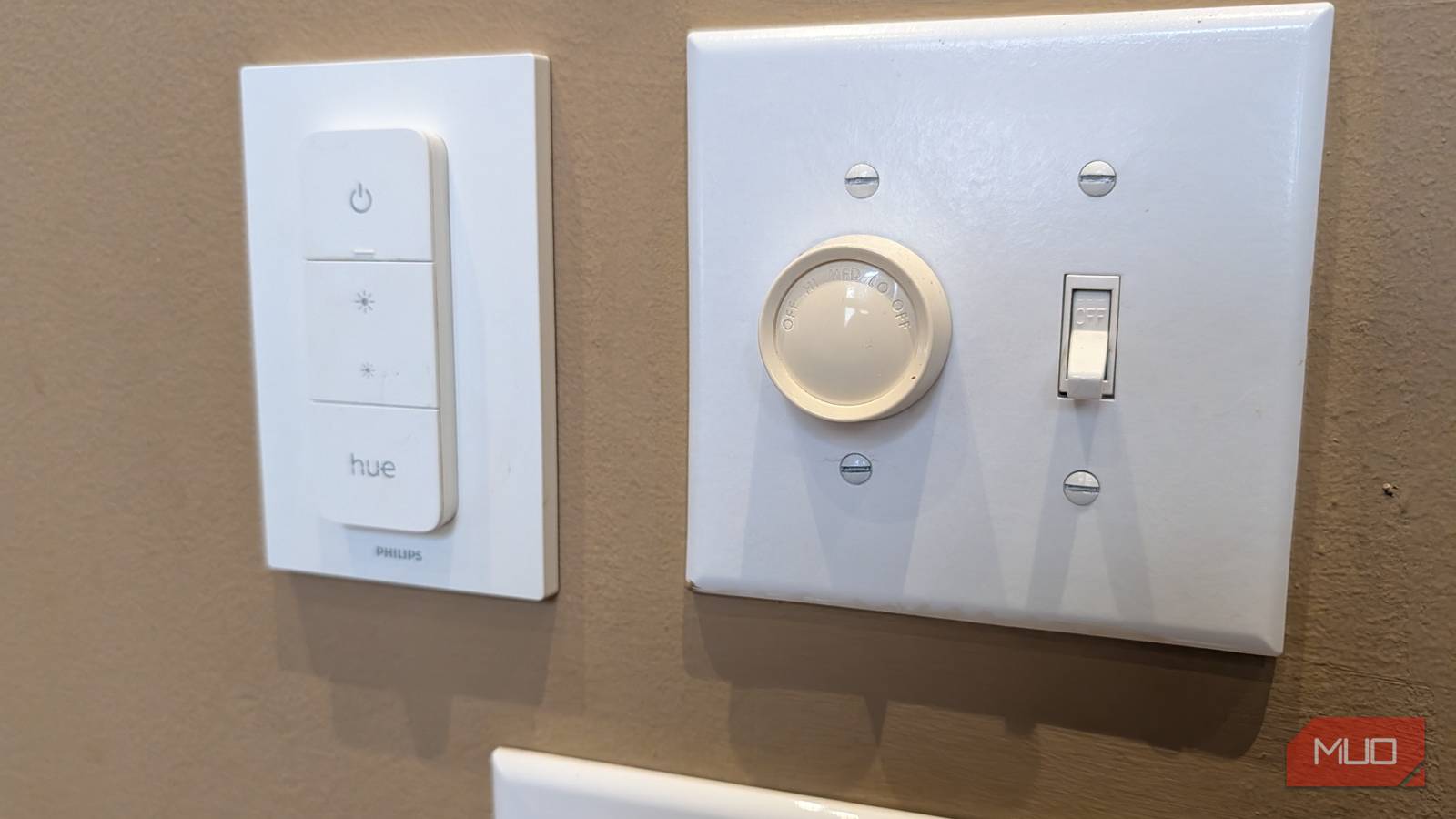
The Hue Dimmer Switch has a battery life of several years, and can be attached to any wall surface with Command strips. It offers four programmable buttons—though you technically get eight, because you can set a different press-and-hold action for each button.
That means you can have the buttons trigger their default functions with one press: on/off for the top button, and dimming for the buttons below. But then, with a long press of any button, you can trigger specific scenes.
For example, I long-press the “bright” button to turn all Hue lights in the living room to maximum brightness. Then, I have a long press of the Hue button on the bottom to create a relaxing, warm, and dim nighttime scene.

The switch can detach magnetically from its base, letting you remove it and mount it to a piece of furniture or even put it in a drawer. Like other Hue products, the dimmer switch uses the Zigbee protocol, which is a low-energy mesh network with almost endless range. You can put the switches anywhere, and they still work great.
How to configure the Dimmer switch
Set up once via the app, then it works on its own
The great part about the switch is that you can set it up once in the app, then it just works. You don’t ever need the app again unless you want to change what the buttons do. This is key, as my wife and kids want a simple switch they can use without having to fumble around an app.
Within the Hue app, you can select each button (on/off, dim up, dim down, and Hue) and assign two functions to each: one for a press and another for a tap and hold. You can configure the button to do any of the following:
- Turn lights on/off
- Increase/decrease brightness
- Switch scenes
The most powerful action is the last one. With this, you can set up any combination of lights with one press. As mentioned before, the two scenes I like to use are max-brightness with a cool light temperature (for when we need the most light), plus a relaxing scene where the lights are a warmer color temperature at a dim glow.

SwitchBot Universal Remote Review: The Last Remote You’ll Ever Need
This universal remote will literally rule them all.
Equally important is setting up the buttons to easily turn off all the lights, or incrementally adjust brightness (for when you need to fine-tune). The software even lets you define actions for two-press and three-press actions, making the possibilities limitless if you’re trying to trigger different scenes with different combinations of buttons.
You can technically configure the switch to control lights and scenes in other rooms. Imagine having the top three buttons control the lights in the living room where the switch is mounted, while the fourth button controls your exterior or bedroom lights.
Physical control for smart lighting is a game-changer
Now everyone can use my Hue system

Philips Hue has been my preferred smart lighting option for a while, but that didn’t extend to everyone in my home. Before I had a physical wall-mounted switch for the system, most of my family member would leave the lights turned on, or weren’t able to use them at all. That’s now solved thanks to the highly configurable Hue Dimmer Switch, which is mounted to the wall next to my other switches.
If you don’t like this style of switch, Philips now makes a wide variety of switches, including a four-way “tap” switch that uses a mechanism to never require batteries, as well as an uber-simple, singular smart button that you can program to do anything.
All these switches range in price from $30-50. In my experience, they’re built well, have incredibly long battery life (or don’t need batteries at all), and are easy for the whole family to use.
