


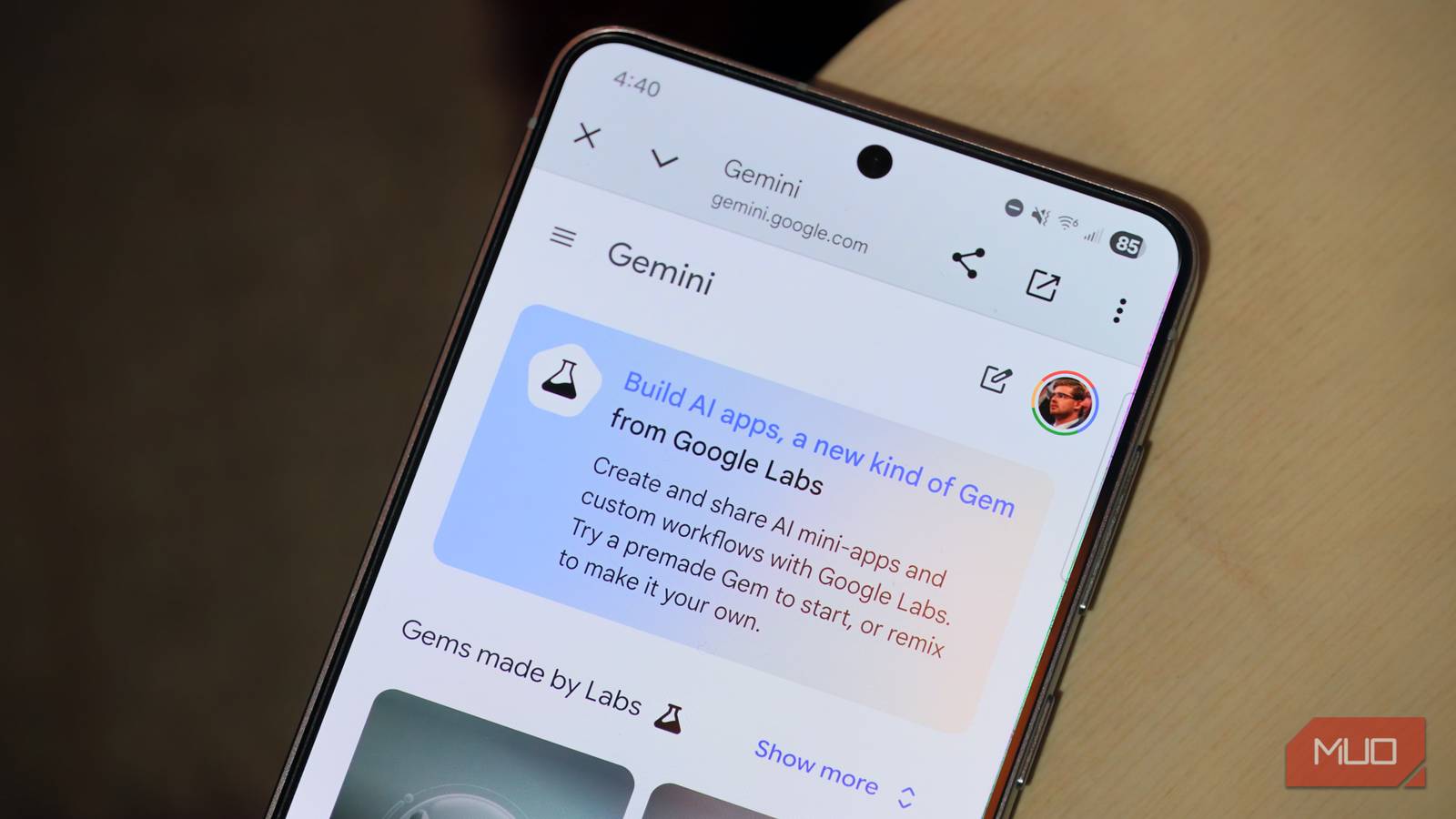
Google’s ever-growing suite of AI development tools started to get more user-friendly with the release of Opal, a mini-app builder available as a Google Labs experiment. While less versatile and capable than programs like Google AI Studio, Vertex AI, and Antigravity, it’s undisputable that Opal is more accessible. As a no-code app builder, anyone can build mini apps with Opal using simple, natural-language prompts.
However, Opal is still relatively hard to find, as an opt-in Google Labs experiment. Google recently rectified that by adding the smarts behind Opal to the Gemini web app. Now, you can create Opal mini apps as Gems, which were previously limited to custom AI chatbots. It removes the hassle of needing to seek out Opal and use a clunky editor, further simplifying the experience.
Using Opal’s app builder in the Gemini app
Advanced mini apps with less development
The Gemini web app now splits up the Gems page into two sections: AI apps and the Gem manager. The latter is where you’ll find custom Gemini chatbots, the classic version of Gems. Now, there’s a new kind of Gem available from Google Labs, leveraging the Opal experiment. Users can try out suggested AI apps made by Google or create their own.
Fundamentally, the AI mini apps appearing in the Gemini web app are built using Opal. If you’ve tried Opal before, you’ll see your existing AI apps in the Gemini web app. The key difference between creating AI mini apps in Gemini and Opal is the user interface used to generate them.
Opal uses a no-code interface, but it still employs a visual blockchain UI that incentivizes manual creation. You can create a mini app with Opal using only a text prompt, although the output will include visual workflows that chain actions together to make a functional program. Users have the user input, generate, and output building blocks available to string together as app workflows. It’s comparable to building a website with building blocks.
Meanwhile, the Gemini integration with Opal completely hides what Google calls the “advanced editor.” This means you won’t see workflows, actions, chains, or building blocks when asking Gemini to create an AI mini app. After entering a prompt in the Gemini app builder, users are presented with a working web app in seconds. A sidebar outlines the steps needed to create the AI app, but the descriptions are collapsed by default, and they’re short and simple.
To get the blockchain view Opal is known for, you’ll have to leave Gemini and edit the mini app on the Opal site. It’s clear that Gemini’s mini-app builder is intended to be the simplest possible form of Opal, requiring only simple text prompts for app generation.
Gemini built the app I was looking for
Customization is limited, and buttons don’t work, though
If the goal of this Gemini experiment is to make AI app creation something anyone can accomplish, this feature meets the mark. It’s easier to create a simple web app in Gemini than using Opal, AI Studio, or Antigravity — and I’ve tested them all. With this simple text prompt, I was able to create a Gemini mini app tailor-made for my needs:
Create a web app that uses Google Maps data to find navigation routes from a start and endpoint that include automatic stop suggestions at national parks along the way
The above prompt is unrefined and certainly could be improved with strategies like meta-prompting, but that’s the beauty of building mini apps with Gemini. Your prompt doesn’t need to be perfect. In fact, I’ve found that Gemini and Opal often respond better to simple prompts rather than complex ones. This is because Opal is more limited than AI Studio or Antigravity in functionality, and basic requests allow the experiment to approach problems in ways it knows how to.
In this case, I wanted a web app that curated driving routes that included stops at national parks between a start and endpoint. This way, I can take long-haul road trips while stopping to enjoy landmarks and nature along the way. I could do this manually, but building a Gemini web app to automate the process easily saved me a few hours.

Unfortunately, many of the buttons displayed on Opal or Gemini mini apps simply do not function. For example, my “Park Planner” Gemini app displayed Print Your Plan and Share Your Adventure buttons that would’ve been incredibly useful — if only they worked. Additionally, Gemini mini apps create a new web interface every time they receive input, making for an inconsistent visual experience.
Gemini with Opal is the easiest way to build mini apps
It’s a no-code solution that makes Opal’s advanced editor optional

Opal still isn’t the best way to create AI apps, but its Gemini integration is definitely the easiest for beginners. If you thought the no-code Opal advanced editor was simple, the experimental Gem builder in the Gemini web app further reduces complexity. Instead of a visual blockchain editor, the Gemini app version of Opal relies solely on text-based prompts, which is easier for the average user to get the hang of.
Gemini’s mini app builder retains the standout features of Opal, like free web publishing and sharing. Unlike a platform such as Antigravity or AI Studio, you can share AI mini apps created with Gemini with a free web link — just like a Google Drive file. There are no hosting fees, and others can use or “remix” a Gemini mini app to put their own spin on it.
Opal integration in the Gemini web app is another sign we’re nearing a future when anyone can create their dream app with zero coding or web development knowledge.
