


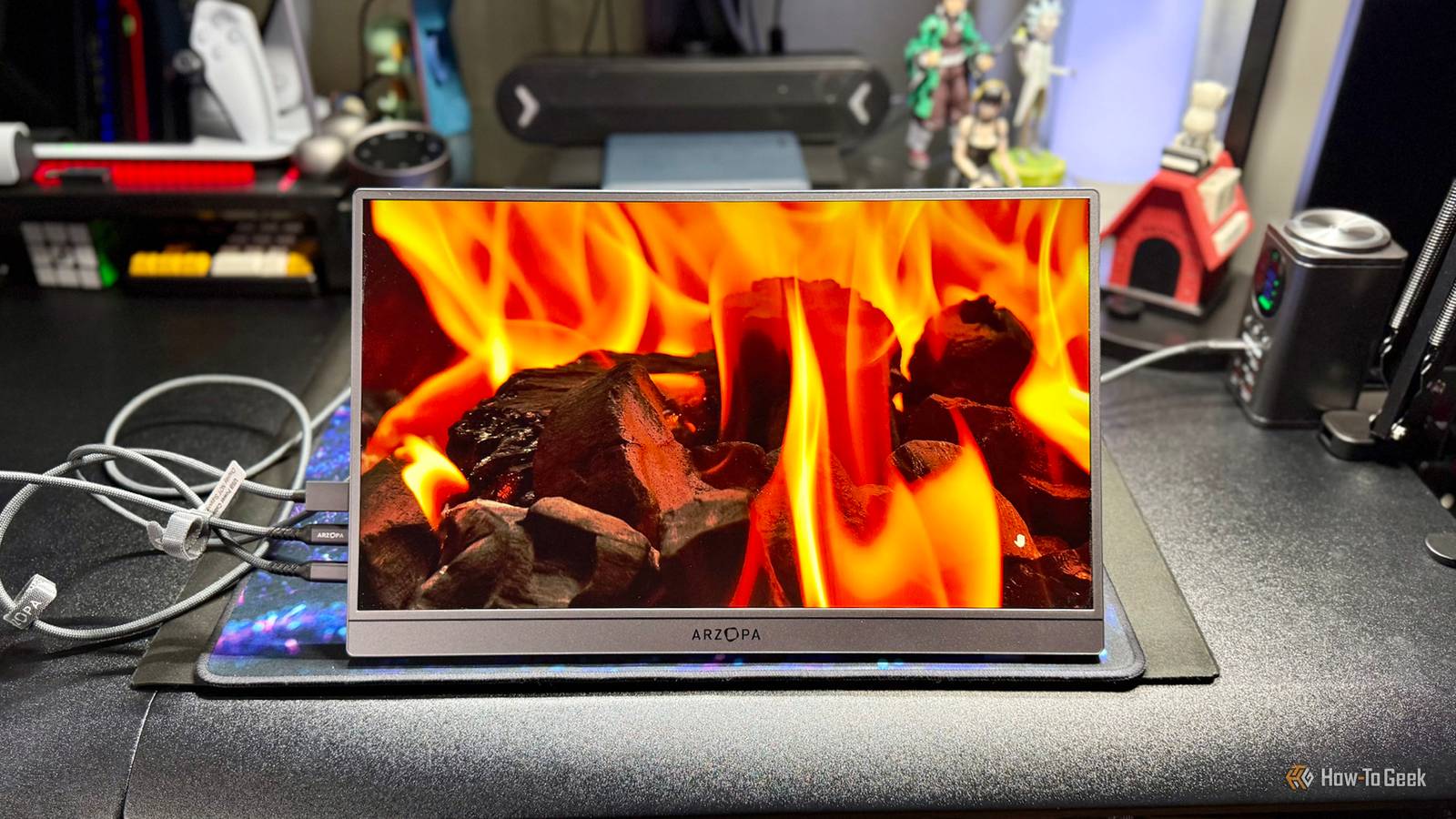
Portable displays often mean living with sacrifices. Outside of a few nitpicks, the slim Arzopa Z3FC 16.1-Inch Portable Monitor challenges this notion by offering a high resolution, fast refresh rate, HDR10+, and other performance-oriented features for a relatively low price.


8/10
- Screen Size
-
16.1 Inches
- Display Technology
-
IPS
- HDR
-
HDR10+
- Resolution
-
2560 x 1440p, 2.5K QHD
The Arzopa Z3FC 16.1-Inch Portable Monitor offers a high resolution, fast refresh rate, HDR10+, and other performance-oriented features for a relatively low price.
- High resolution and refresh rate
- Two USB-C and a mini HDMI port
- Landscape and portrait orientations
- Built-in speakers
- HDR10+ support
- No battery or touchscreen
- Limited viewing angles
- Settings apply to all inputs instead of individual ones
- Full-size HDMI only through the included adapter

How We Test and Review Products at How-To Geek
We go hands-on with every product to ensure it’s worth your time and money.
Price and availability
The Arzopa Z3FC 16.1-Inch Portable Monitor is available from Amazon or direct from Arzopa for $200, although it’s often discounted. In the box, you get the monitor, monitor sleeve bag with hook and loop closure, mini HDMI-to-HDMI cable, USB-C to USB-C cable for power only, USB-C to USB-C data and power cable with angled connector, and paperwork.
- Screen Size
-
16.1 Inches
- Display Technology
-
IPS
- Resolution
-
2560 x 1440p, 2.5K QHD
- Aspect Ratio
-
16:9
- Brightness
-
400nits
- Refresh Rate
-
180Hz
- HDR
-
HDR10+
- Ports
-
USB-C x2, mini HDMI
- Speakers
-
1W stereo
- Weight
-
1.6 lbs
- Thickness
-
0.36 inches
Packs a punch in a surprisingly thin package

The Arzopa Z3FC impresses out of the box by packing a 16.1-inch diagonal IPS display in a thin 0.36-inch all-metal body. The 2,560 x 1,440 QHD resolution display has a 16:9 aspect ratio, giving the ZF3C something of an awkward balance at 14.41 inches wide and 8.98 inches high. Fortunately, at a featherweight 1.6 lbs, it’s still relatively easy to handle, especially when held from the 0.84-inch tall bottom bezel.
The left side of the monitor has all of the buttons and ports. On the upper half is a combination power and back button, combination brightness and volume adjustment buttons, and an OSD button, which opens the On-Screen Display menu. On the lower half is the mini HDMI and two Type-C USB ports. Between the two halves is a speaker, which is paired with another speaker on the right side of the monitor.

At the bottom, opposing ends of the monitor are two rubber feet. Just to the left of the right rubber foot is the bottom of the kickstand, which has its own rubber foot. The kickstand supports the monitor in both horizontal and vertical (portrait) orientations, and has a large range of motion of up to 80 degrees for various viewing angles. Overall, it’s a clean, minimalist design that blends in, rather than calling attention to itself.
The mini HDMI interface supports audio and video with a maximum refresh rate of 144Hz. Each USB-C port is full-function, supporting power, audio, and video, with a maximum refresh rate of 180Hz. There’s no built-in battery, so the Z3FC needs to be powered either from a device connected over USB-C or a USB-C-based power source. It supports 5V, 9V, 12V, 15V, or 20V voltage input, the PD 2.0 power supply protocol, and reverse charging.

There are four common connection scenarios. The first common scenario is connecting to a computer—typically a laptop—or select tablets, with a full-function Type-C interface for an extended or duplicated display. In this scenario, power can be supplied from the computer or tablet over the same cable.
The second common scenario is connecting over USB-C to a smartphone with TV-out functionality, like a recent iPhone or Android-based device. The Z3FC will display the phone’s screen content or customized user interface according to its settings. When no external power is connected to the Z3FC, the phone’s battery powers the monitor, automatically adjusting the display’s brightness to 15%.
Of course, both the display’s brightness and volume levels can be adjusted depending upon how much power the smartphone can supply, although HDR may have to be turned off on the monitor for the former to work due to that feature’s greater power demands. When an external power source is connected to the Z3FC’s second USB-C port, the monitor can charge the phone in reverse. For this reverse charging to work optimally, Arzopa recommends an external power source that provides at least 18W.
The third common connection scenario is with the Nintendo Switch. When the Z3FC is connected to a minimum 15V PD protocol power source on one USB-C port and connected to the Switch on the second USB-C port, the Switch can have its battery charged and its TV mode enabled for 1080p display output. Using a lower voltage power source disables Switch charging.

The fourth common connection scenario is connecting to a computer—typically a desktop—or console like the Microsoft Xbox Series X or Sony PlayStation 5 Pro, over HDMI. In this scenario, you’ll need to use the included mini HDMI to HDMI cable, or equivalent, and a USB-C power source, which can often be a USB-C port on the device you’re connecting to if you limit some of the Z3FC’s performance.
While it’s fairly common for portable monitors to have touchscreens, this particular display eschews that feature. As with the lack of a battery and full-size HDMI port, I don’t necessarily consider that a significant omission, but it’s definitely something to consider when evaluating your potential use cases.
Looks great, runs smoothly, but sounds just OK

Pressing the OSD button displays the menu, which consists of Brightness, Color Temperature, OSD Setting, Miscellaneous, and Signal Source options. You use the brightness and volume buttons to move between options and the OSB button to select. The power and back button brings you to the previous menu level. While I’m never a fan of button-based menu systems, this one is logical enough.
Sadly, changes to any settings apply to all inputs, so it’s not necessarily convenient to quickly switch between, say, a device that displays in SDR and a device that displays in HDR, let alone with different brightness settings.

By default, brightness is set to 15%, and both HDR and Freesync, which is the variable refresh rate standard used, are off. When setting brightness higher, as well as turning HDR and Freesync on, you need to ensure that you have sufficient USB power, so the monitor doesn’t turn off. For my usage, with 100% brightness and both HDR and Freesync on, the Z3FC was drawing 20V, 0.6A, and over 13V of power.

Surprisingly, the default 15% brightness is extremely usable. I’m not sure what scale they’re using for the percentages, but even with my brightness-craving eyes, I was fine with using this default most of the time. Of course, cranking the brightness to 100% is a delight, surprisingly exceeding my expectations for what 400nits of maximum brightness can look like.

Colors in both SDR and HDR are vibrant and really pop, thanks to the rated sRGB range of 107% and 1000:1 contrast ratio. Small text is easy to read. However, I was a bit less enamored with the viewing angles. Straight on, with a properly adjusted kickstand, it looks great, but as soon as you go a bit too far off to the sides, the screen noticeably darkens.
At a 16.1-inch screen size and something designed for more personal, or at best, two-person, viewing, this isn’t a big deal, but it’s not something you’d really want a bunch of people to try and crowd around.
In portrait mode, there’s really only one fixed kickstand angle of roughly 85 degrees. I found that this mostly upright angle works well, however, making it a viable portrait display, just with the same type of caveat that the screen darkens a bit if you’re viewing it off to the side.

Even with the poor viewing angles and occasional glare from overly bright external lighting, I have nothing but good things to say about the image quality. Particularly with proper HDR output, the display looks stunning. It’s the equal in many ways of just about any monitor I’ve used at any price point, which is saying something for a portable display.
The audio from the 1W stereo speakers is about what you’d expect. At the default 50%, it has good clarity, but minimal bass. At 100%, the sound gets a bit muddy with no improvement in overall presence. Even at 100%, the sound isn’t exactly room-filling. While overall stereo separation is pretty good, you’ll definitely want to use headphones with your device if you want the audio quality to match the picture quality. With that said, as long as you don’t expect miracles, they’re fine for everyday use.
Overall, I’m impressed with the Z3FC and what Arzopa was able to pull off. Having reviewed the excellent Arzopa G1 Game Portable Monitor fewer than two years ago, the Z3FC exceeds it in nearly every way that matters, and at a similar price. It’s a shame, though, that the Z3FC lost the G1’s 3.5mm audio jack, but that’s a connector that’s understandably being phased out on most devices at this point.
Should you buy the Arzopa Z3FC 16.1-Inch Portable Monitor?
The Arzopa Z3FC 16.1-Inch Portable Monitor packs a punch in a svelte form factor. You not only get excellent image quality and built-in speakers, but also performance-oriented features like HDR and a 180Hz refresh rate at a value-driven price point.
Of course, nothing is perfect, and the Z3FC is no different. There’s no battery or touchscreen, the viewing angles are limited, and there’s no way to apply settings to individual inputs; it’s all or nothing. For most use cases, however, these are minor inconveniences at best for such a potent display that’s easy to move around.
8/10
- Screen Size
-
16.1 Inches
- Display Technology
-
IPS
- HDR
-
HDR10+
- Resolution
-
2560 x 1440p, 2.5K QHD
The Arzopa Z3FC 16.1-Inch Portable Monitor offers a high resolution, fast refresh rate, HDR10+, and other performance-oriented features for a relatively low price.
