Close Menu
SkytikSkytik

    Subscribe to Updates

    Get the latest creative news from FooBar about art, design and business.

    What's Hot

    At Least 32 People Dead After a Mine Bridge Collapsed Due to Overcrowding

    November 17, 2025

    Here’s how I turned a Raspberry Pi into an in-car media server

    November 17, 2025

    Beloved SF cat’s death fuels Waymo criticism

    November 17, 2025
    Facebook X (Twitter) Instagram
    • About Us
    • Contact Us
    SkytikSkytik
    • Home
    • AI Tools
    • Online Tools
    • Tech News
    • Guides
    • Reviews
    • SEO & Marketing
    • Social Media Tools
    SkytikSkytik
    Home»Guides»Your selfies are about to look better with Google’s new touch up tools
    Guides

    Your selfies are about to look better with Google’s new touch up tools

    AwaisBy AwaisDecember 8, 2025No Comments3 Mins Read0 Views
    Facebook Twitter Pinterest LinkedIn Telegram Tumblr Email
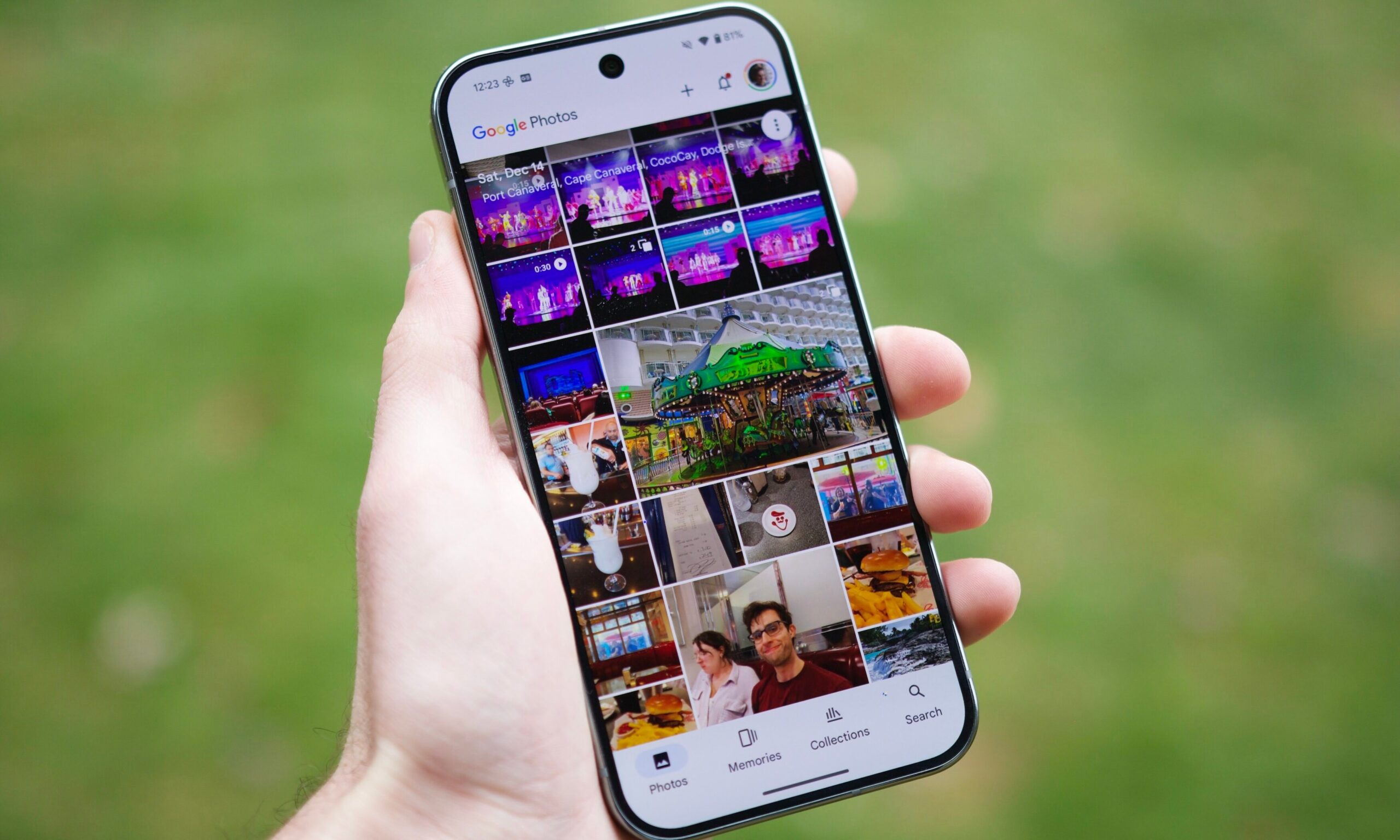
    Someone holding a Pixel 9 Pro, running the Google Photos app.
    Share
    Facebook Twitter LinkedIn Pinterest Email

    While Google’s Camera app has had “face retouching” toggles for a while, the Photos app itself has mostly stayed away from letting you tweak specific facial features. That’s about to change. Android Authority did a deep dive into the code of the latest app version (7.56) has revealed a fully functional “Touch Up” mode that lets you refine the details of a face long after the photo was taken.

    A New “Touch Up” Mode Is Coming to Google Photos

    Deep inside the latest update, there is a hidden menu called Touch Up. When you tap it for the first time, the app asks you to download a small 16MB file. That little package is the AI brain that powers the new tools.

    Google Photos' year in review feature for 2024.
    Bryan Wolfe / Digital Trends

    Once it’s running, you get a clean interface with six specific sliders: Smooth, Under Eyes, Irises, Teeth, Eyebrows, and Lips.

    It isn’t just a generic “beauty filter” that blurs the whole image. The cool part is that the AI detects individual faces. If you have a group shot, you can tap on one person to whiten their teeth or smooth their skin without weirdly affecting the person standing next to them. Right now, it works on up to six faces per photo; any more than that, and the app will tell you it’s hit the limit.

    Why This Matters: Smarter Editing, More Control, and What’s Next

    Google Photos is already the default gallery for over a billion people, but until now, if you wanted to fix dark circles or brighten a smile, you probably had to jump into a different app like Snapseed or Facetune. By baking these tools right in, Google is making the app a true one-stop shop.

    Google Photos
    Bryan M. Wolfe / Digital Trends

    This is a big win for regular users. We all have those great group photos where one person looks perfect and the other is caught in bad lighting. The ability to edit per person solves that problem instantly. It’s less about fake, heavy-handed filters and more about subtle, natural polish.

    Google hasn’t officially announced when this is dropping, but since the feature is already working in the test versions, it’s likely coming very soon – maybe in the next “Feature Drop.” It’s a clear sign that Google wants your photo gallery to be smarter, doing the heavy lifting so you don’t have to be a Photoshop pro just to look your best.

    Googles selfies Tools touch
    Share. Facebook Twitter Pinterest LinkedIn Tumblr Email
    Awais
    • Website

    Related Posts

    Definition, tools, & use cases

    March 19, 2026

    Google Removes ‘What People Suggest,’ Expands Health AI Tools

    March 17, 2026

    Get threat intelligence to your team fast, in the tools they already use

    March 17, 2026

    The Shortcut Behind Some AI Optimization Tools

    March 13, 2026

    26 Free Instagram Tools to Grow Your Following

    March 12, 2026

    The 9 best RevOps tools in 2026

    March 12, 2026
    Leave A Reply Cancel Reply

    Top Posts

    At Least 32 People Dead After a Mine Bridge Collapsed Due to Overcrowding

    November 17, 20250 Views

    Here’s how I turned a Raspberry Pi into an in-car media server

    November 17, 20250 Views

    Beloved SF cat’s death fuels Waymo criticism

    November 17, 20250 Views
    Don't Miss

    Vibe Coding with AI: Best Practices for Human-AI Collaboration in Software Development

    March 20, 2026

    — collaborating with an agentic AI-powered IDE to build software — is rapidly becoming a…

    404 Crawling Means Google Is Open To More Of Your Content

    March 20, 2026

    Gen Z Social Media Trends & Usage

    March 20, 2026

    How to use VLOOKUP in Google Sheets: A complete guide

    March 20, 2026
    Stay In Touch
    • Facebook
    • YouTube
    • TikTok
    • WhatsApp
    • Twitter
    • Instagram
    Latest Reviews

    How to create a dropdown list in Google Sheets

    March 19, 2026

    CraniMem: Cranial Inspired Gated and Bounded Memory for Agentic Systems

    March 19, 2026
    Most Popular

    13 Trending Songs on TikTok in Nov 2025 (+ How to Use Them)

    November 18, 20257 Views

    How to watch the 2026 GRAMMY Awards online from anywhere

    February 1, 20263 Views

    Corporate Reputation Management Strategies | Sprout Social

    November 19, 20252 Views
    Our Picks

    At Least 32 People Dead After a Mine Bridge Collapsed Due to Overcrowding

    November 17, 2025

    Here’s how I turned a Raspberry Pi into an in-car media server

    November 17, 2025

    Beloved SF cat’s death fuels Waymo criticism

    November 17, 2025

    Subscribe to Updates

    Get the latest creative news from FooBar about art, design and business.

    Facebook X (Twitter) Instagram Pinterest YouTube Dribbble
    • About Us
    • Contact Us
    • Privacy Policy
    • Terms & Conditions
    • Disclaimer

    © 2025 skytik.cc. All rights reserved.

    Type above and press Enter to search. Press Esc to cancel.