


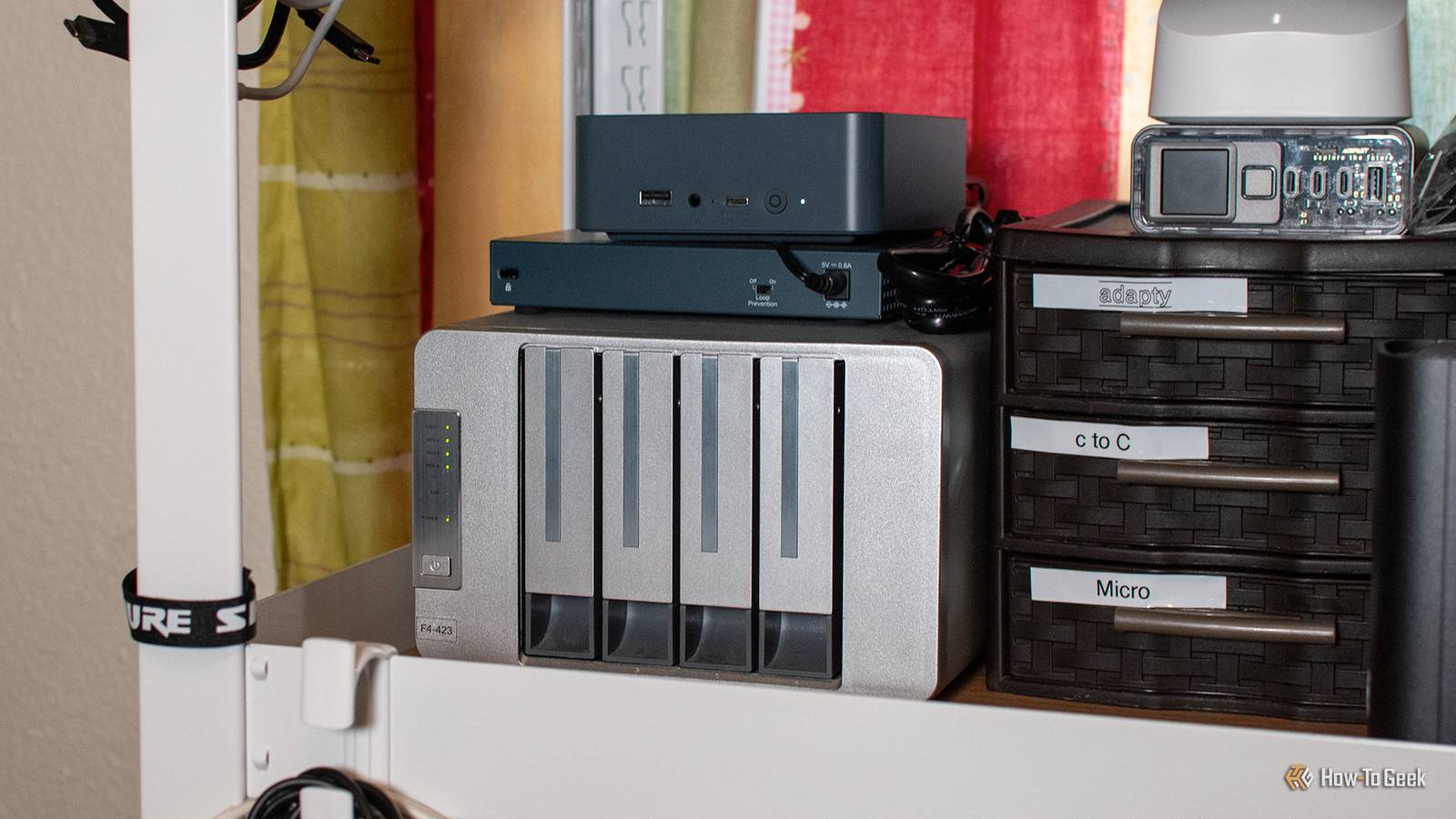
Self-hosting is becoming more popular by the day. If your friends have finally convinced you to get a NAS (they’re good friends, by the way), maybe it’s time to take the plunge.
But before you rush out and spend money on an expensive NAS enclosure, there’s a good chance you already own a device that can be turned into a NAS without spending a dime—you just don’t know it yet. Here are some common pieces of tech you can easily repurpose as a NAS.
Old desktop PC

An old office desktop or, even better, a gaming PC is one of the best options for turning into a NAS for one simple reason: they’re extremely flexible. On top of being able to install whatever NAS OS you please, if it’s a relatively modern gaming machine, there’s a good chance the motherboard supports all kinds of features you want in a NAS server, like 2.5 gigabit Ethernet, M.2 NVMe drives, USB 3.0 (or faster) ports for external storage, SATA, PCIe slots, and more.
Ease of upgradability is another major advantage of desktop PCs, sometimes even over typical NAS enclosures. You can swap the processor, add or upgrade RAM, or even use ECC for improved data integrity, all for just a few bucks on Facebook Marketplace.
You can also add a graphics card for hardware-accelerated video transcoding, virtual machines, and even local LLMs. Adding a GPU is actually much easier with a PC than with a regular NAS, so desktop PCs have a slight advantage.
However, a major drawback of using a desktop PC as a NAS is higher power consumption, since desktop hardware is rarely as efficient as smaller form factors.

Don’t throw away your old PC—it makes a better NAS than anything you can buy
Doing it yourself is way more cost effective.
Mini PC

An old mini PC like an Intel NUC is the perfect homelab starter box. Mini PCs pack powerful laptop-grade components like Ryzen and Intel U-series CPUs, which are optimized for energy efficiency. If you want to make a basic Plex media server or use it for backup storage, a mini PC can provide all the power you need.
The beauty here is that you don’t need a powerful mini PC to turn it into a NAS—even a decade-old unit worth less than $30 can make a pretty capable NAS.
Media playback could become a problem if multiple people are using it simultaneously, but if it’s equipped with an Intel chip, there’s a very good chance it has Quick Sync.
The feature is found on many Intel CPUs from 2011 onward. It’s a hardware core on the die itself that enables hardware-accelerated video decoding and encoding while allowing the CPU to handle other tasks—it can easily handle multiple 4K streams without stuttering.
Mini PCs have one major disadvantage in the form of limited storage upgradeability, but you can often get by with external storage, such as USB flash drives, NVMe enclosures, and external hard drives.
Laptop

Mini PCs and desktops sit on opposite sides of the NAS spectrum. If you want something that’s right in the middle and even throws in a built-in UPS in the form of a battery for good measure, a laptop is the way to go.
They offer the same or better performance than many mini PCs while still prioritizing efficiency. Business laptops are perhaps the best choice due to their strong I/O layout. They can have multiple USB-A and USB-C ports, Thunderbolt, Ethernet, display outputs in the form of HDMI and DP Alt Mode, and more.
Some laptops even have dedicated graphics cards, just like desktop PCs. By the way, the same argument I made about Quick Sync applies to Intel-powered laptops.
Older, bulkier laptops often feature one or even two 2.5-inch drive slots for SSD or HDD upgrades, while newer ones might have one or two M.2 slots for ultra-fast NVMe drives.
Plus, you can always add at least a few external hard drives or USB flash drives to increase capacity. Laptops even have built-in keyboards and screens to make initial setup a breeze.
Frankly, there’s little not to like about using a laptop as a NAS. It might be the most accessible and complete alternative for most people.
Old Android phone or TV box

Old Android phones are some of the most abundant, yet versatile devices on the planet. There is a good chance you have one in your drawer right now, doing nothing but collecting dust. And if you don’t have a phone, you might have an Android TV box instead. So, why not put it to good use by turning it into a NAS instead?
If your goal is just to run a media server, there are plenty of easy ways to achieve that. But if you want a proper NAS—to stream media and share files over the network from internal storage and attached drives—you can turn it into an SMB server using an app like Cx File Explorer.
Rooting your old Android can add even more functionality, as it allows for deeper configuration when running powerful server apps like Servers Ultimate.
Old Android phones and boxes aren’t as capable as laptops, mini PCs, or desktop PCs. They’re very efficient, but not nearly as powerful, and can get hot under heavy load. And while some Android TV boxes do have the advantage of Ethernet, phones still need to rely on Wi-Fi to connect to your other devices.
Storage is also quite limited, though you can circumvent that with a microSD card (if the phone or box has a slot) or a USB-C hub with external drives.
Router with USB port

Routers are essentially basic mini PCs, and if yours has a USB port, there is a very good chance that you can turn it into a simple NAS by plugging in an external SSD or HDD (if supported) or, at the very least, a USB flash drive—literally turning it into network attached storage.
This is the perfect solution if you just want an easy way to transfer files within your network. It is often more convenient than a direct transfer because the other device doesn’t even need to be powered on. Some routers are even capable enough to act as media servers, though how well this performs largely depends on your router’s hardware.
A major benefit of using your router is that all the hardware and firmware are already there, though you can always unlock even more functionality by flashing Linux onto it in the form of OpenWrt.
Plus, since it’s already plugged in and sipping minimal power, it is hardly going to affect your power bill!
If you want a NAS but can’t justify spending several hundred dollars on a basic enclosure and storage drives, you should seriously consider using one of the options from above instead. At the very least, they’ll give you an idea of what it’s like to have a NAS, serving as the perfect gateway into self-hosting.
